WordPress
 WordPress
- Check Your PHP Version in WordPress
- Discourage search engines from indexing this site
- How do I add a new WordPress admin user? Or remove one?
- How do I add HTML code to my website?
- How do I change who a form gets sent to?
- How do I edit my WordPress header or footer?
- How do I redirect a page or post?
- How do I replace an existing PDF or image in WordPress?
- How do I set up a staging website?
- How to Edit WordPress Navigation Menu/Links
- How To Improve WordPress Search
- How to know and what to do if my WordPress website gets hacked?
- How to test changes without messing up a live web page
- Should I run a WordPress security plugin?
- Should I upload videos directly to my website?
- What Is Xmlrpc.php in WordPress? Why disable it?
- What premium plugins/services do I get with your service?
- Where can I find images to use on my website?
- Why are there plugin updates in my WordPress Dashboard?
Digital Marketing
 Digital Marketing
- How to Add Google Analytics to WordPress
- How to Claim Your Business Profile on Google
- Technical SEO Explained Simply
Troubleshooting
 Troubleshooting
- Does my website use cookies?
- Email Account vs Email Forwarder
- How to Add a Delegate User on Squarespace Domains
- How To Assign A Technical Contact in Network Solutions
- How to clear the cache in Chrome
- How to clear the cache in Edge
- How to clear the cache in Firefox
- How to clear the cache in Opera
- How to clear the cache in Safari
- How to Clear Your Browser Cache
- How to Delegate Access to Your GoDaddy Account
- How to Delegate Domain Access on Namecheap
- How to spot phishing attempts
- How To View Your Website Traffic/Analytics
- I’m not receiving form notifications from my website
- My changes aren’t showing up on my website
- My image looks blurry after I upload it?
- My site shows a security/SSL warning
- What to Include When Contacting our Helpdesk
- Why doesn’t Google show my meta description or title?
How do I change who a form gets sent to?
Table of contents
All of the forms we’ve set up over the past few years will be using Ninja Forms, so that’s the plugin we’ll be covering for this.
1. First off, head to Ninja forms > Dashboard and select the form you want to edit. Click on the ‘cog’ icon.
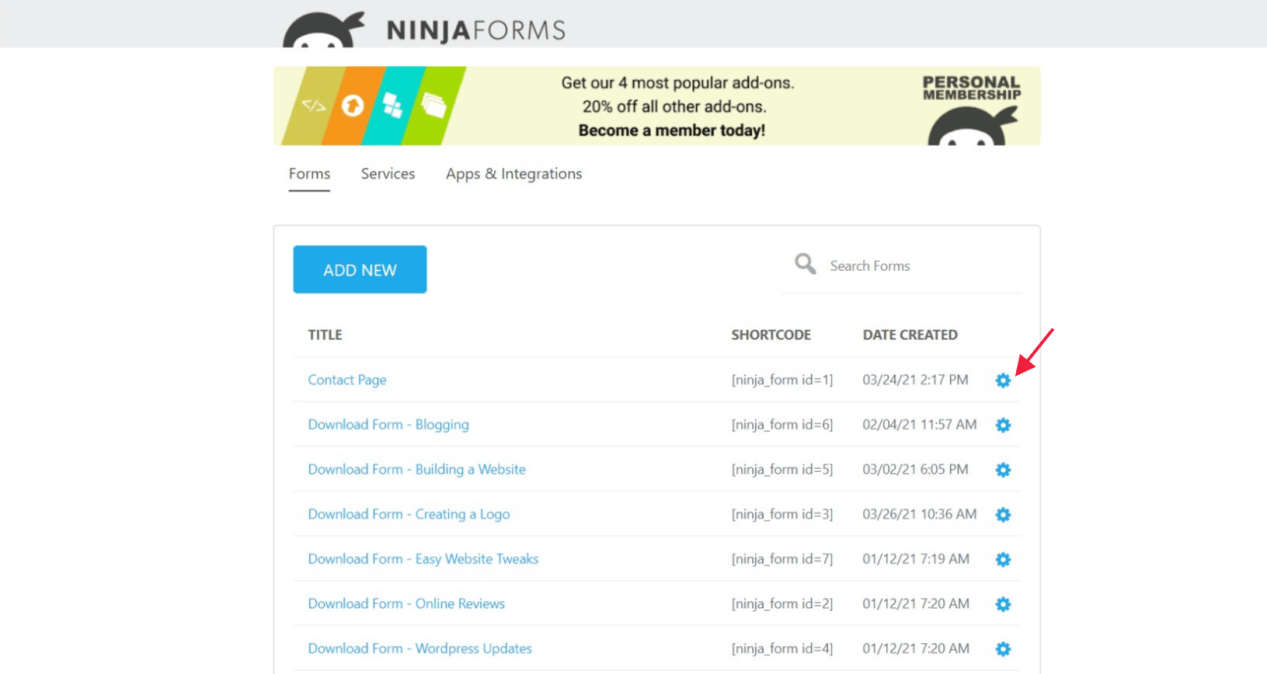
2. Then click Edit

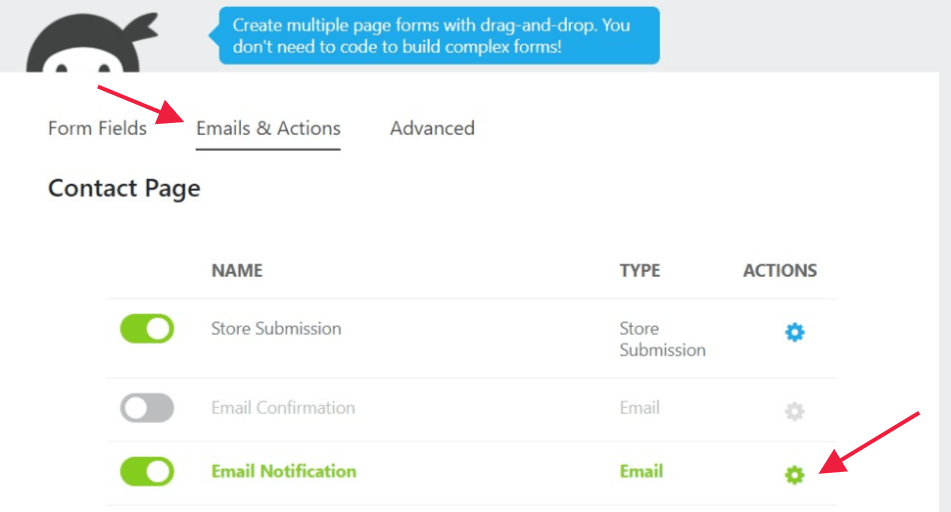
3. Select the Email & Actions tab and click the settings icon next to Email Notification.
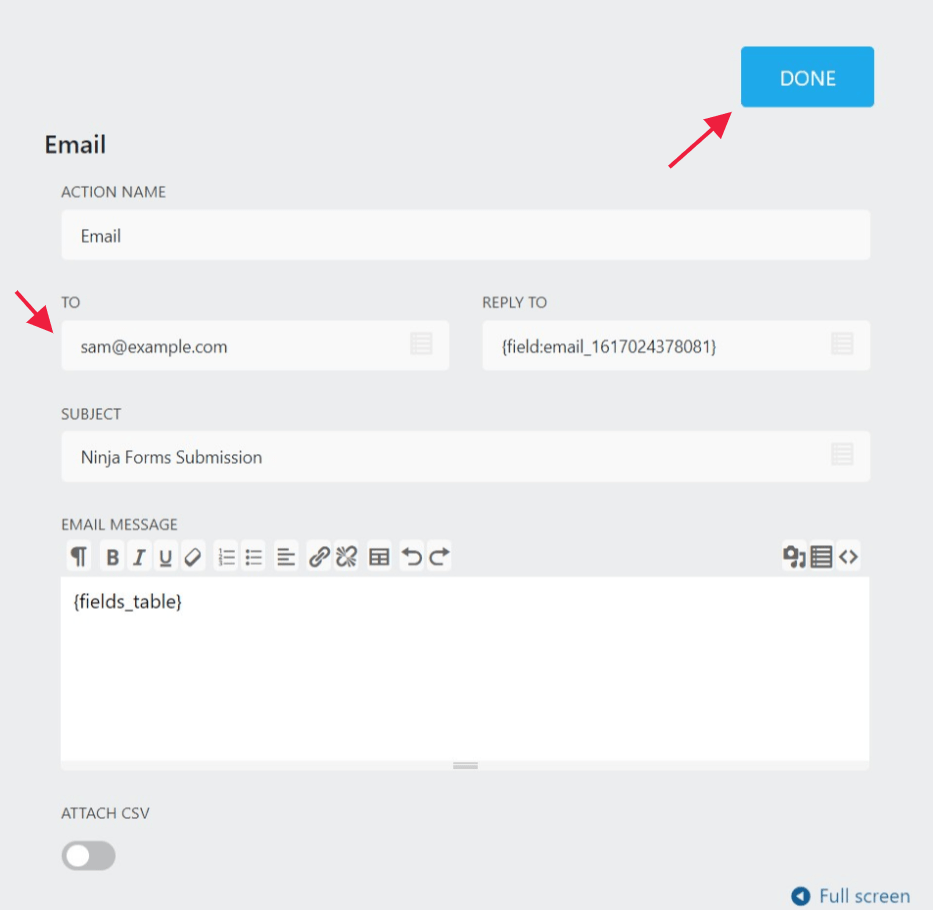
4. Change your email address in the TO field. If you’d like to add multiple emails, they should be separated by a comma. Then click the Done button.
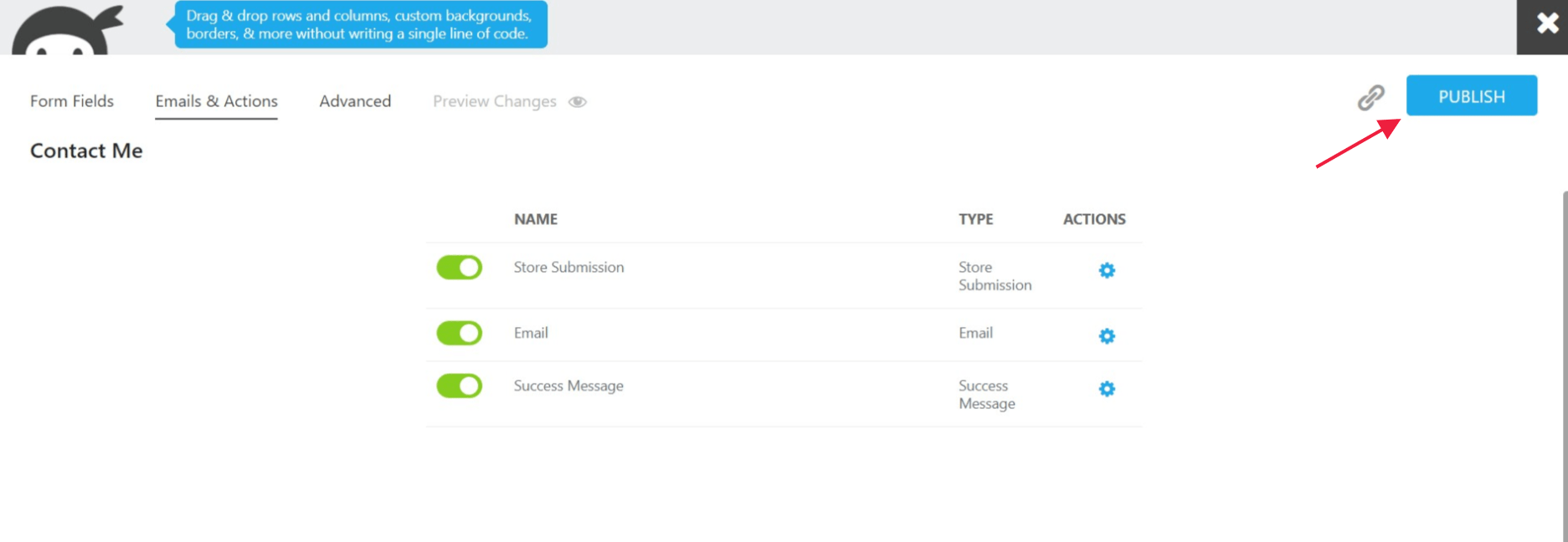
5. Publish the changes and you’re all set. Be sure to test the form and make sure that each email you added receives a notification.