
Severity: Minor · Fix time: 5–15 min · Skill level: Intermediate
Deprecated Function Warnings are PHP notices that WordPress generates when a plugin, theme, or custom code calls a function that has been marked for removal in a future version of WordPress or PHP. The warning doesn’t crash the site — it’s not a fatal error — but it signals that the code is running on borrowed time. Ignore enough of these warnings long enough, and a future WordPress or PHP update will turn them into site-breaking errors.
The typical message reads: Deprecated: Function some_old_function is deprecated since version 5.5.0! Use some_new_function instead. WordPress logs these when WP_DEBUG is enabled. Most site owners never see them — until a PHP upgrade makes the deprecated function disappear entirely and the site breaks on contact.
Need a quick map of every WordPress error? See our 70+ WordPress Errors Guide → for a categorized reference of every common WordPress issue.
[Image: Browser showing PHP Deprecated notices in a WordPress development environment with WP_DEBUG enabled]
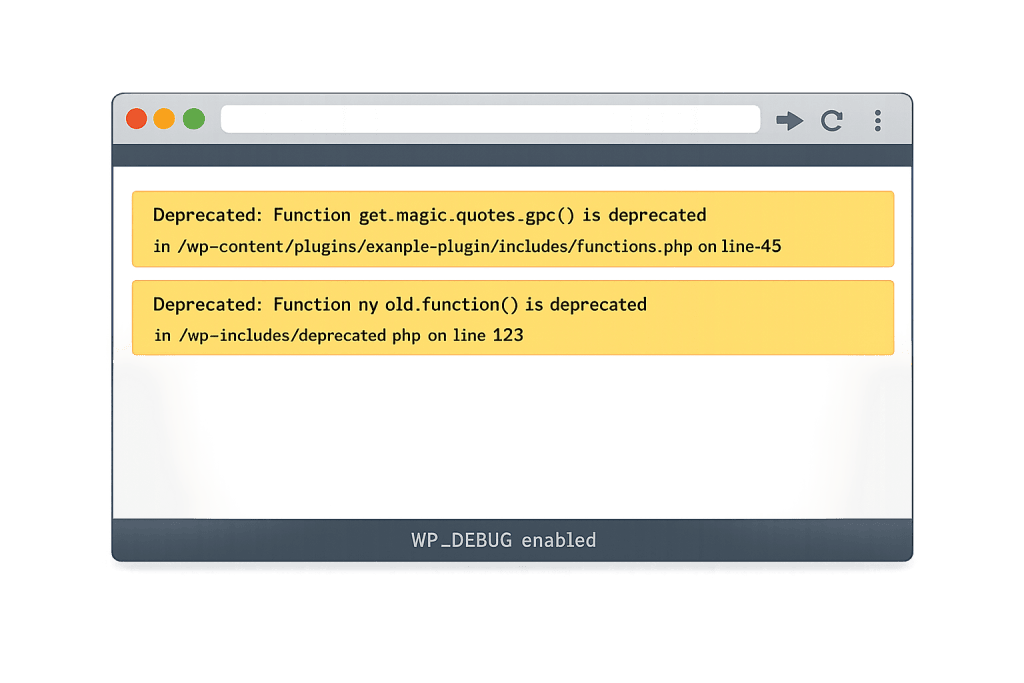
How Deprecated Function Warnings Work
WordPress and PHP both follow a deprecation lifecycle. When a function is identified as outdated — because a better alternative exists, the underlying feature changed, or security improvements require a new approach — it gets marked as deprecated. The function still works for at least one or two major versions after the deprecation notice, giving developers time to update their code.
The deprecation path:
- Function is marked deprecated — Still usable but triggers a warning when called
- Documentation updated — The replacement function is documented alongside the notice
- Eventual removal — In a future major version, the deprecated function is removed; code still calling it produces a fatal error
Two separate deprecation tracks exist on WordPress sites:
- WordPress-level deprecations — Functions like
get_currentuserinfo()(replaced bywp_get_current_user()) that WordPress deprecated across major versions - PHP-level deprecations — Language features like the old
mysql_*extension functions,ereg_*regex functions, orcreate_function()that PHP deprecated and eventually removed
Plugin and theme compatibility with the current WordPress and PHP versions determines how frequently you encounter these warnings. A plugin that hasn’t been updated in two or three years on a site running PHP 8.1 or 8.2 will generate deprecation warnings — sometimes dozens per page load.
Check This First — 2-Minute Diagnostic
- Enable WP_DEBUG in a staging environment — Never enable
WP_DEBUGwithWP_DEBUG_DISPLAYon a live site. Enable it on a staging copy first, reproduce the warning, and investigate from there. - Check the debug.log file — If
WP_DEBUG_LOGis enabled, open/wp-content/debug.logvia SFTP and search for “Deprecated” lines. Each entry includes the calling plugin or theme file and the replacement function. - Identify the source plugin or theme — The file path in the warning names the plugin or theme generating the call. That’s your first fix target.
- Check plugin update status — Go to Dashboard → Updates and check for available updates. Many deprecation warnings resolve with a simple plugin update.
- Cross-reference the PHP version — If you recently upgraded PHP and deprecation warnings appeared, the PHP version is likely the trigger.
Purpose & Benefits
1. Deprecation Warnings Are a Forward-Looking Signal
A deprecated function warning today is a fatal error waiting to happen. PHP 8.0 removed create_function(), deprecated since PHP 7.2. PHP 8.1 removed the mysql_* functions entirely. Sites running plugins that called those functions broke immediately when PHP was upgraded. Treating deprecation warnings seriously — and acting before a forced PHP upgrade — is risk management, not optional housekeeping.
2. They Help You Audit Plugin and Theme Quality
Plugins generating numerous deprecation warnings are almost always unmaintained. An abandoned plugin is a security risk independent of its deprecated function calls. In our experience, a plugin that hasn’t been updated to resolve two-year-old deprecation warnings has also likely missed security patches. The warning log is a useful proxy for plugin health. Our WordPress maintenance plans include regular plugin audits that catch this pattern.
3. Debugging Deprecations Requires No Downtime
Unlike fatal errors, deprecated function warnings don’t break site functionality. You can investigate and fix them on your schedule — in a staging environment, without emergency pressure. This makes them the best type of error to proactively address: the site is working, the warning is specific, and you have time to find the right fix rather than the fastest one.
Examples
1. Plugin Using a WordPress-Deprecated Function
A contact form plugin calls get_currentuserinfo() to retrieve user data during form pre-population. WordPress deprecated this function in version 4.5 and replaced it with wp_get_current_user(). With WP_DEBUG enabled, every page load with the form triggers a deprecation notice.
// Deprecated — triggers warning on WP 4.5+
get_currentuserinfo();

// Correct replacement
$user = wp_get_current_user();
if ( $user->exists() ) {
    echo 'Hello, ' . esc_html( $user->display_name );
}
Fix: update the plugin. If it hasn’t been updated in years, evaluate a replacement.
2. PHP 8.1 Deprecation: Calling a Non-Static Method Statically
A custom theme function calls a class method statically (MyClass::method()) when the method wasn’t declared as static. PHP 8.0 made this a deprecation; PHP 8.2 makes it a fatal error. This is a common pattern in older premium themes.
// Deprecated in PHP 8.0 — triggers: "Non-static method should not be called statically"
$settings = MyClass::getSettings();

// Correct fix — instantiate the class first
$instance = new MyClass();
$settings = $instance->getSettings();
If the theme isn’t yours to edit, contact the developer or switch to a maintained alternative.
3. Debug Log Full of Deprecated Notices After PHP 8.2 Upgrade
A site upgrades from PHP 7.4 to PHP 8.2. The debug log fills with notices referencing utf8_encode() and utf8_decode() — deprecated in PHP 8.2 — called by a data import plugin last updated in 2021. The plugin needs to use mb_convert_encoding() instead. While transitioning, suppress the notices in production by logging without displaying:
// In wp-config.php — log errors to file, never display publicly
define('WP_DEBUG', true);
define('WP_DEBUG_LOG', true);
define('WP_DEBUG_DISPLAY', false);
@ini_set('display_errors', 0);
Common Mistakes to Avoid
- Enabling WP_DEBUG_DISPLAY on a live site — This exposes server paths and plugin file structures to every visitor. Always set
WP_DEBUG_DISPLAYtofalseon production and useWP_DEBUG_LOGinstead. - Suppressing all deprecation notices globally — Setting
error_reporting(E_ALL ^ E_DEPRECATED)makes warnings disappear from the log, but the underlying unmaintained code remains. You lose visibility into problems that will become site-breaking on the next PHP update. - Assuming “non-fatal” means “not urgent” — PHP removes deprecated features on a schedule. A deprecation in PHP 8.1 becomes a removal in PHP 8.3 or 8.4. “Minor” severity today has a deadline.
- Editing plugin core files to patch deprecated calls — Direct edits to plugin files get overwritten by the next auto-update. The right fix is updating the plugin, forking it properly, or replacing it.
Best Practices
1. Enable WP_DEBUG Logging in Your Staging Environment
The only safe way to audit deprecation warnings is in a staging environment with debug logging enabled and display off:
// Staging-only wp-config.php settings for deprecation auditing
define('WP_DEBUG', true);
define('WP_DEBUG_LOG', true);
define('WP_DEBUG_DISPLAY', false);
@ini_set('display_errors', 0);
Load key pages, then open /wp-content/debug.log via SFTP and search for “Deprecated” entries.
2. Use Plugin Update Cadence as Your Primary Fix
The majority of deprecation warnings resolve with a plugin or theme update. Establish a monthly plugin update routine — test updates in staging, then push to production. Plugins updated within the last 6 months are almost always deprecation-free for current WordPress and PHP versions.
3. Test PHP Compatibility Before Upgrading PHP Versions
Before upgrading your PHP version, use a compatibility scanner to identify which plugins and themes will generate errors or deprecation warnings on the new version. Plugins like PHP Compatibility Checker scan your entire plugin and theme stack against a target PHP version and flag deprecated function calls before you upgrade. This turns a potentially site-breaking upgrade into a managed process.
// Quick PHP version check — useful when debugging CLI vs. web server discrepancies
if ( defined( 'PHP_VERSION' ) ) {
    error_log( 'PHP Version: ' . PHP_VERSION );
}
Frequently Asked Questions
Are deprecated function warnings serious if my site works fine?
They’re not immediately serious, but they’re worth addressing. The site works because the deprecated function still exists — for now. PHP and WordPress both remove deprecated features eventually. A site generating dozens of deprecation warnings also has an unmaintained plugin stack, which carries independent security and compatibility risk.
How do I find which plugin is causing the deprecation warning?
Enable WP_DEBUG_LOG in your staging wp-config.php and review /wp-content/debug.log. Each deprecation entry includes a file path like /wp-content/plugins/plugin-name/includes/class.php on line 47. The plugin name appears directly in the path. Start with a plugin update — if the warning persists after updating, contact the developer with the specific file reference.
Can deprecated function warnings hurt my SEO?
Not directly — deprecation warnings don’t affect how search engines crawl or index your pages. The SEO risk is indirect: if ignored long enough, a deprecated function becomes a fatal error after a PHP update, which takes pages offline. A site that goes down unexpectedly loses crawl coverage and ranking for the duration of the outage.
Should I keep WP_DEBUG enabled on my production site?
No. WP_DEBUG with WP_DEBUG_DISPLAY enabled shows PHP notices to every visitor — including server file paths and configuration details. Use WP_DEBUG and WP_DEBUG_LOG in staging. If you need logging on production, set WP_DEBUG_DISPLAY to false and review the log file via SFTP.
Related Glossary Terms
- PHP
- Debug Mode (WP_DEBUG)
- wp-config
- Parse or Syntax Errors
- Fatal Error: Allowed Memory Size Exhausted
- Syntax Error on Line X
- White Screen of Death (WSOD)
- SFTP (Secure File Transfer Protocol)
How CyberOptik Can Help
Still broken? Our team fixes WordPress errors like this in under 30 minutes for maintenance clients. Deprecation warnings are easy to log and hard to systematically clear — especially on sites with 20+ plugins, some of which may not be actively maintained. Our WordPress maintenance plans include plugin health reviews, PHP compatibility testing before version upgrades, and the technical depth to distinguish a warning worth acting on immediately from one that can wait for the next update cycle. Contact us to discuss your site’s plugin stack.