
A WooCommerce extension (also called a WooCommerce add-on) is a plugin built specifically to extend the functionality of a WooCommerce store. Extensions add capabilities that WooCommerce doesn’t include by default — things like subscription billing, product bundles, advanced shipping rules, booking systems, affiliate programs, and integrations with external platforms like CRMs, email marketing tools, and accounting software.
The distinction between a general WordPress plugin and a WooCommerce extension is straightforward: WooCommerce extensions are purpose-built to interact with WooCommerce’s product, cart, order, and payment data. They hook into WooCommerce’s architecture in ways that a generic WordPress plugin wouldn’t. In practice, this means extensions appear in, and are configured through, the WooCommerce admin rather than a standalone plugin settings page.
WooCommerce’s extension ecosystem is one of the platform’s defining strengths. The official WooCommerce Marketplace lists 800+ extensions, and the broader WordPress.org directory contains thousands more third-party options. According to data from Colorlib, the average WooCommerce store runs 7–12 WooCommerce-specific extensions, and annual extension spending typically ranges from $500 to $5,000 depending on store complexity.
Types of WooCommerce Extensions
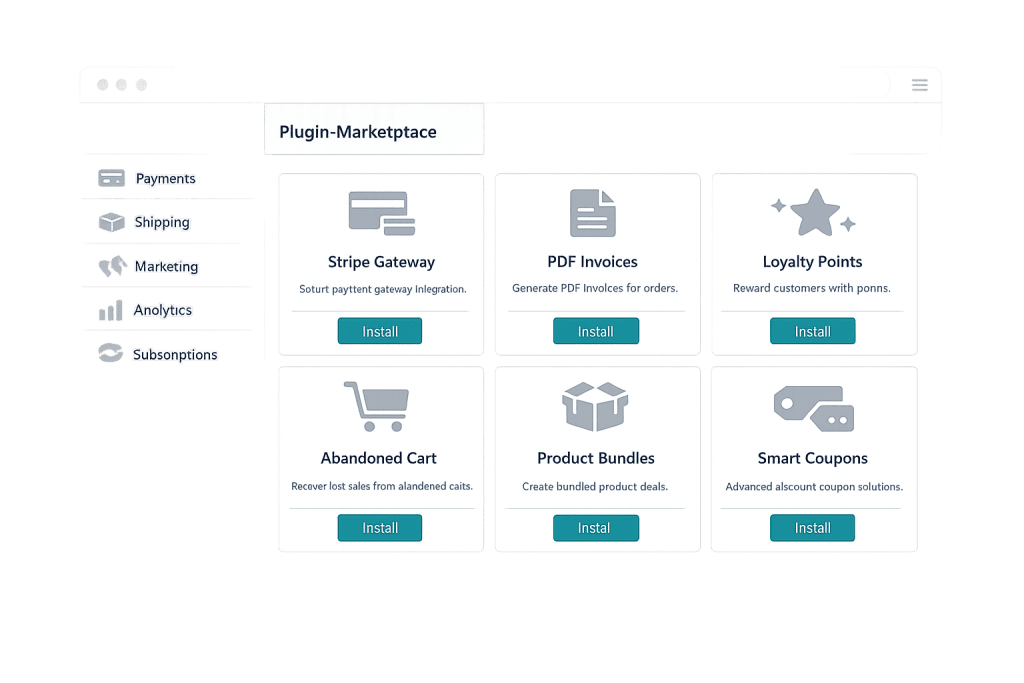
Extensions cover virtually every aspect of running an online store. The major categories include:
- Payment gateways — Add payment processors beyond the defaults. Stripe, PayPal, Square, Authorize.net, and dozens of region-specific gateways are available as extensions.
- Shipping — Advanced shipping rules, carrier integrations (UPS, FedEx, USPS), shipping insurance, and real-time rate calculation.
- Subscriptions and memberships — WooCommerce Subscriptions enables recurring billing; WooCommerce Memberships restricts content and products by membership level.
- Product extensions — Bundles, wishlists, product customizers, 3D product viewers, gift cards, and variable product enhancements.
- Marketing and conversion — Upsell and cross-sell tools, follow-up emails, loyalty programs, and abandoned cart recovery.
- Analytics and reporting — Enhanced store analytics beyond what WooCommerce includes natively, including customer lifetime value, cohort analysis, and revenue forecasting.
- Integrations — Connections to CRMs, email marketing platforms, accounting tools (QuickBooks, Xero), ERP systems, and POS hardware.
- Tax and compliance — Automated tax calculation (TaxJar, Avalara), VAT handling for international sales, and GDPR-compliant tools.
[Image: Screenshot of the WooCommerce Marketplace showing extension categories and featured extensions]
Purpose & Benefits
1. Build the Exact Store Your Business Needs
No two businesses have identical requirements. Extensions let you add exactly the functionality your store needs without bloating it with features you don’t. A bookings-based business adds a scheduling extension. A brand selling physical and digital products together handles each product type differently with the right extension. This modularity is what makes WooCommerce genuinely flexible — and why it’s the foundation of our eCommerce development work for clients.
2. Integrate with the Tools You Already Use
Most businesses already have a CRM, an email marketing platform, and possibly an accounting system. WooCommerce extensions bridge the gap between your store and those tools — syncing orders to your CRM, triggering post-purchase email sequences in Klaviyo or Mailchimp, and pushing invoices automatically to QuickBooks. These integrations eliminate manual data entry and keep your business operations connected.
3. Unlock Revenue Models Not Available in Core WooCommerce
WooCommerce’s base install handles one-time purchases well. Extensions unlock additional revenue models: subscription billing (predictable recurring revenue), tiered pricing for wholesale customers, multi-vendor marketplaces (where multiple sellers list on your platform), and buy-now-pay-later options. Each of these models requires a specific extension — and each represents a meaningful expansion of what a store can generate.
Examples
1. WooCommerce Subscriptions
A specialty supplement company adds WooCommerce Subscriptions to offer both one-time purchases and monthly subscription plans for their products. Subscribers get a 15% discount, which increases customer lifetime value and reduces acquisition costs. The extension handles recurring billing, dunning (failed payment recovery), subscription pausing, and customer-facing account management automatically.
2. Shipping Rate Extensions
A business selling heavy equipment adds a carrier rate extension that calculates real-time shipping quotes from UPS and FedEx based on actual product weight and customer zip code. Before the extension, they were using flat-rate shipping that either overcharged customers on small orders or undercharged on heavy ones. The extension pays for itself within weeks by eliminating the margin erosion from incorrect shipping estimates.
3. CRM and Email Marketing Integration
An apparel store connects WooCommerce to Klaviyo via an integration extension. Every order, abandoned cart, and product review now triggers targeted email sequences automatically: a welcome series for new customers, a browse abandonment reminder, and a win-back campaign for lapsed buyers. The extension syncs purchase history and product tags, enabling segmented email campaigns that treat customers differently based on what they’ve bought.
Common Mistakes to Avoid
- Installing extensions without checking compatibility — Extensions built for older versions of WooCommerce may conflict with the current release or with other extensions. Always check the extension’s last-updated date and compatibility notes before installing. Test on a staging site first.
- Buying premium extensions before testing free alternatives — For many use cases, a well-supported free plugin on WordPress.org does the job. Research free options before purchasing. The official WooCommerce Marketplace’s free extensions, in particular, tend to be well-maintained.
- Over-extending the store without performance testing — Extensions add code, database queries, and load time. A store running 30+ plugins will almost certainly need performance optimization. After adding extensions, always test page speed — especially on the checkout page, where slow load times directly reduce conversion rates. Use caching and performance tools to offset extension overhead.
- Letting extensions go outdated — Outdated extensions are a security risk. They may contain vulnerabilities patched in newer releases, or they may break when WordPress or WooCommerce core updates. Keep all extensions current as part of regular WordPress maintenance.
Best Practices
1. Source Extensions from Reputable Developers
Stick to extensions from WooCommerce’s official marketplace, well-reviewed developers on WordPress.org, or established third-party marketplaces like YITH. Check the number of active installs, the frequency of updates, and the quality of support responses. A poorly coded or abandoned extension can create security vulnerabilities or site-breaking conflicts.
2. Test Before Deploying to Production
Any new extension should be tested on a staging environment before going live, especially on an active store where downtime or checkout errors directly cost revenue. This is especially true when adding extensions that touch the checkout flow, payment processing, or order management — where conflicts have immediate customer impact.
3. Audit and Prune Your Extension List Regularly
It’s easy to install extensions during a project and never remove the ones you stopped using. Every active plugin adds overhead, even if you don’t actively use it. Quarterly audits — reviewing what’s installed, what’s actively used, and what can be deactivated — keep the store lean and reduce the attack surface for security vulnerabilities. Fewer active extensions means faster load times and a simpler WordPress maintenance workflow.
Frequently Asked Questions
What is the difference between a WooCommerce extension and a WordPress plugin?
All WooCommerce extensions are WordPress plugins, but not all WordPress plugins are WooCommerce extensions. A WooCommerce extension is specifically designed to integrate with WooCommerce — it interacts with product data, cart functionality, orders, and checkout. A general WordPress plugin (like a contact form tool or an SEO plugin) works independently of WooCommerce.
Are WooCommerce extensions free?
Some are, many aren’t. WooCommerce’s official marketplace offers both free and premium extensions. Premium extensions typically cost $49–$249/year per license. Many have tiered pricing based on the number of sites. The WooCommerce.com marketplace includes 1,200+ options; the broader ecosystem on WordPress.org adds thousands more, many of which are free.
Can I use extensions from different developers together?
Generally yes, but conflicts can occur. Extensions that modify the same WooCommerce functionality — like two different checkout customization tools — may interfere with each other. Testing extensions individually and together in a staging environment before deploying to a live store is the safest practice.
What happens if an extension stops being maintained?
An unmaintained extension will eventually fall out of compatibility with newer versions of WordPress and WooCommerce. This can cause functionality to break or, in security-sensitive cases, introduce vulnerabilities. When an extension you rely on stops receiving updates, start evaluating alternatives before the compatibility gap becomes a problem.
How many extensions does a typical WooCommerce store need?
Most stores function well with 5–15 WooCommerce-specific extensions covering core needs: a payment gateway, a shipping method, an email marketing integration, perhaps a product enhancement, and a few utility tools. Stores with complex business models — subscriptions, multi-vendor, B2B pricing — will naturally need more. The key is to add only what you actually use.
Related Glossary Terms
- WooCommerce
- Plugin
- Payment Gateway
- Cart Abandonment
- Shipping Zone / Shipping Class
- Order Management (WooCommerce)
- WooCommerce Template
- Caching
How CyberOptik Can Help
Building and optimizing WooCommerce stores is one of our specialties. Part of that work is knowing which extensions to recommend, how to configure them correctly, and how to keep a store running fast as its feature set grows. Whether you’re adding your first paid extension or rebuilding a store that’s accumulated too many conflicting plugins, we can help you make the right decisions. Contact us to discuss your eCommerce project or see our eCommerce services.


