
A chatbot is an automated software program that simulates conversation with users through a website’s chat interface, messaging app, or voice assistant. Chatbots range from simple rule-based systems that follow decision trees to AI-powered assistants like ChatGPT that understand natural language and generate contextually relevant responses. On websites, chatbots appear as floating chat widgets, pop-up dialogs, or embedded conversation interfaces.
For businesses, chatbots serve two primary roles: answering common questions without requiring staff attention, and capturing leads by engaging visitors at key moments before they leave the site. Research from multiple sources consistently shows that 71% of customers expect companies to offer real-time chat interaction, and 69% prefer chatbots specifically because of the speed of the initial response. When implemented well, chatbots extend your availability without extending your headcount.
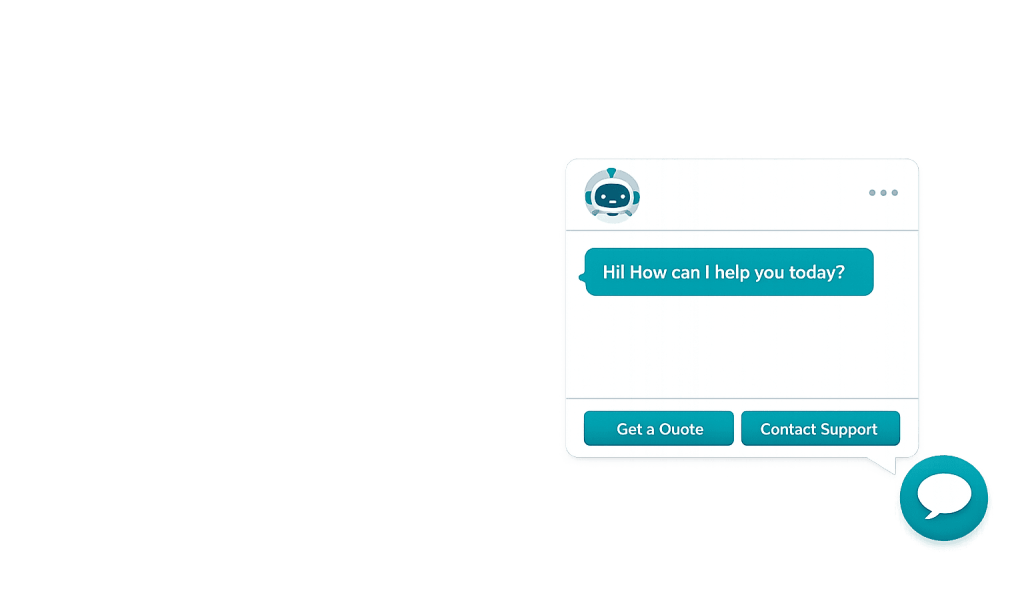
[Image: Example of a chatbot widget in the bottom-right corner of a website, showing a conversation with greeting message and quick-reply options]
Types of Chatbots
Not all chatbots work the same way. Understanding the differences helps you choose the right approach for your site:
- Rule-based chatbots — Follow pre-defined scripts or decision trees. A visitor selects from options, and the chatbot responds based on the selection. Simple to set up, predictable in behavior, best for structured FAQ-style conversations.
- AI-powered chatbots — Use natural language processing (NLP) and machine learning to understand free-text input and generate responses. More flexible, capable of handling unexpected questions, but require more setup and training.
- Hybrid chatbots — Combine rule-based flows for common, predictable scenarios with AI handling for open-ended questions. Often the most practical approach for business websites.
- Live chat handoff bots — Begin the conversation automatically, gather basic information, and then transfer to a human agent when needed. Reduces the burden on support staff while ensuring complex issues get human attention.
Popular chatbot platforms used with WordPress include Tidio, Intercom, Drift, HubSpot Chat, LiveChat, and Chatbase.
Purpose & Benefits
1. Capture Leads Outside Business Hours
A chatbot works 24/7. When a visitor arrives at 11 PM with a question about your services, a chatbot can gather their name, contact information, and the nature of their inquiry — and deliver that information to your team the next morning. Without a chatbot, that visitor may simply leave. Studies show that 47% of consumers would be open to making a purchase or completing an action through a chatbot, making them a valuable lead capture layer even without human involvement.
2. Reduce Support Volume and Response Time
Rule-based chatbots can handle 80% of routine questions according to IBM research — questions like pricing, business hours, service details, and return policies. By deflecting common inquiries to a chatbot, your team spends more time on complex, high-value conversations. This is especially relevant for businesses that receive high volumes of repetitive inbound questions. Pair this with a well-designed site conversion strategy, and chatbots can meaningfully reduce overhead.
3. Improve Website Engagement and Conversion
A well-timed chatbot prompt — appearing when a visitor has been on a page for 30 seconds, or when they’ve scrolled to a pricing section — can initiate a conversation at a high-intent moment. In some industries, chatbot integration increases conversion rates by up to 70%. The key is appropriate timing and relevant messaging: a chatbot that pops up immediately on every page is annoying; one that appears contextually when a visitor shows purchase intent is useful. Our web design services incorporate chatbot placement as part of UX planning.
Examples
1. Service Business Lead Capture
A home services company adds a chatbot to their website. When a visitor lands on the HVAC service page and scrolls past the pricing section, a chatbot prompts: “Have questions about our services or pricing? We’re here to help.” The visitor asks about emergency repair availability, the chatbot explains the process, and collects the visitor’s contact info. The company receives the lead via email — even though the conversation happened at midnight.
2. E-Commerce Support Bot
An online store integrates a chatbot that handles order status inquiries, return policy questions, and product comparisons. Customers ask “Where is my order?” and the chatbot pulls up the shipping status. Questions it can’t answer route to a human agent through a live chat handoff. The result: fewer support tickets, faster response times for routine questions, and staff freed up for complex issues.
3. AI-Powered FAQ Bot
A law firm or financial services company uses an AI chatbot trained on their FAQ content, service descriptions, and intake forms. Visitors ask nuanced questions like “What types of cases do you handle?” or “How long does this process typically take?” The AI chatbot provides relevant answers and offers to schedule a consultation. The firm generates consultation bookings from website traffic that previously left without contacting them.
Common Mistakes to Avoid
- Making the chatbot intrusive — A chatbot that fires immediately on every page with a generic “How can I help?” message trains visitors to close it without reading it. Time chatbot prompts contextually — delay them, trigger them based on scroll depth, or show them only on specific high-intent pages.
- Building a bot that can’t say “I don’t know” — A chatbot that confidently gives wrong answers is worse than no chatbot. Design clear fallback responses that acknowledge the limitation and offer a next step (like human handoff or a contact form link).
- Neglecting mobile behavior — Chatbot widgets can overlap important content on small screens. Test how the widget behaves on mobile and configure it to appear appropriately — or use a different trigger on mobile.
- Setting it up and forgetting it — Chatbot effectiveness depends on keeping response content current. Review conversation logs regularly to identify unanswered questions and update the bot’s knowledge accordingly.
Best Practices
1. Define the Chatbot’s Purpose Before Building It
Start with a clear answer to: “What problem does this chatbot solve?” Lead capture, support deflection, appointment scheduling, or product recommendation all require different configurations. A chatbot trying to do everything at once often does nothing well. Pick one primary goal, build for that, and expand from there once the core use case is working.
2. Personalize the Trigger Logic
Don’t show the same chatbot prompt to every visitor on every page. Configure contextual triggers: show a service-specific prompt on service pages, a pricing-related prompt when someone hovers over a pricing section, or a return policy bot on the cart and checkout pages. Contextually relevant chatbots feel helpful; generic ones feel like interruptions. This connects directly to an effective conversion strategy for the page.
3. Review Conversation Data Monthly
Most chatbot platforms log every conversation. Review these logs regularly to find: questions the bot couldn’t answer (add these to the knowledge base), questions that led to conversions (use them to inform the bot’s proactive messaging), and points where visitors dropped off (streamline those conversation flows). The chatbot improves with attention, not just initial setup.
Frequently Asked Questions
What’s the difference between a chatbot and live chat?
Live chat connects visitors with a human agent in real time. A chatbot handles conversations automatically — no human involvement required. Many businesses combine both: a chatbot handles initial questions and collects information, then transfers to a human agent for complex inquiries. This hybrid approach balances speed with the quality of human interaction.
Do chatbots actually improve conversion rates?
For the right use case and implementation, yes. Research shows chatbots can increase website conversions by 28–33% in certain scenarios. The key variable is relevance — a chatbot that appears at the right moment with the right message for a visitor who’s clearly interested will convert. A generic, poorly timed chatbot may actually reduce conversion by creating friction.
How much does a chatbot cost for a small business website?
Entry-level chatbot platforms — like Tidio or HubSpot’s free tier — are available at no cost with basic features. Paid plans with AI capabilities, integrations, and analytics typically range from $20 to $100+ per month. Custom-built AI chatbots trained on proprietary data cost significantly more to develop and maintain.
Will a chatbot replace my customer service team?
No. Chatbots handle routine, predictable questions well — but nuanced problems, emotional conversations, and complex sales require human judgment. The most effective setup uses chatbots to handle the high volume of simple, repetitive inquiries, freeing your team to focus on conversations that genuinely benefit from human attention.
Are chatbots relevant for B2B businesses?
Yes, and increasingly so. B2B buyers use websites for research before ever contacting a vendor. A chatbot that helps a B2B prospect navigate your services, answers specific capability questions, and offers to schedule a demo or call captures leads that might otherwise leave without any contact. Drift and Intercom are widely used for this purpose in B2B contexts.
Related Glossary Terms
How CyberOptik Can Help
AI is reshaping how websites engage visitors — and chatbots are one of the most practical applications available today. We help clients integrate chatbot tools that fit their lead capture and customer service goals, ensuring the placement, timing, and messaging are designed to convert rather than annoy. Whether you’re exploring AI-powered chat or a simple lead capture bot, we can help you implement it correctly. Learn about our AI & SEO services or contact us to discuss your web design project.


