
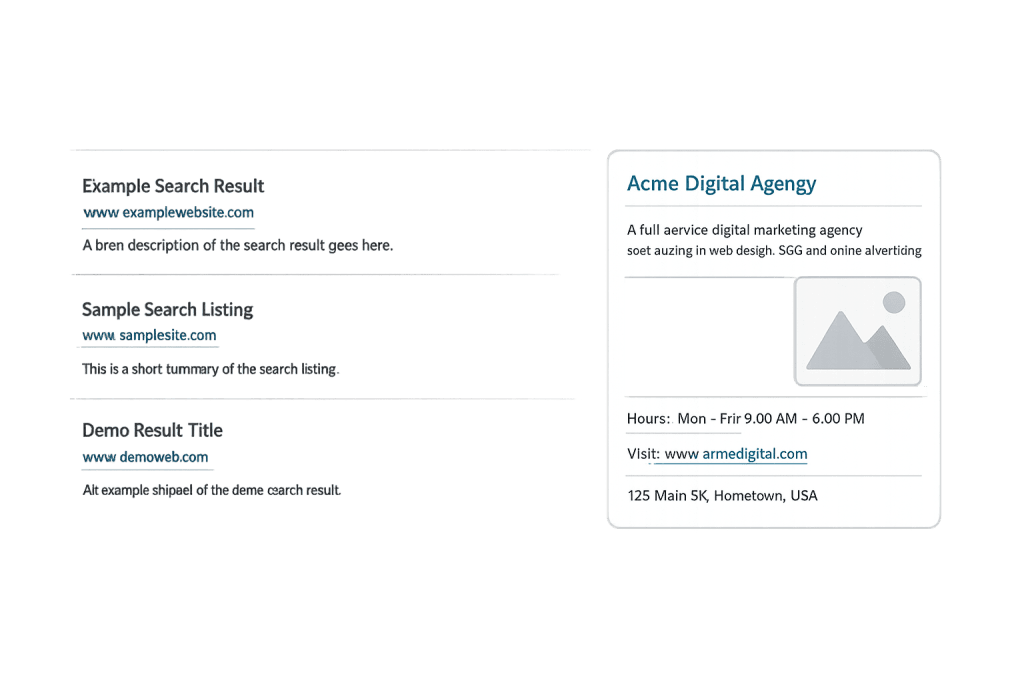
Knowledge Panel is an information box that appears in Google Search results when someone searches for an entity — a person, business, place, or thing — that Google has identified and stored in its Knowledge Graph. It typically appears on the right side of desktop results and at the top of mobile results, presenting a snapshot of key facts: the entity’s name, a brief description, an image, social profiles, and other relevant details.
Knowledge Panels are generated automatically by Google based on data pulled from sources like Wikipedia, Wikidata, official websites, and authoritative third-party platforms. They aren’t bought or requested like ads — Google decides whether an entity is notable enough to warrant one. For businesses, earning a Knowledge Panel is a strong signal that Google recognizes your brand as a distinct, trustworthy entity in its database.
The presence of a Knowledge Panel gives a business prime, prominent placement in the SERP features landscape — above the organic results and without competing directly for click-through. It also feeds voice search responses, which increasingly rely on the Knowledge Graph as a primary source of factual answers.
[Image: Screenshot of a Google Knowledge Panel for a business, showing the entity name, description, image, hours, and website link positioned to the right of organic results]
How the Knowledge Panel Is Generated
Google’s Knowledge Graph is a massive database of entities and the relationships between them. When you search for a well-known brand, Google checks whether it can confidently identify the entity being searched and whether it has enough data to populate a panel.
Key sources that feed the Knowledge Graph include:
- Wikidata — A structured, machine-readable database that Google treats as a primary source. A Wikidata entry significantly increases the likelihood of a panel appearing.
- Wikipedia — Demonstrates notability and provides descriptive content.
- Official website — Google uses your site (especially an About page with schema markup) as a first-party reference point.
- Google Business Profile — For local businesses, a verified Google Business Profile feeds directly into Knowledge Panel data.
- Social media profiles and authoritative directories — Used to confirm the entity’s identity and online presence.
The more consistently your entity information appears across authoritative sources, the more confident Google becomes — and the more complete and accurate your panel will be.
Purpose & Benefits
1. Prominent, Stable Visibility in Search
A Knowledge Panel occupies valuable screen real estate without being subject to the same ranking fluctuations that affect organic results. In our experience, businesses with established panels enjoy consistent visibility on branded searches, which is especially important when managing your brand’s first impression. This works alongside other SERP features like featured snippets to dominate the visible search space.
2. Credibility and Trust Signals
When Google displays a Knowledge Panel for your business, it signals to searchers that your entity is recognized and verified. The “Google Guaranteed” appearance — with accurate hours, images, and social links — builds immediate trust. Businesses that have verified their panels can suggest corrections to ensure the information is accurate and up to date.
3. Support for Voice Search and AI Answers
Knowledge Graph data is the primary source for Google’s voice search responses and increasingly, AI-generated answers. A well-established entity in the Knowledge Graph means your business information has a better chance of surfacing when users ask voice assistants about services in your category — a growing share of local search behavior.
Examples
1. Local Service Business with a Verified Profile
A roofing company that has claimed and optimized its Google Business Profile, created consistent NAP listings across directories, and built a Wikipedia-adjacent Wikidata entry may find a Knowledge Panel appearing for branded searches. The panel shows their business hours, review rating, service area, and links to their website and social profiles.
2. Personal Brand or Consultant
An industry consultant with bylines on authoritative publications, a speaking profile on a conference website, and a consistent LinkedIn presence may earn a personal Knowledge Panel. The panel draws from these disparate sources to display a bio, image, and links — reinforcing their authority to anyone who searches their name.
3. Product or Creative Work
A book, software product, or film can have its own Knowledge Panel if it’s notable enough and has structured data on platforms like Amazon, IMDb, or Google Books. Publishers and product companies can ensure their titles are accurately represented by adding structured data and creating Wikidata entries for their works.
Common Mistakes to Avoid
- Ignoring schema markup — Structured data using schema markup on your website helps Google understand your entity and populate your panel accurately. Missing schema is one of the most common reasons panels are incomplete or inaccurate.
- Inconsistent NAP information — If your business name, address, and phone number vary across directories and your website, Google’s confidence in your entity decreases. Consistency is foundational to both Knowledge Panels and local SEO.
- Expecting to “request” a panel — There’s no form to submit or fee to pay for a Knowledge Panel. You build entity authority, and Google decides. Attempting to game the system with low-quality citations or artificial signals tends to backfire.
- Neglecting verification — Once a panel appears, you can claim it through Google Search. Unverified panels are more likely to contain errors, and you lose the ability to suggest corrections or add posts.
Best Practices
1. Build a Consistent Entity Footprint
Make sure your business information — name, address, phone number, website, and description — is consistent across your website, Google Business Profile, social profiles, and authoritative directories. Each consistent mention reinforces your entity in the Knowledge Graph. Treat your About or Contact page as your “entity home”: the definitive, first-party source of facts about your business.
2. Implement Schema Markup on Your Website
Add Organization or LocalBusiness schema markup to your website to explicitly communicate your entity’s key attributes to Google in structured, machine-readable format. Include your official name, logo, social profiles, founding date, and contact information. This bridges the gap between your website content and what Google needs to populate a panel confidently.
3. Earn Coverage from Authoritative Sources
Wikipedia and Wikidata remain important signals, but coverage from industry publications, news sites, and relevant directories also feeds the Knowledge Graph. Legitimate PR, guest contributions, and press coverage on authoritative platforms all contribute to the notability signals Google uses to determine whether an entity warrants a panel.
Frequently Asked Questions
How do I get a Knowledge Panel for my business?
There’s no direct application process. You build entity authority by creating consistent information across your website, Google Business Profile, and authoritative directories, implementing schema markup, and earning coverage from credible sources. Google then decides whether to create a panel. Businesses with strong local SEO and verified GBPs often see panels appear for branded searches.
Can I edit my Knowledge Panel?
Once a panel appears for your business, you can claim it by verifying your connection to the entity through Google Search. After verification, you can suggest changes to information displayed — though Google doesn’t guarantee every suggested edit will be accepted. Ongoing accuracy requires monitoring because Google may update panel data based on new sources.
What’s the difference between a Knowledge Panel and a Featured Snippet?
A Knowledge Panel is about entities — who or what something is. It appears for searches about recognized entities and draws from the Knowledge Graph database. A featured snippet is about information — a direct answer to a question, pulled from a webpage’s content. Both are SERP features, but they serve different search intents.
Does having a Knowledge Panel help my SEO?
Not directly — a panel doesn’t change your organic rankings. But the underlying factors that earn a Knowledge Panel (entity authority, consistent information, schema markup, authoritative coverage) are also signals that support broader SEO performance. The panel itself also increases your SERP visibility and can reduce clicks to competitors on branded searches.
Will my Knowledge Panel always appear?
Not for every search. Google shows panels when it’s confident the search is about your specific entity and that the panel will be useful. For branded searches where your business is clearly the subject, it typically appears. For more generic searches, it may not trigger even if your panel exists.
Related Glossary Terms
- SERP Features
- Google Business Profile
- Schema Markup
- Featured Snippet
- Google Algorithm
- Local Map Pack
- Indexing
How CyberOptik Can Help
Managing the signals that influence your Knowledge Panel is a core part of building a strong SEO foundation — and it’s something our team handles daily for clients. From schema markup implementation to Google Business Profile optimization, we help businesses build the entity authority that leads to accurate, well-populated panels. Contact us for a free website review or learn more about our SEO services.


