
Classic Editor is the original WordPress content editor, built on the TinyMCE text editing framework and used as the default editing interface from WordPress’s early years through version 5.0 (released in 2018). It presents a single, traditional text area where you write and format content using a toolbar similar to Microsoft Word — bolding text, adding headings, inserting images, and creating links without leaving the editor window.
When WordPress introduced the Block Editor (Gutenberg) in December 2018, the Classic Editor became available as a free plugin to maintain the familiar workflow for users who preferred it. The Classic Editor plugin has remained one of the most installed WordPress plugins, with over 5 million active installs — a clear signal that many site owners and content teams still rely on the traditional editing experience.
How the Classic Editor Works
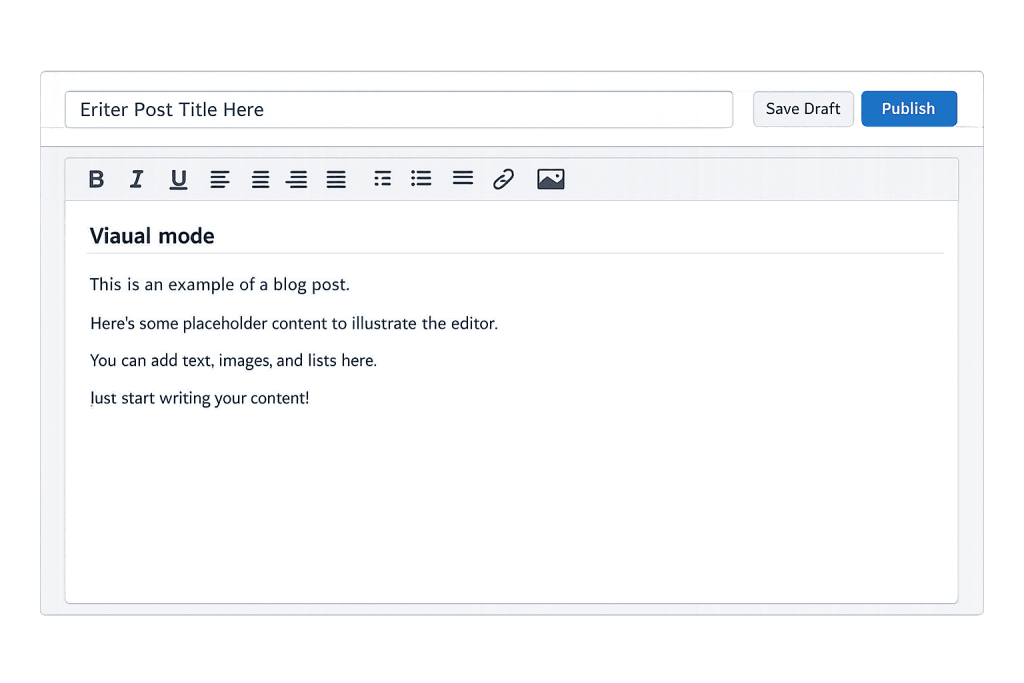
The Classic Editor offers two editing modes, switchable via tabs at the top of the editor:
- Visual mode — A WYSIWYG (What You See Is What You Get) interface that renders formatting in real time. Bold text appears bold, headings look larger, and you see a close approximation of the final page as you type.
- Text mode — A raw HTML view that shows the underlying markup. Useful for precise control, embedding custom code, or troubleshooting formatting issues.
A toolbar at the top of the editor provides formatting options: paragraph styles, bold, italic, lists, blockquotes, links, and more. A second toolbar row (the “Kitchen Sink”) unlocks additional options like strikethrough, horizontal rules, and special character insertion. Below the main editor, custom meta boxes from plugins and themes can add fields for featured images, SEO settings, custom fields, and other page-level settings.
[Image: Screenshot of Classic Editor interface showing visual mode with toolbar and editing area]
Purpose & Benefits
1. Familiarity for Long-Term WordPress Users
For content teams and site owners who learned WordPress before Gutenberg, the Classic Editor provides an interface that matches their existing workflow. There’s no learning curve — writers can log in and create content immediately. This matters especially for sites with multiple contributors who aren’t deeply technical.
2. Better Compatibility With Older Plugins and Themes
Some plugins and themes were built around the Classic Editor’s meta box system and don’t integrate well — or at all — with the Block Editor. For sites that depend on these tools, running the Classic Editor plugin is often the simplest way to maintain stability while avoiding a complete site overhaul. Our team at WordPress development services encounters this regularly.
3. A Stable Environment for Simple Content Types
Not every WordPress site needs the layout flexibility of Gutenberg’s block system. For blogs, news sites, or pages where content is mostly text with occasional images, the Classic Editor’s streamlined interface can actually be faster and less visually overwhelming than a canvas full of block options.
Examples
1. Long-Form Blog Publishing
A marketing team publishes weekly blog posts with a consistent structure: introduction, subheadings, body copy, and a closing call to action. Using the Classic Editor’s Visual mode, writers paste their content, apply heading styles from the toolbar, and insert images inline — without needing to understand blocks, patterns, or column layouts.
2. News Site With High Publishing Volume
A news website has editors filing multiple stories per day. The Classic Editor’s straightforward interface keeps the publishing workflow fast. Combined with custom meta boxes added by their theme, editors complete headline, content, featured image, and category tagging all from a single familiar screen.
3. Plugin-Heavy Site Requiring Meta Boxes
A real estate site uses a plugin that adds dozens of custom meta fields below the editor — property details, pricing, agent info. These fields were built for the Classic Editor and display correctly below it. Switching to Gutenberg would break their workflow until the plugin updates to support the Block Editor natively.
Common Mistakes to Avoid
- Assuming Classic Editor is going away soon — The WordPress project has committed to maintaining Classic Editor plugin availability through at least 2024, and in practice it continues to receive updates. Sites relying on it aren’t at immediate risk, but planning a migration to Gutenberg remains wise for long-term flexibility.
- Pasting formatted content directly from Word — Copying rich text from Word or Google Docs can bring invisible formatting characters that corrupt your HTML. Use the “Paste as plain text” option, or paste into a plain text editor first, then paste into WordPress.
- Ignoring the Text mode for troubleshooting — When formatting looks wrong in Visual mode, switching to Text mode reveals stray
<div>tags, inline styles, or unclosed HTML that cause the problem. Getting comfortable with a basic HTML view saves a lot of time. - Not updating the plugin — The Classic Editor plugin requires separate updates from WordPress core. Check that it stays current in your Plugins dashboard to avoid security vulnerabilities.
Best Practices
1. Use the Toolbar Consistently
Apply heading styles (H2, H3) from the toolbar rather than making text bold or increasing the font size manually. Proper semantic headings help search engines understand your content structure and improve accessibility for screen reader users.
2. Always Set a Featured Image
Even in the Classic Editor, the Featured Image meta box (usually below the editor on the right sidebar) controls how your post thumbnail displays across the site. Every post and page should have one set — it affects social media previews, archive pages, and homepage layouts.
3. Configure the Discussion Settings Per Post
The Discussion Settings meta box (if visible) lets you enable or disable comments on individual posts. Turn off comments on pages and service content where discussion isn’t appropriate, and reserve them for blog content where engagement adds value.
Frequently Asked Questions
Is the Classic Editor still supported by WordPress?
Yes. The Classic Editor plugin is actively maintained and available from the WordPress.org plugin repository. WordPress has made no official announcement of ending support, and the plugin continues to receive compatibility updates. That said, Gutenberg is the long-term direction for WordPress editing — planning a gradual transition is worth considering.
What’s the difference between Classic Editor and Gutenberg?
The Classic Editor uses a single text area where you write content as a continuous document, similar to a word processor. Gutenberg organizes content into individual blocks — each paragraph, image, or heading is a separate block that can be repositioned and styled independently. Gutenberg offers far more layout control; Classic Editor offers simplicity.
Can I use both Classic Editor and Gutenberg on the same site?
Yes. The Classic Editor plugin includes an option to let each user choose their preferred editor, or to set a site-wide default while allowing exceptions. This is useful during a transition period when some team members have switched to Gutenberg and others haven’t.
Will switching from Classic Editor to Gutenberg break my content?
Your published content (the text and images) will remain intact. However, your entire page content may appear inside a single “Classic block” in Gutenberg — you won’t get individual blocks for each paragraph automatically. For heavily formatted or layout-dependent content, a manual migration that recreates content in proper blocks may be needed.
Does the Classic Editor affect SEO?
The editor itself doesn’t directly affect SEO. Whether you write in Classic Editor or Gutenberg, Google indexes the HTML output of your page — not which editor you used to create it. What matters is the quality and structure of the content you produce.
Related Glossary Terms
How CyberOptik Can Help
Understanding how WordPress works under the hood helps you make better decisions about your site. Whether you’re running the Classic Editor out of habit, compatibility necessity, or preference, our team can help you evaluate whether staying with it or migrating to Gutenberg makes sense for your specific site and workflow. Get in touch to discuss your project or explore our WordPress development services.


