
Noindex and nofollow are directives — instructions given to search engine crawlers — that control how they interact with your web pages and links. A noindex directive tells search engines not to include a specific page in their index, which means the page won’t appear in search results. A nofollow directive tells crawlers not to follow a specific link (or all links on a page), which affects how authority and PageRank flow through your site.
These two directives are distinct and serve different purposes. They can be used independently or in combination, depending on what you want to achieve. While they’re both tools for managing your crawl budget and search visibility, using them incorrectly is one of the more common and costly SEO mistakes — both types of errors are hard to catch until you notice traffic declining.
[Image: Code snippet showing a noindex meta tag in HTML head, and a nofollow link attribute example]
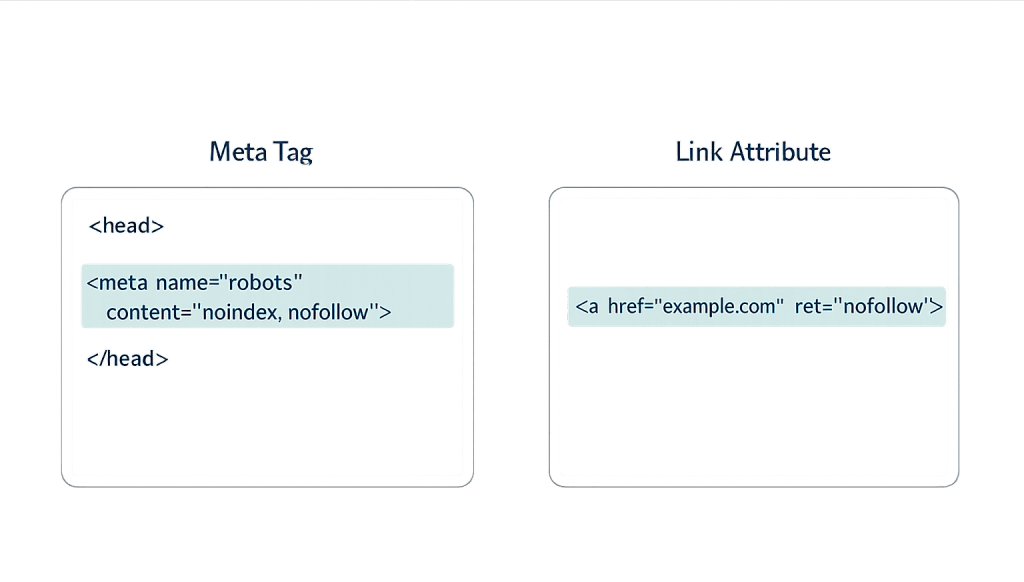
How Noindex and Nofollow Work
Noindex is implemented two ways:
- Meta tag in the HTML
<head>of a page:<meta name="robots" content="noindex" /> - HTTP response header:
X-Robots-Tag: noindex
When Googlebot crawls a page and finds a noindex directive, it removes that page from Google’s index entirely — it won’t appear in any search results. Note that Googlebot must first crawl the page to read the noindex tag. A page blocked in robots.txt cannot be deindexed this way because Google never reads its noindex tag.
Nofollow also has two contexts:
- Page-level meta robots tag:
<meta name="robots" content="nofollow" />— applies to all links on the page - Link-level attribute:
<a href="url" rel="nofollow">anchor text</a>— applies to one specific link
The page-level nofollow tells crawlers not to follow any outbound links on that page. The link-level attribute tells crawlers not to follow that specific link. They can be combined: <meta name="robots" content="noindex, nofollow" /> tells Googlebot not to index the page and not to follow its links.
Google treats nofollow as a “hint” rather than a strict directive for link purposes — it may still follow nofollow links, it just won’t necessarily pass PageRank through them.
When to Use Noindex
Noindex is appropriate for pages that exist for functional reasons but shouldn’t rank in search:
- Thank you / confirmation pages — The page a user lands on after submitting a form or completing a purchase. Indexing these would create a poor experience for search visitors and can reveal form submission URLs.
- Login and account pages — Private, user-specific content has no value in search results and can create security concerns if indexed.
- Duplicate or near-duplicate pages — Pagination pages (page 2, page 3 of a blog archive), print-friendly versions, or pages created by URL parameters that duplicate existing content.
- Staging or development pages — Pages in progress that aren’t ready for public visibility.
- Tag pages and thin archive pages — WordPress generates tag archive pages that often contain minimal unique content. Many SEO practitioners noindex these to prevent thin content issues.
When to Use Nofollow (Link Level)
Link-level nofollow is appropriate for:
- Paid or sponsored links — Google requires that links you’ve received payment for be marked as
rel="sponsored"(a more specific version of nofollow). - User-generated content — Links in comments, forum posts, or user profiles where you can’t vouch for the quality of the destination. Most WordPress comment plugins apply nofollow automatically.
- Affiliate links — Links that earn you commission should be marked as
rel="sponsored". - Untrusted external sources — Links to pages you want to reference but not endorse.
Purpose & Benefits
1. Control What Appears in Search Results
Noindex gives you precise control over which pages Google shows searchers. Pages that serve functional purposes — checkout flows, internal search results, admin-adjacent pages — shouldn’t appear in Google. Without noindex, Google may index these pages, creating poor-quality entries in its index that dilute your site’s overall perceived quality and can waste your crawl budget.
2. Protect PageRank and Link Equity
Internal links pass authority through your site, and external links to other sites can dilute your own PageRank if used liberally. Strategic use of rel="nofollow" on links that shouldn’t carry authority — paid placements, user-generated content, affiliate links — ensures your site’s link equity flows where it matters. Proper dofollow/nofollow link management is a component of off-page SEO hygiene.
3. Prevent Thin and Duplicate Content from Hurting Rankings
WordPress automatically generates many archive pages — date archives, tag pages, author archives — that can contain minimal unique content. If Google indexes dozens of near-empty archive pages alongside your core content, it can affect how your site’s overall quality is perceived. Noindexing these low-value pages keeps your indexed content tighter and more authoritative.
Examples
1. WooCommerce Checkout Pages
An e-commerce store uses noindex on their cart, checkout, order confirmation, and account pages. These pages need to exist and function, but there’s no reason a search visitor should land on an empty cart page or see their personal order details in Google results. Noindexing them removes them from Google’s index cleanly.
2. WordPress Tag Archive Pages
A blog has accumulated 200 tags over several years. Many of these tag archive pages contain only 2–3 posts and provide minimal unique value to searchers. The site owner adds a noindex directive to all tag archive pages via their SEO plugin, keeping only the category archives (which are more curated and content-rich) in Google’s index.
3. Comment Links with Nofollow
A popular WordPress blog receives comments frequently, some from users who include links to their own websites. WordPress applies rel="nofollow" to all comment links by default. This prevents the comment section from being used as a vehicle for passing PageRank to spammy sites — a common attempt to game search rankings through comment spam.
Common Mistakes to Avoid
- Blocking pages in robots.txt that you’re trying to noindex — Robots.txt blocks crawling, which prevents Googlebot from ever reading the noindex tag. If you want a page removed from the index, it must be crawlable. Use noindex meta tags, not robots.txt blocks, to deindex pages.
- Noindexing important pages accidentally — A misconfigured SEO plugin can apply noindex to your entire site. After any major configuration change, verify your key pages aren’t accidentally marked noindex using Google Search Console’s URL Inspection tool.
- Including noindexed pages in your XML sitemap — Your sitemap signals to Google which pages you want indexed. Including pages with noindex directives sends a contradictory signal. Remove noindexed pages from your sitemap.
- Applying nofollow too broadly — Some site owners apply nofollow to all outbound links as a precaution. This isn’t necessary for normal editorial links to reputable sources — excessive nofollow usage doesn’t help your rankings and can signal a lack of natural editorial behavior.
Best Practices
1. Audit Your Noindex Settings Regularly
At least twice per year, review which pages on your site carry noindex tags. CMS updates, plugin changes, and new page creation can cause unintended noindex tags to appear or intended ones to disappear. Google Search Console’s Coverage report and Index Status report show which of your pages are indexed and flag any unexpected deindexing. Catching a runaway noindex early prevents weeks of traffic loss.
2. Use the Right Directive for the Right Purpose
Noindex and nofollow serve distinct functions. Use noindex for pages you don’t want in search results. Use nofollow (or rel="sponsored") for links you don’t want to pass authority. They can be combined but don’t have to be — a page can be indexed but have nofollow links on it, or be noindexed while still following its outbound links. Match the directive to your specific intent.
3. Leverage SEO Plugins for Consistent Application
On WordPress, SEO plugins like Yoast SEO and Rank Math make noindex/nofollow management accessible without touching code. Both allow you to set default noindex behavior for post types, taxonomies, and archive pages — and to override those defaults on individual pages. Using these controls consistently is faster than manual implementation and reduces the risk of configuration errors.
Frequently Asked Questions
If a page is noindexed, does it still pass link equity to other pages through its internal links?
Generally, yes — at first. When Googlebot crawls a noindexed page, it follows the internal links and can pass authority through them. However, over time, Google significantly reduces how often it crawls noindexed pages. As crawl frequency drops, the links on those pages are crawled less often and eventually contribute little to nothing. For pages you want completely isolated, use noindex with nofollow.
What’s the difference between nofollow and a robots.txt disallow?
A robots.txt disallow blocks Googlebot from crawling the page entirely — it won’t read the page content or see its links. A nofollow is a hint on a specific link not to follow it or pass PageRank through it. They operate at different levels: robots.txt controls access to the page; nofollow controls what happens with individual links.
Does nofollow still pass any PageRank?
Google treats nofollow as a “hint” rather than a strict directive since a 2019 update. Google may still follow nofollow links and may or may not pass some PageRank — it uses them as signals for understanding the web. For practical purposes, treat nofollow links as passing significantly less authority than dofollow links, but not necessarily zero.
How do I check if a page is noindexed?
Use Google Search Console’s URL Inspection tool to check the indexing status of any specific page on your site. You can also view a page’s source code and search for noindex in the <head> section. Browser extensions like Detailed or MozBar can also show noindex status at a glance.
Related Glossary Terms
How CyberOptik Can Help
Managing noindex and nofollow directives effectively is a critical part of any serious SEO strategy. Misconfigured directives are one of the most common causes of unexplained traffic drops — and they’re easy to miss without regular technical audits. Our team handles this for clients daily. Contact us for a free website review or learn more about our SEO services.


