Just looking for our Best Museum Website examples list?
Designing a website requires a strategic approach that balances aesthetic appeal, user experience (UX), accessibility, and search engine optimization. Below are the essential takeaways to guide the development of a professional site that engages visitors and enhances online visibility:
- Prioritize Accessibility for Inclusive Engagement
Ensuring that your website is accessible to all users, including those with disabilities, is paramount. Implementing features such as screen reader compatibility, keyboard navigation, and high-contrast visuals aligns with the Web Content Accessibility Guidelines (WCAG) 2.1 Level AA standards. Institutions like the Smithsonian provide comprehensive guidelines to assist in creating accessible digital experiences.
- Implement SEO Best Practices to Enhance Visibility
Optimizing your website for search engines increases its discoverability. Incorporate relevant keywords, optimize meta descriptions, and ensure mobile responsiveness. Effective SEO strategies can significantly boost your online presence and attract more visitors to your museum.
- Utilize High-Quality Visuals to Showcase Exhibits
High-resolution images and virtual tours can bring your museum’s collections to life online. Visual storytelling engages visitors and provides a preview of the in-person experience, encouraging physical visits.
- Design Intuitive Navigation for Enhanced User Experience
An organized and straightforward navigation structure helps visitors find information effortlessly. Categorize content logically, use clear labels, and ensure that essential information like visiting hours and ticketing is easily accessible.
- Integrate Interactive Elements to Engage Visitors
Incorporating interactive features such as quizzes, virtual shows, and multimedia content can enhance user engagement. These elements provide dynamic ways for visitors to connect with your museum’s offerings.
- Ensure Mobile Responsiveness Across Devices
With a growing number of users accessing websites via mobile devices, it’s crucial to design a responsive website that functions seamlessly across various screen sizes. This adaptability improves UX and supports SEO efforts.
- Highlight Educational Resources and Community Programs
Providing access to educational materials and information about community programs can position your museum as a valuable resource. This content supports educators, students, and community members, fostering deeper connections.
- Maintain Consistent Branding to Strengthen Identity
Consistent use of logos, color schemes, and messaging reinforces your museum’s brand identity. A cohesive brand presentation builds trust and recognition among visitors.
- Incorporate Clear Calls-to-Action to Guide Visitors
Strategically placed calls-to-action (CTAs) encourage visitors to engage further, whether by purchasing tickets, signing up for newsletters, or making donations. Effective CTAs can drive conversions and support your museum’s goals.
- Regularly Update Content to Reflect Current Offerings
Keeping your website content current with the latest exhibitions, events, and news ensures that visitors receive accurate information. Regular updates also signal to search engines that your website is active, which can positively impact SEO rankings.
By focusing on these key areas, museums can create compelling websites that attract and inform visitors and support their broader mission and objectives.
Why Great Museum Website Design is Essential for Engagement and Growth
By now, we all understand that a website is often the first point of contact between a business or organization and potential visitors. Whether they are seeking exhibition details, researching educational resources, or planning their next visit, a well-designed website can significantly influence their experience and decision to engage further.
Website design is more than just aesthetics—it’s about creating a seamless user experience that guides visitors through your site, highlights your best exhibitions, and makes it easy for them to connect with your museum’s mission. A museum’s homepage is your digital front door, and it needs to make a great first impression. From intuitive navigation to optimized content that aligns with SEO best practices, each element of your website plays a role in enhancing UX and fostering deeper connections with your audience.
When websites are thoughtfully designed with both visitors’ needs and business objectives in mind, they don’t just look good—they perform. A high-performing website drives increased traffic, more ticket sales, and greater community involvement. Whether you’re considering a full redesign or fine-tuning specific features, understanding the impact of a well-constructed digital presence is key to ensuring your museum thrives in the online space.
With this guide, we’ll explore the critical elements of museum website design, share strategies to optimize your site for engagement and discoverability, and show you how to design a website that leaves a lasting impression on your audience.
Website Planning & Purpose: Laying the Foundation
The planning phase is the most critical step in the website design process, especially for museums. A solid plan ensures that a website serves its purpose effectively, whether it’s promoting showcases, educating the public, or increasing engagement with local communities. Without careful planning, the website risks becoming a chaotic digital space that doesn’t communicate the museum’s mission or meet the needs of its visitors.
The first step in planning a website is clearly defining its purpose. What are the main goals of the website? Are you aiming to boost ticket sales for an upcoming show, raise awareness about community programs, or provide an accessible platform for educational resources? Understanding these objectives helps guide every design decision, ensuring the website works efficiently to achieve them.
The target audience is also a critical consideration in the planning process. A site must appeal to a wide range of visitors, from casual browsers to scholars and school groups. With this in mind, understanding the demographic and behavioral profiles of your visitors is key. For instance, a contemporary art museum might focus on visually compelling designs that attract art enthusiasts, while a historical museum might prioritize rich educational content for research-driven audiences.
Effective planning also involves outlining the website’s structure. This includes deciding on key pages such as the homepage, show listings, events, membership, donation pages, and educational resources. Clear and logical navigation is essential for guiding visitors through these pages. The navigation should be intuitive, with menu items that make sense to the target audience, whether they are looking for upcoming presentations, venue details, or ways to support the museum.
Additionally, SEO plays a pivotal role in the planning phase. A website that ranks well in search engine results will attract more visitors. Careful keyword selection, strategic use of metadata, and content optimization can make a significant difference in visibility. For example, pages detailing specific showcases should incorporate relevant search terms to ensure people searching for related topics can easily find your museum’s content.
Once the planning phase is complete, it’s time to turn these ideas into a functional and user-friendly website. Understanding the purpose of your site, knowing your audience, and planning for smooth navigation are the foundational steps in building a website that reflects your museum’s values while driving both online engagement and business results. For more on the core principles of web design, you can explore this guide for beginners.
Design Principles: Creating an Effective Site
Design principles are the foundation of any successful website, as they ensure a visually appealing, functional, and user-friendly experience. When designing, there are several key principles to keep in mind that help balance creativity with usability while reflecting the institution’s mission and purpose.
The first principle is clarity. Visitors should immediately understand the purpose of the website and know where to find the information they are seeking. A clean and simple layout with a clear hierarchy of content is essential. Key elements, such as the museum’s current and upcoming shows, visitor information, and ways to get involved, should be easy to locate from the homepage and throughout the site. This means avoiding overly complex design elements and keeping the focus on content that serves the user’s needs.
Another vital principle is consistency. Consistent design across all pages ensures that the website feels cohesive and professional. This includes the consistent use of colors, fonts, and images that align with the museum’s branding. Consistent navigation is also crucial—visitors should never be confused about where they are on the site or how to get to the next page. A predictable and stable UX fosters trust and makes it easier for users to navigate and interact with the website.
Responsiveness is equally important, especially considering the increasing number of users who access websites from mobile devices. A website must be designed to adapt seamlessly to different screen sizes, ensuring that visitors have a smooth browsing experience on smartphones, tablets, and desktops alike. Whether someone is quickly checking the opening hours or browsing through a virtual presentation, the site must be just as functional on a mobile device as it is on a desktop.
Accessibility is another essential principle. Museums serve a diverse audience, and their websites must be inclusive for people with disabilities. This includes incorporating features like alternative text for images, video captions, and keyboard navigability. Accessibility broadens the museum’s audience and helps comply with legal and ethical standards. Following the Web Content Accessibility Guidelines (WCAG) will ensure that the site is usable by all visitors, regardless of their abilities.
Visual appeal should also be a key focus of website design. Aesthetics are crucial for museums, as the website often reflects the art and culture that the institution showcases. The design should complement the museum’s brand and installations. High-quality images, clean lines, and well-thought-out color schemes help draw visitors into the museum’s world. However, the visual design should never overshadow usability. A good design balances artistic expression with functional, intuitive design.
Finally, performance and speed are essential aspects of design. A website with slow loading times or one that frequently breaks down will frustrate users and drive them away. Optimizing images, utilizing proper coding practices, and choosing the right hosting solution are critical to ensuring that the site performs well under various conditions. A fast website enhances UX, and helps improve SEO rankings, making it more likely that the museum’s website will be discovered by potential visitors.
When applying these design principles, it’s important to keep the museum’s mission and audience in mind. A museum’s website should be a reflection of its values, content, and experiences. By focusing on clarity, consistency, responsiveness, accessibility, visual appeal, and performance, websites can effectively serve their visitors and achieve their organizational goals. For more on how to effectively approach the design process, refer to this step-by-step guide.
Content & Navigation: Structuring a Site for Optimal User Experience
The structure of content and navigation plays a pivotal role in creating an effective website. With diverse audiences ranging from casual visitors to researchers, educators, and art enthusiasts, a museum’s website must offer clear, easy-to-find content and an intuitive design that enhances the UX.
Content structure should begin with a clear understanding of the museum’s priorities. The homepage should serve as a dynamic hub, offering quick access to key content such as current and upcoming shows, events, news, and membership options. It’s essential that the content is organized into logical categories, with pages dedicated to specific types of information. This could include sections like educational resources, visitor information, events, and ways to support the museum. Each page should be designed to meet the needs of its intended audience, whether they are looking for general information or in-depth details about collections or educational programs.
User gateways should be simple, intuitive, and accessible. The primary menu, often found at the top of the page, should feature clearly labeled categories that direct users to major areas of the website. Key sections such as “Exhibitions,” “Collections,” “Visit,” “Learn,” and “Support Us” are commonly used, depending on the museum’s focus. These categories should be prominently displayed and organized in a way that feels natural. For instance, “Exhibitions” might be subdivided into “Current Exhibitions” and “Upcoming Exhibitions,” or “Collections” could include categories like “Art,” “History,” and “Special Collections.”
In addition to the primary menu, secondary navigation options, such as drop-down menus or sidebars, can help provide more specific information or serve as quick links to important sub-sections of the site. This may include links to ticketing, donation pages, visitor hours, and contact information, making it easy for users to access these services quickly.
One crucial aspect of design is search functionality. A robust search feature can enhance the visitor experience, especially when dealing with large collections of content. Visitors should be able to easily search for events, artifacts, or even educational resources with relevant filters that help refine their results. This is especially important for websites with extensive content, ensuring that users can find specific information quickly and without frustration.
Breadcrumb navigation is another essential element that helps users understand where they are on the site and how to navigate back to previous pages. This is particularly helpful for deeper content hierarchies, like those found in museum collections or archives. It provides visitors with context about their current location within the site, which enhances usability and reduces the feeling of being lost.
For content hierarchy, it is essential to use clear headings and subheadings. This structure guides users through the information they are viewing, helping them easily identify key sections or articles. Content should be scannable, using bullet points or short paragraphs to break up large blocks of text. This is particularly helpful for online visitors who tend to skim rather than read in-depth. Prioritize the most critical information at the top of each page and use well-defined categories to separate the different types of content.
Calls-to-action (CTAs) should be strategically placed throughout the website to guide visitors toward taking specific actions, whether it’s buying tickets, donating, signing up for a newsletter, or joining the museum. These CTAs should be clear, concise, and compelling, offering a direct path for visitors to engage with the museum’s offerings.
By structuring content and navigation thoughtfully, websites can cater to diverse user needs, improve discoverability, and enhance the overall experience. A well-organized website allows visitors to easily explore the museum’s offerings, engage with displays, and access important information with minimal effort. For a flawless experience, the layout and content should work in harmony, making it as easy as possible for users to find what they are looking for.
Visual Elements: Enhancing User Experience and Brand Identity in Site Design
Visual elements are a crucial part of any website, as they contribute to the aesthetics, enhance UX, and reinforce the museum’s brand identity. The way visual components are used can significantly influence how visitors interact with the website and how effectively the museum communicates its mission and values.
One of the most important visual elements is imagery. Museums rely heavily on images to showcase their collections, exhibitions, and events. High-quality, professionally shot photographs of artwork, artifacts, or installations are essential for capturing the attention of visitors and providing them with a true sense of what the museum has to offer. These images should be carefully selected to reflect the museum’s identity, mission, and collection. For instance, a contemporary art museum might feature bold, dynamic images, while a natural history museum might use more subtle, educational imagery to highlight its events. In addition to static images, interactive visuals, such as 360-degree views of displays or galleries, can offer visitors an immersive experience, helping them feel more connected to the museum’s offerings even before they visit in person.
Typography is another key visual element that contributes to both the readability and the personality of the site. Choosing the right typeface is essential for creating a balance between style and functionality. The typography should be legible and easy to read on both desktop and mobile devices. In addition, fonts should be consistent across the website to maintain a cohesive look and feel. Museums can use typography to reflect their brand’s personality, whether it’s modern and sleek or classical and timeless. For example, a museum focused on modern art might use minimalist sans-serif fonts, while a historical museum may opt for a more traditional serif font to evoke a sense of heritage.
The color palette of a website plays a significant role in setting the tone and reinforcing the museum’s brand identity. Colors evoke emotion and can create an immediate connection with visitors. Museums often choose colors that complement their physical spaces and arrangements or reflect the overall theme and ambiance of their collections. For example, a museum focused on nature and the environment might use earth tones, while an art museum might incorporate vibrant colors to reflect creativity and energy. The color scheme should also be designed with accessibility in mind, ensuring that text contrasts sufficiently with the background for easy readability.
Incorporating icons and graphic elements can further enhance the UX. These elements help guide users through the website, making it easier for them to navigate and find the information they need. Simple, intuitive icons for easy use, such as a magnifying glass for search or a calendar for events, can make the site more visually appealing and user-friendly. Graphic elements, like lines or borders, can also be used to separate different sections or highlight important content, making the layout cleaner and more organized.
Whitespace, or the space between design elements, is an often-overlooked but critical visual component. It helps prevent the website from feeling cluttered, allowing the user to focus on key content and visuals without distractions. Proper use of whitespace makes a website feel more open and easy to navigate. This is especially important for museums, as a clean design allows for the artwork and displays to be the focal point, rather than being overshadowed by excessive text or design elements.
Finally, branding through visual elements helps to establish the museum’s identity online. Consistency in visual design, including logo placement, color palette, typography, and imagery, reinforces the museum’s overall brand and provides a unified experience across both physical and digital spaces. A strong visual identity can make the museum instantly recognizable, whether a visitor is browsing the website, attending an event, or interacting with social media. By aligning the visual elements of the website with the museum’s mission and values, the design can effectively communicate the museum’s purpose and create a lasting impression on its audience.
In summary, visual elements are about making the website aesthetically pleasing, and they are integral to the visitor experience and play a vital role in reinforcing the museum’s brand identity. Thoughtfully selected imagery, typography, color schemes, and graphic elements work together to create a seamless experience that enhances both functionality and engagement. By considering these visual components, museums can ensure their websites reflect their values and mission while providing a visually appealing and user-friendly experience for their visitors.
Ongoing WordPress Maintenance: Ensuring Long-Term Success
Ongoing maintenance is a critical aspect of managing a WordPress website for a museum. A website, especially one that serves as a digital gateway to a cultural institution, requires continuous updates, monitoring, and optimization to ensure it functions efficiently, remains secure, and meets the evolving needs of visitors. Without regular maintenance, even the best-designed website can face performance issues, security vulnerabilities, or user challenges that can drive visitors away.
One of the most important aspects of ongoing maintenance is updating WordPress core, themes, and plugins. WordPress frequently releases updates to improve functionality, patch security holes, and add new features. These updates are vital for keeping the website secure and running smoothly. Museum websites, which often rely on specific themes and plugins for features like event calendars, online ticketing, and donation forms, need to stay up-to-date with the latest versions of these tools. Failing to update plugins or themes can lead to compatibility issues or security vulnerabilities, making the site more susceptible to attacks. Regularly updating these elements ensures the website operates as intended and provides the best possible experience for users.
Security monitoring and backup are other crucial components of ongoing maintenance. Service-based websites often handle sensitive data, such as donor information and ticket purchases, which makes them a prime target for cyberattacks. Ensuring the security of the site involves regular monitoring for potential threats, malware scans, and the implementation of strong security protocols such as SSL certificates and two-factor authentication. Additionally, creating regular backups is essential to protect the website from data loss caused by unexpected events such as a website hack, server failure, or accidental deletion. Backups allow for a quick recovery, minimizing downtime and preserving valuable content.
Performance optimization is another key area of ongoing maintenance. As traffic to the website grows, especially during peak times, it’s important to ensure that the website performs efficiently. Slow-loading pages can frustrate visitors and lead to high bounce rates. Regular performance checks, such as optimizing images, using caching solutions, and ensuring that the website’s server can handle increased traffic, are essential for maintaining a smooth experience. This is particularly important for museums, where users may want to interact with high-quality images, videos, or even virtual tours that require faster load times.
Another important aspect of maintenance is content updates and management. Custom websites are dynamic, with frequent updates related to new events and educational resources. Keeping the website current with the latest information helps engage visitors and improve SEO rankings. This might involve adding new pages, updating exhibition details, adding blog posts, or making changes to event calendars. Regularly refreshing content ensures that visitors find up-to-date information when they visit, which is crucial for retaining their interest and ensuring that the museum’s online presence remains relevant.
SEO optimization is an ongoing process that should be incorporated into regular maintenance. While SEO is often considered during the initial website build, it’s important to continue optimizing the website as content is added and updated. This includes ensuring that on-page SEO elements like meta descriptions, image alt text, and keyword optimization are regularly reviewed and refined. SEO audits should be conducted periodically to identify opportunities for improvement and ensure that the website maintains strong visibility in search engine results.
Finally, user experience testing is an essential part of ongoing maintenance. As user expectations evolve and new technologies emerge, the way visitors interact with your website may change. Periodically conducting usability testing or gathering feedback from museum visitors can help identify areas for improvement. Whether it’s streamlining the design, improving mobile responsiveness, or enhancing the online donation process, user feedback helps ensure that the website continues to meet the needs of both the museum and its audience.
Ongoing WordPress maintenance is vital for the long-term success of websites. By staying proactive in updating software, securing data, optimizing performance, and refreshing content, museums can maintain a website that supports their operational goals and enhances their connection with visitors.
20 Examples of the Best Museum Website Designs
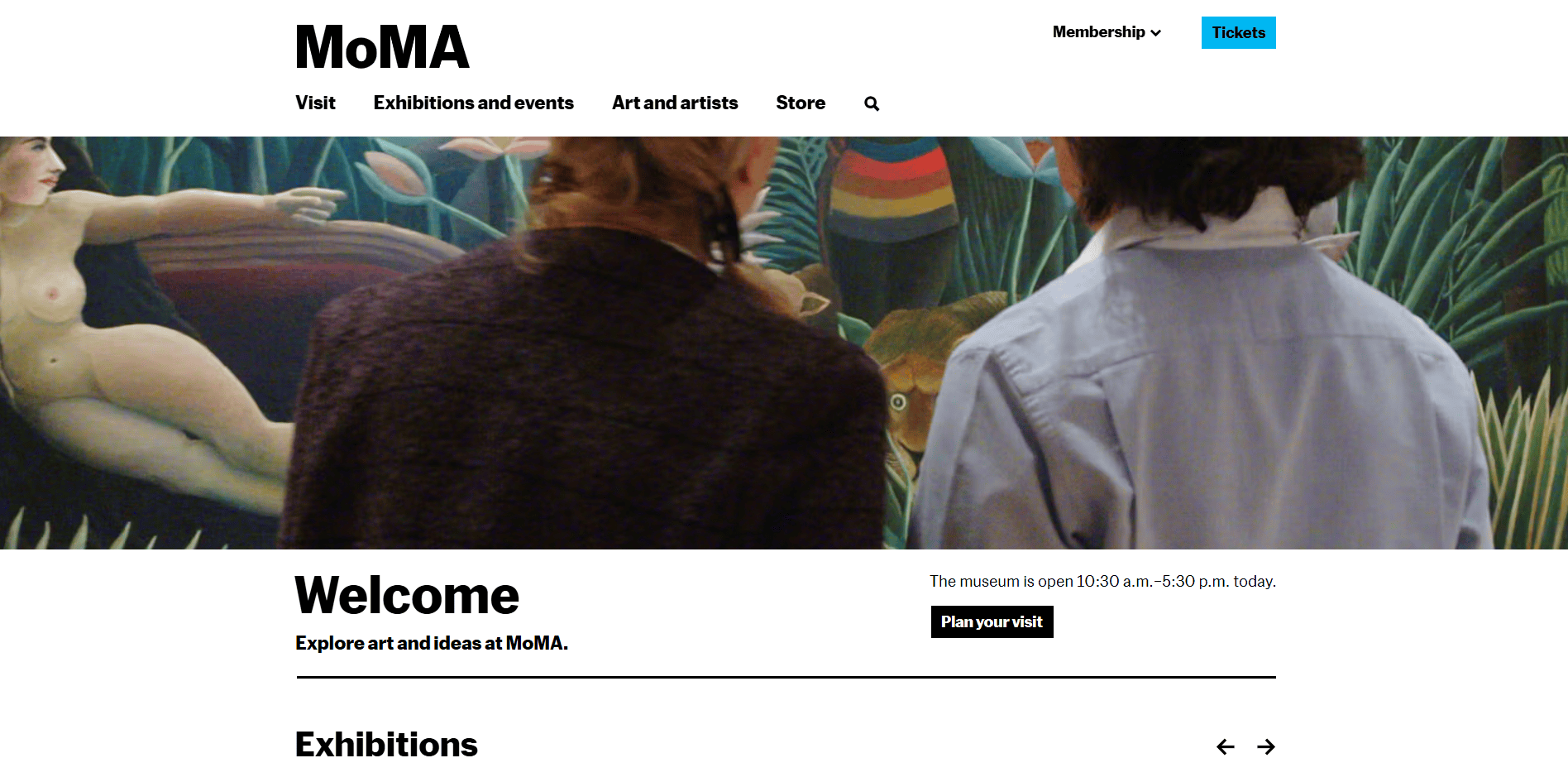
1. Museum of Modern Art (MoMA)
Location: New York City, NY
- Engaging Visuals: High-quality images and interactive elements showcase exhibits effectively.
- User-Focused Navigation: Intuitive layout with easy access to key sections like exhibitions, events, and collections.
- Responsive Design: Optimized for mobile and desktop, ensuring a seamless experience for all visitors.
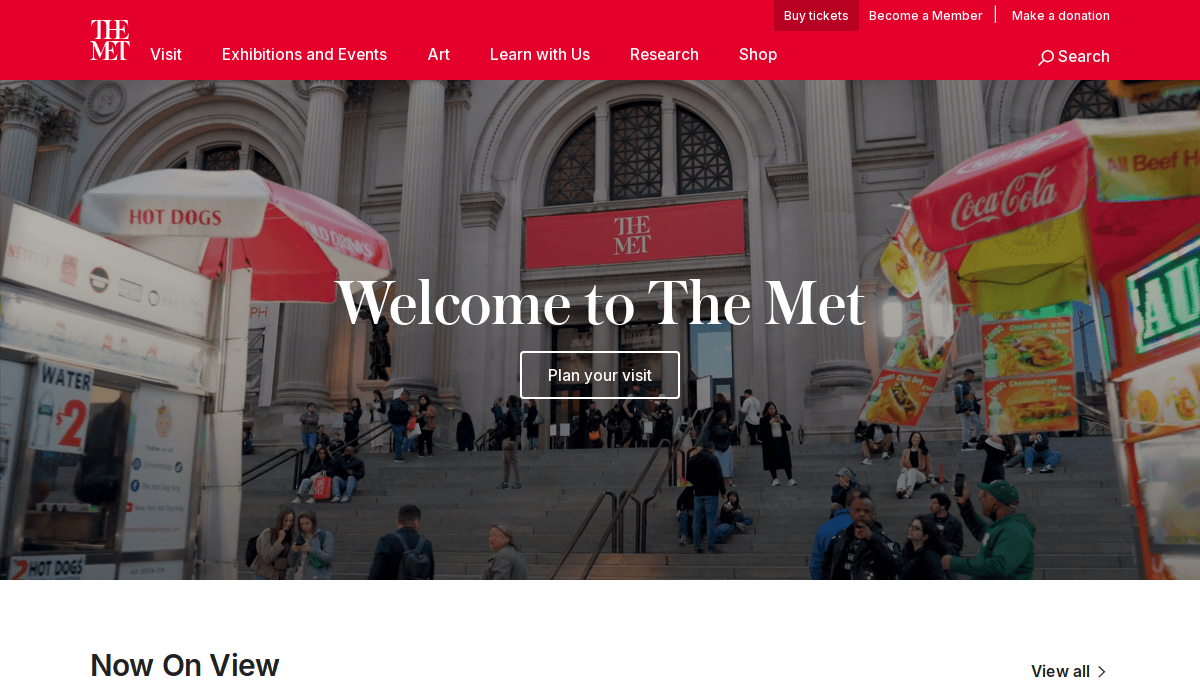
2. The Metropolitan Museum of Art (Met)
Location: New York City, NY
- Minimalist Design: Clean design focused on content, making navigation intuitive.
- Detailed Search Functionality: Extensive search capabilities for specific art pieces and artists.
- Virtual Collections: A vast online catalog that mirrors the museum’s in-person experience.
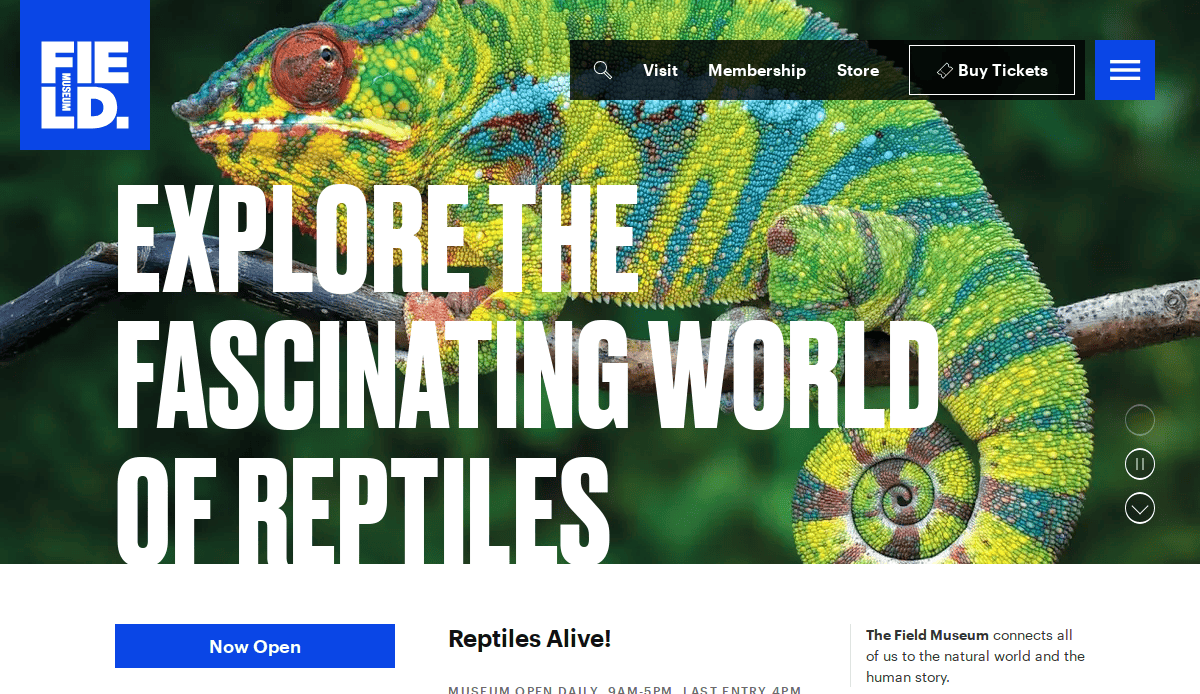
3. Field Museum
Location: Chicago, IL
- Interactive Exhibits: Users can explore virtual exhibits and educational content.
- Event Integration: Clear integration of upcoming events and programs, increasing visitor engagement.
- User-Centric Design: Intuitive navigation with large, bold imagery for impactful storytelling.
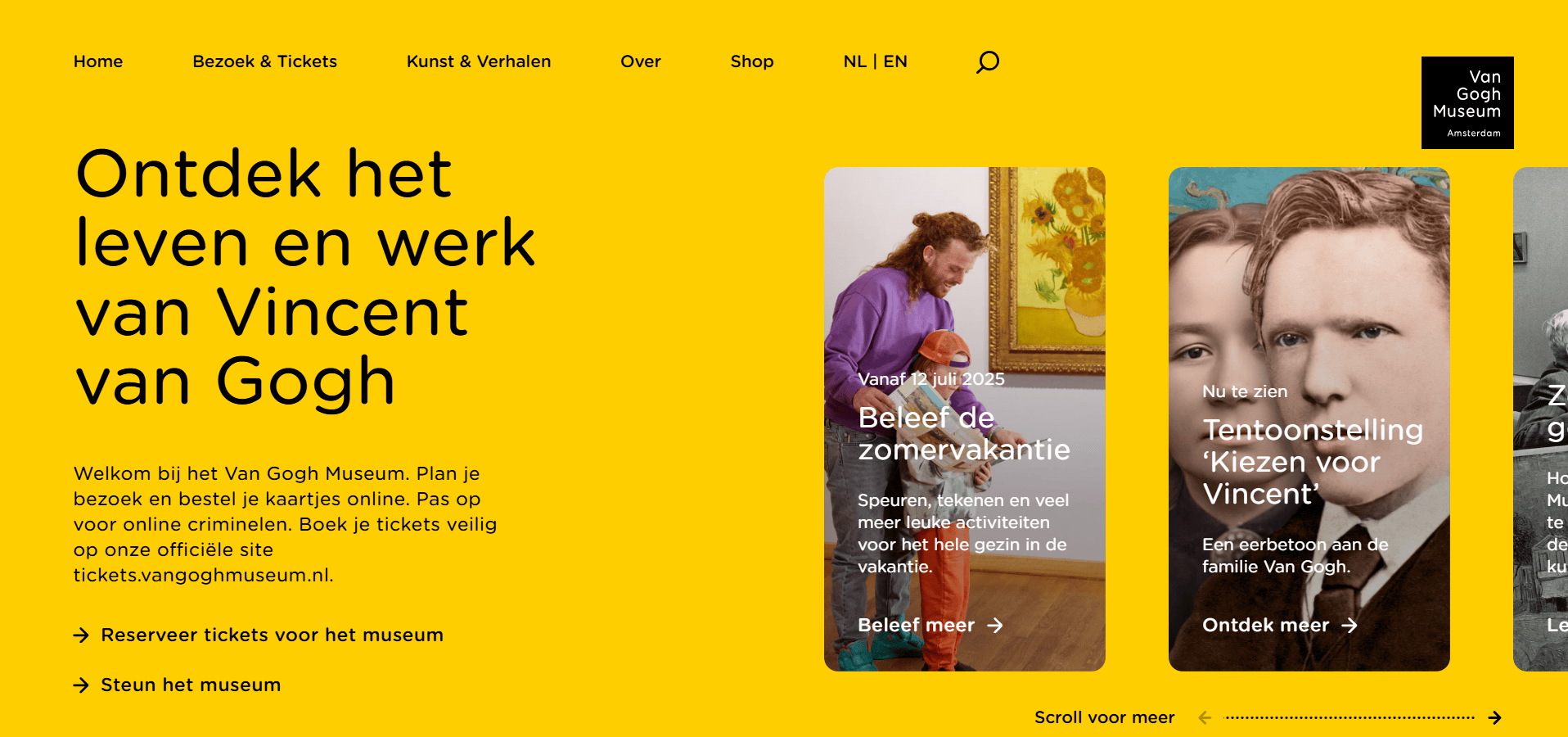
4. The Van Gogh Museum
Location: Amsterdam, Netherlands
- Virtual Tours: Immersive online tours of the museum’s exhibitions.
- Clean Aesthetic: Consistent use of colors and fonts that reflect the museum’s artistic theme.
- Rich Content: Detailed artist biographies, artworks, and background stories for an engaging visitor experience.
5. Museum of Applied Arts
Location: Vienna, Austria
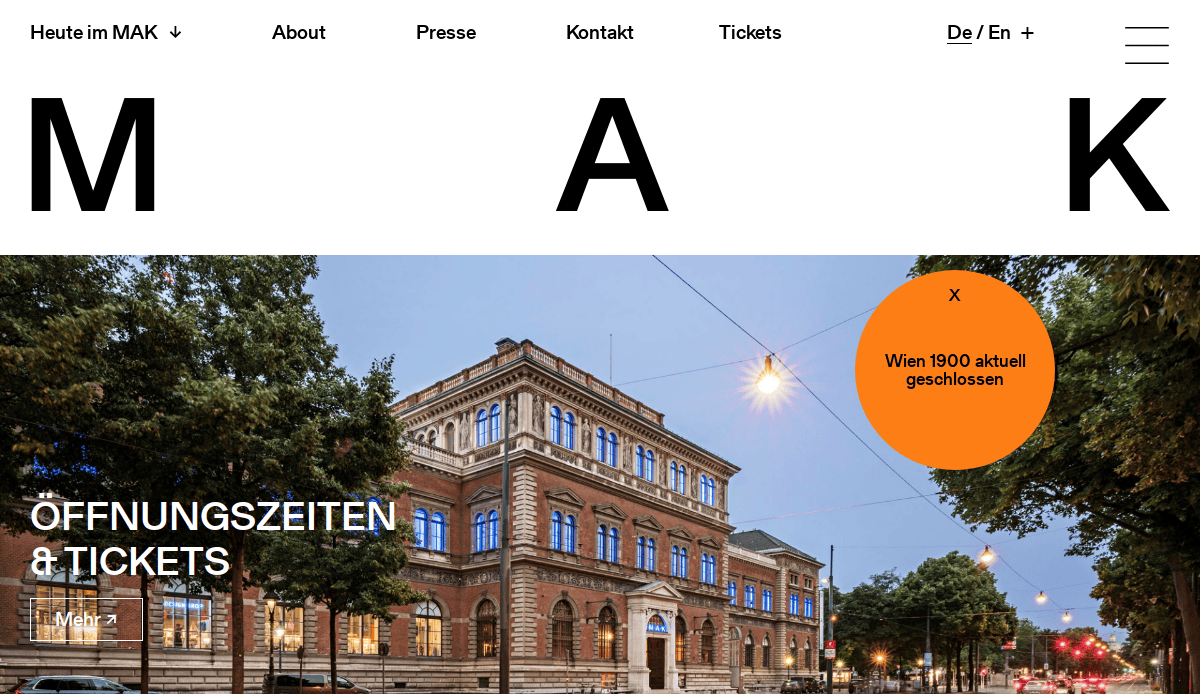
- Interactive Learning Tools: Resources for students and educators related to the museum’s collection.
- Clear Layout: Simple and organized navigation with intuitive access to exhibitions and collections.
- High-Resolution Images: Detailed close-ups of artifacts for an enriching digital experience.
6. The Museum of Science and Industry
Location: Chicago, IL
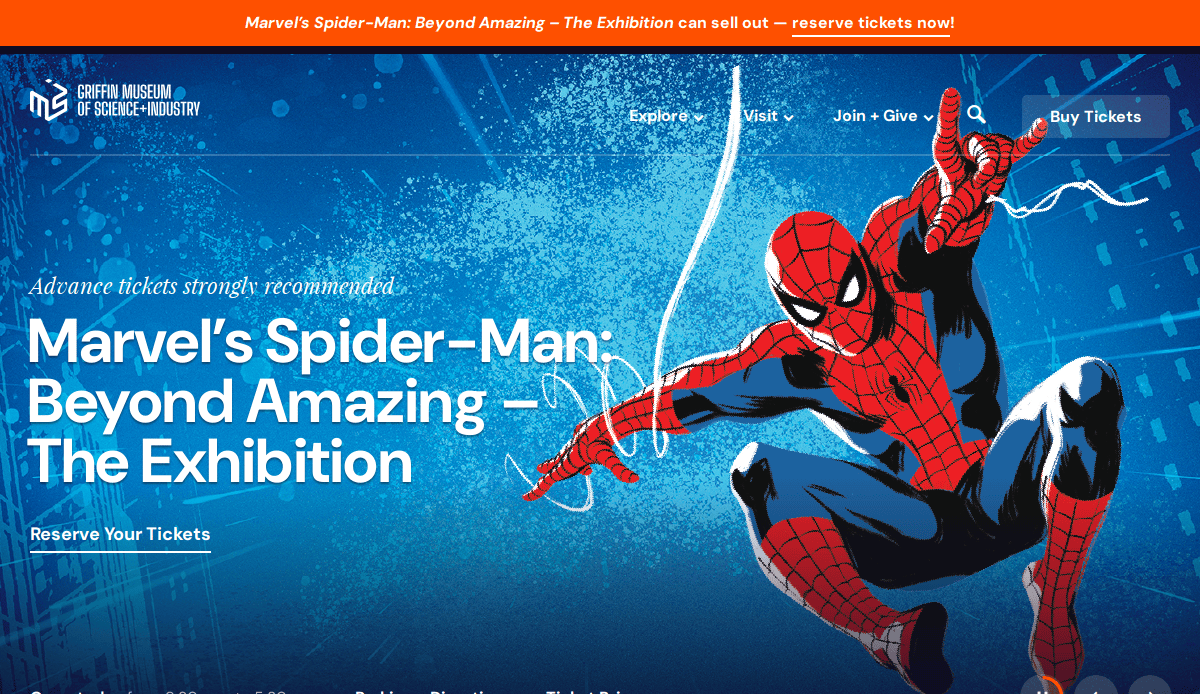
- Customizable Search Filters: Easy filtering for exhibitions, events, and educational programs.
- Engaging Interactive Features: Interactive educational tools for visitors to explore.
- Streamlined Design: Clean layout with clear CTAs, ensuring users can easily navigate through the site.
7. The National Museum of American Art
Location: Washington, D.C.
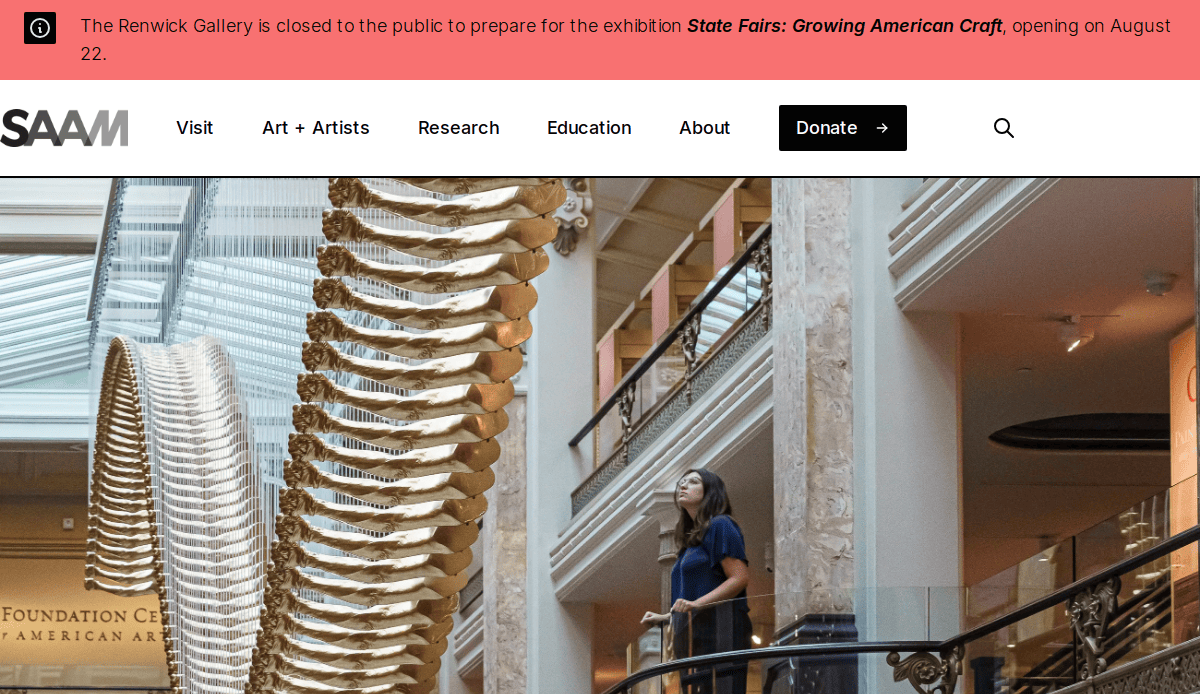
- Immersive Experiences: Virtual exhibits and tours offer visitors a closer look at American art history.
- Enhanced Accessibility: Website optimized for accessibility, providing an inclusive experience.
- Educational Focus: Dedicated resources for students and educators with lesson plans and interactive materials.
8. The Contemporary Art Museum
Location: Chicago, IL
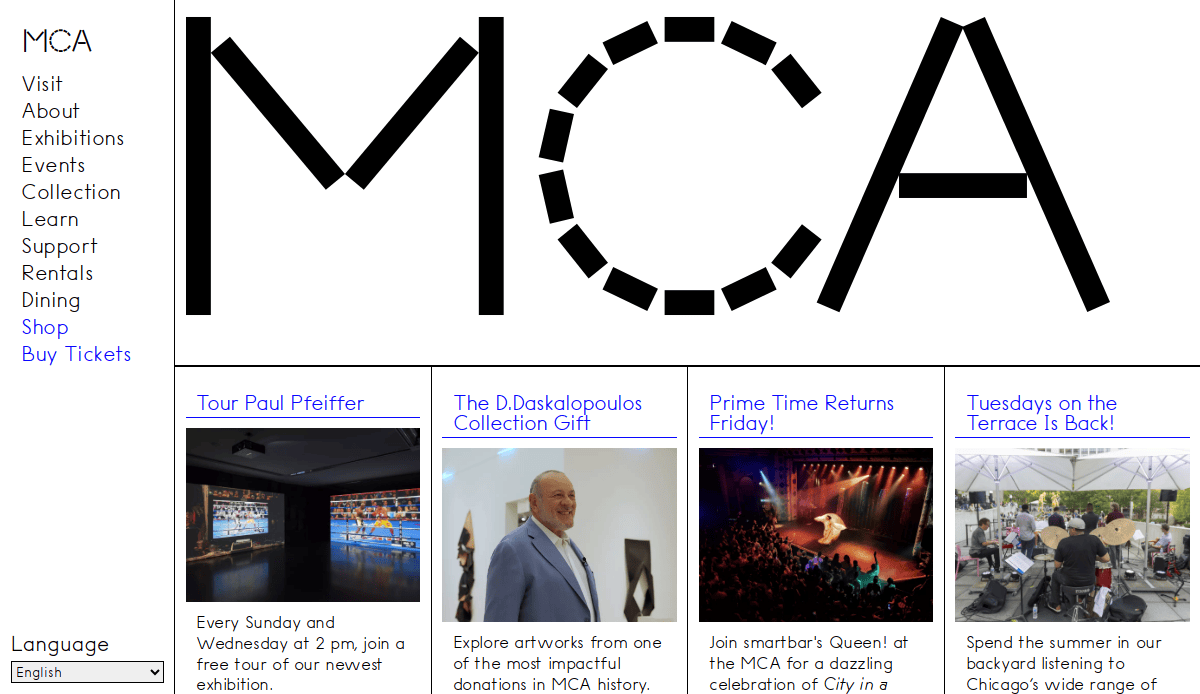
- Interactive Exhibition Pages: Dynamic pages for exhibitions with embedded multimedia and related content.
- Clear User Pathways: Defined sections and clear CTAs for smooth navigation and better visitor engagement.
- Modern Design: A visually appealing layout that highlights the museum’s contemporary art collection.
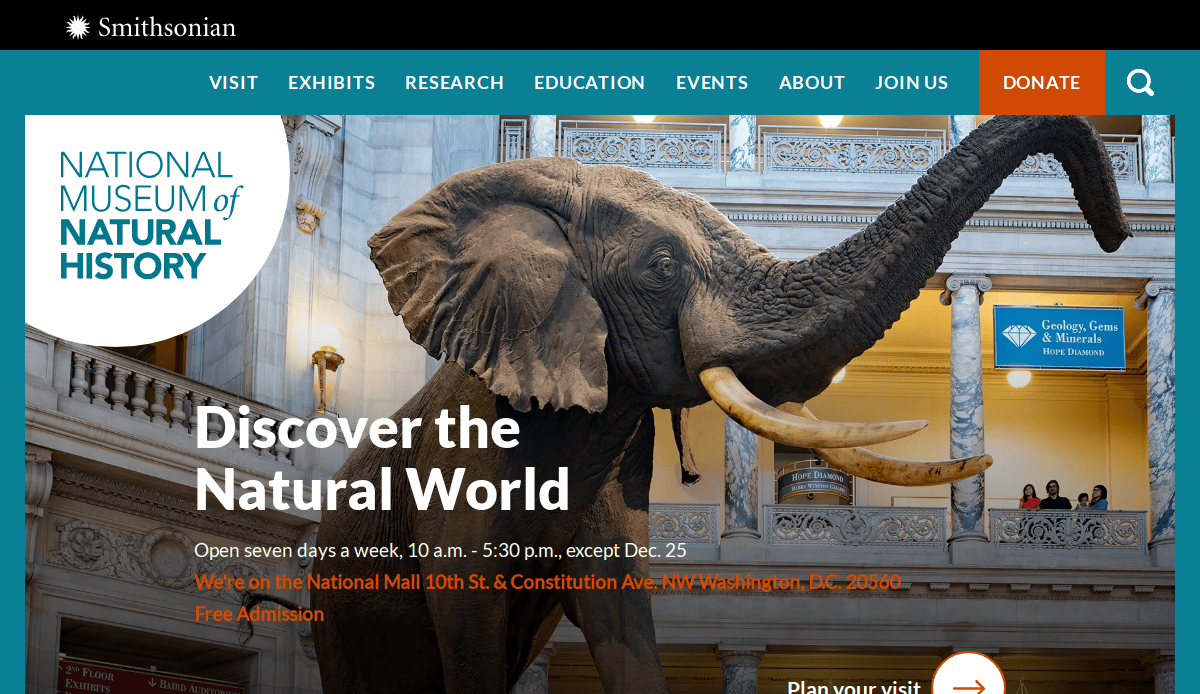
9. National Museum of Natural History
Location: Washington, D.C.
- Seamless Integration: Smooth navigation from exhibits to educational resources, helping visitors explore the content.
- Event Promotion: Effective promotion of events, workshops, and special exhibitions.
- Accessible Content: Easy-to-read content and intuitive navigation to ensure all visitors have a positive experience.
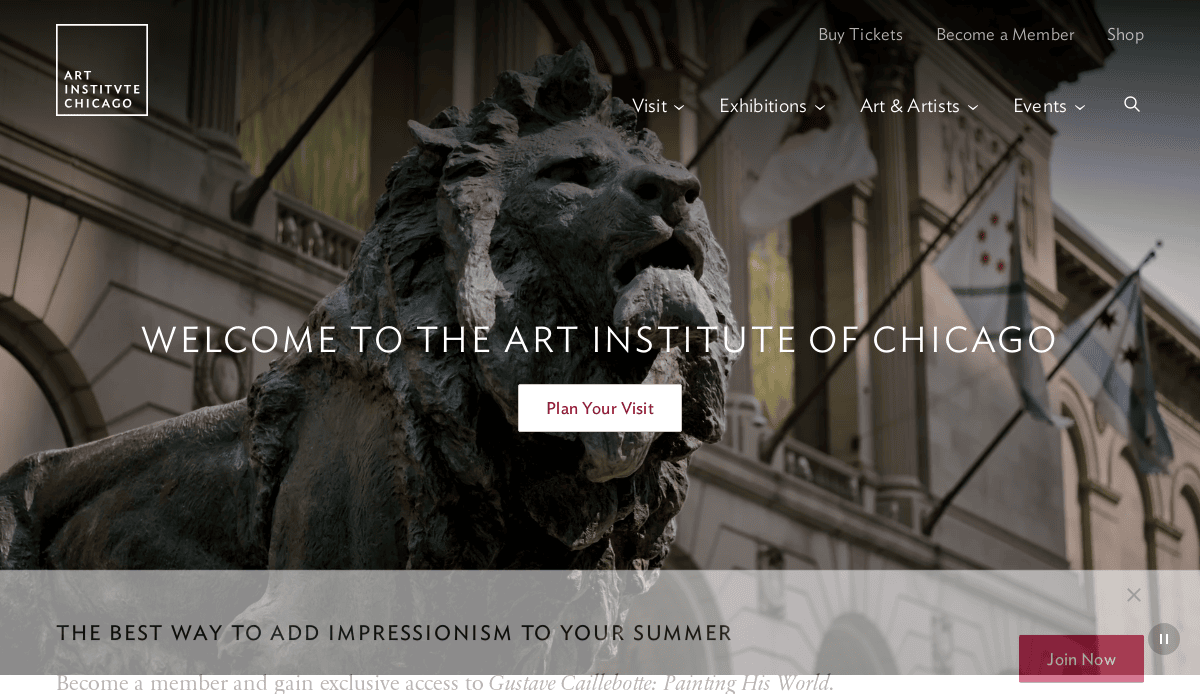
10. The Art Institute of Chicago
Location: Chicago, IL
- Digital Collections: Easy access to thousands of artwork images and detailed descriptions.
- Exhibition Updates: Real-time updates and information on ongoing and upcoming exhibitions.
- User-Centered Design: Well-structured design makes it easy to navigate between collections, events, and visitor information.
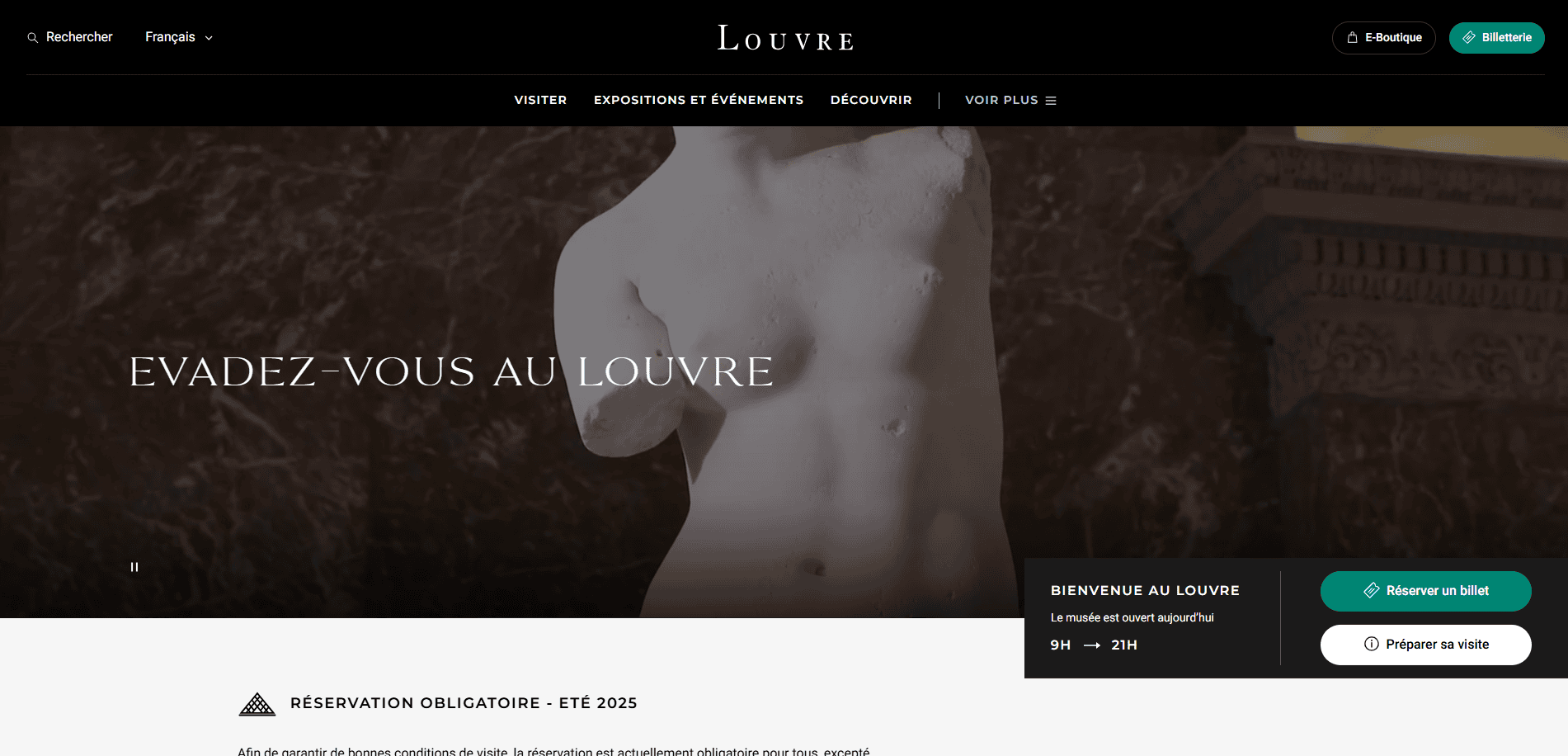
11. The Louvre Museum
Location: Paris, France
- Virtual Tours: Extensive virtual tours for remote visitors to explore the exhibits.
- Multilingual Support: Available in multiple languages to accommodate global audiences.
- Rich Content: Features detailed pages for famous collections and iconic artworks.
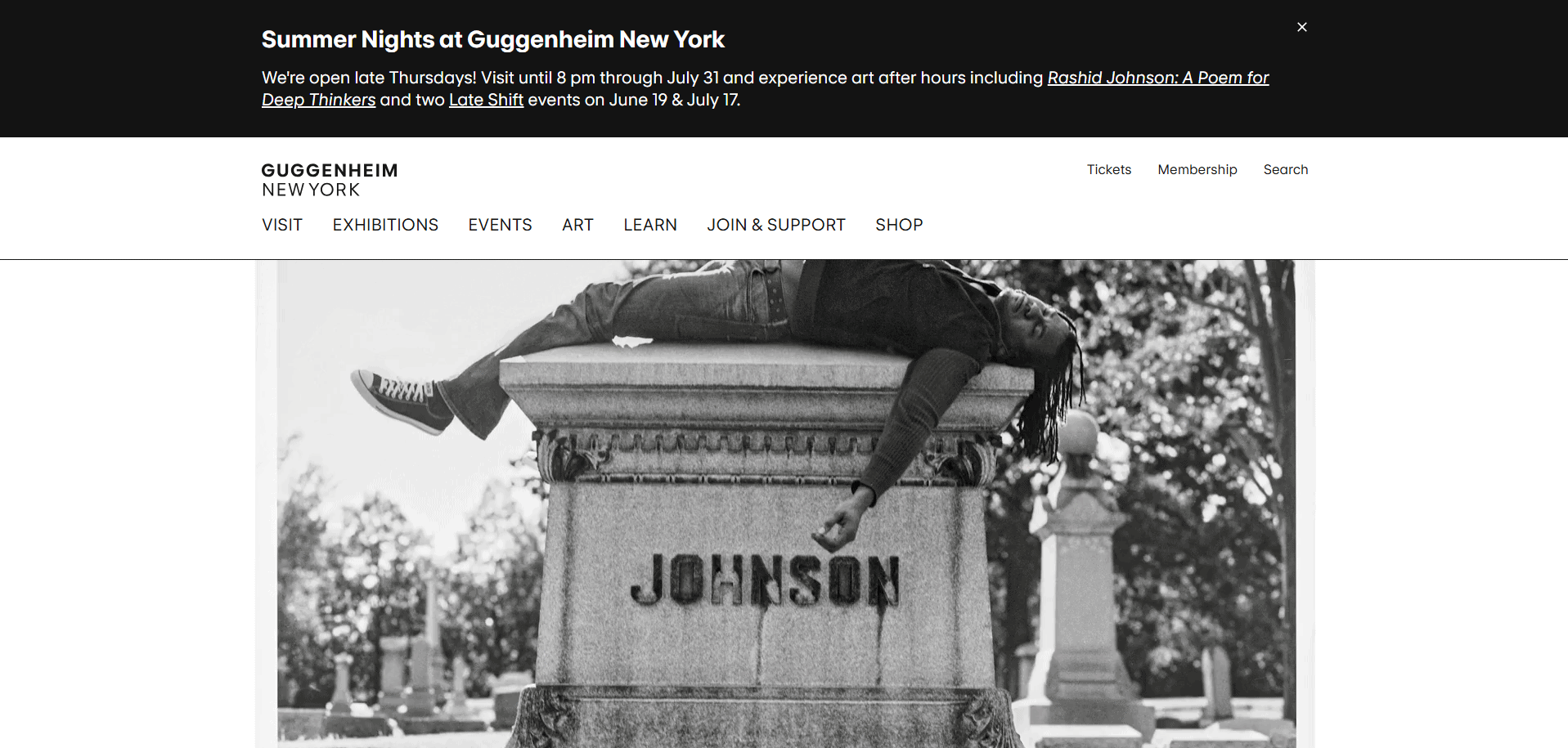
12. Guggenheim Museum
Location: New York City, NY
- Interactive Features: Engaging digital exhibitions and virtual tours of current and past exhibits.
- Cohesive Branding: Consistent visual identity with bold typography and imagery.
- Educational Tools: Resources for educators and students, helping to bring art history to life.
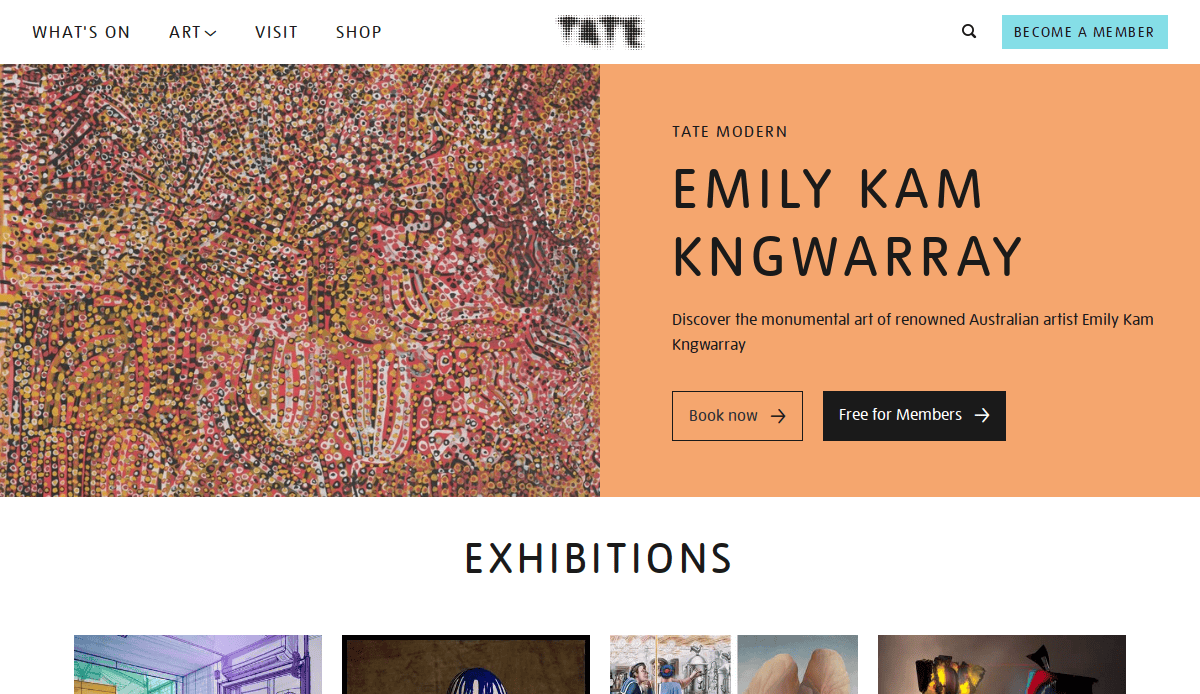
13. Tate Modern
Location: London, UK
- Clear Navigation: Simple, user-friendly layout that makes finding exhibitions and events straightforward.
- Event Integration: Timely updates on upcoming events and exhibitions.
- Visually Engaging Design: Uses large visuals and high-resolution images to captivate online visitors.
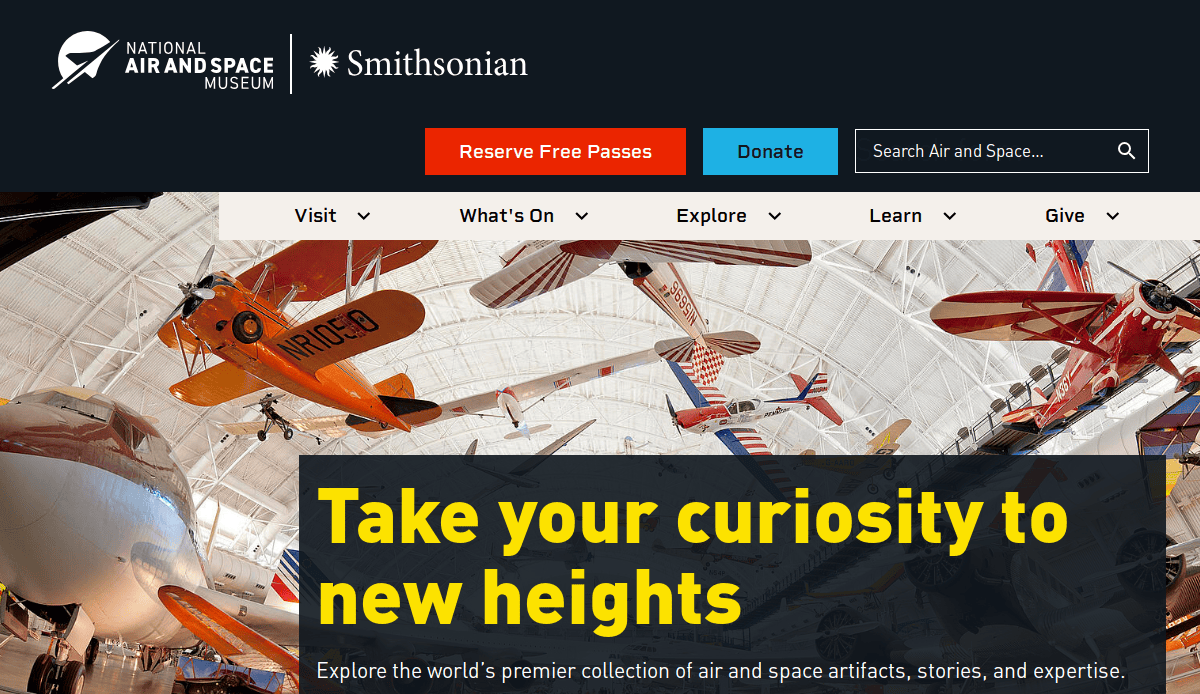
14. Smithsonian National Air and Space Museum
Location: Washington, D.C.
- High-Impact Visuals: Use of engaging, high-quality imagery and video content to immerse visitors in the museum’s collection.
- Educational Content: Rich resources for educators and interactive exhibits for visitors of all ages.
- Mobile-Responsive Design: Optimized for both desktop and mobile use, ensuring easy access for all users.
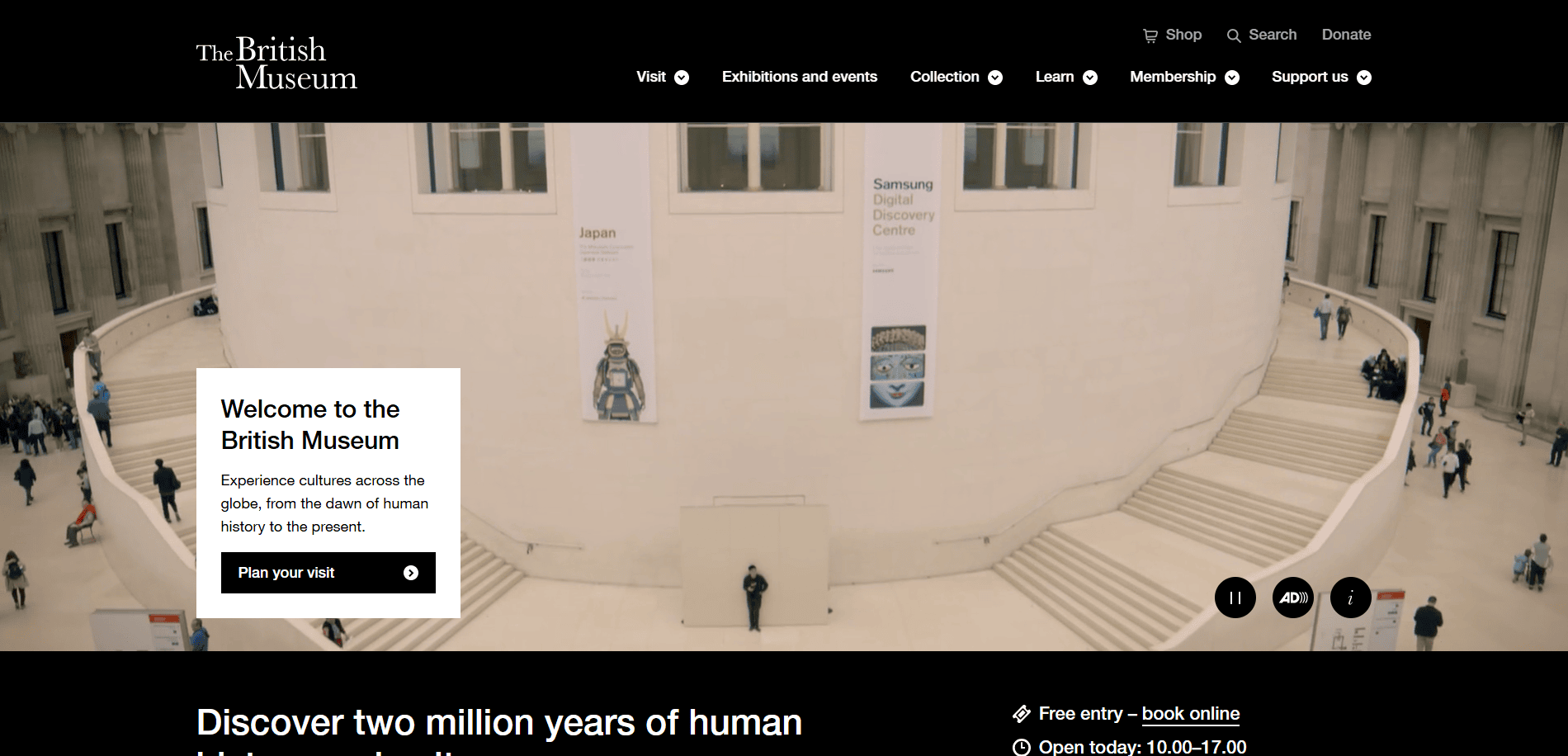
15. The British Museum
Location: London, UK
- Extensive Digital Catalog: A vast and searchable online collection, providing easy access to thousands of artifacts.
- Interactive Tools: Allows users to interact with exhibits through virtual tours and digital archives.
- Multilingual Options: The website supports multiple languages to cater to international audiences.
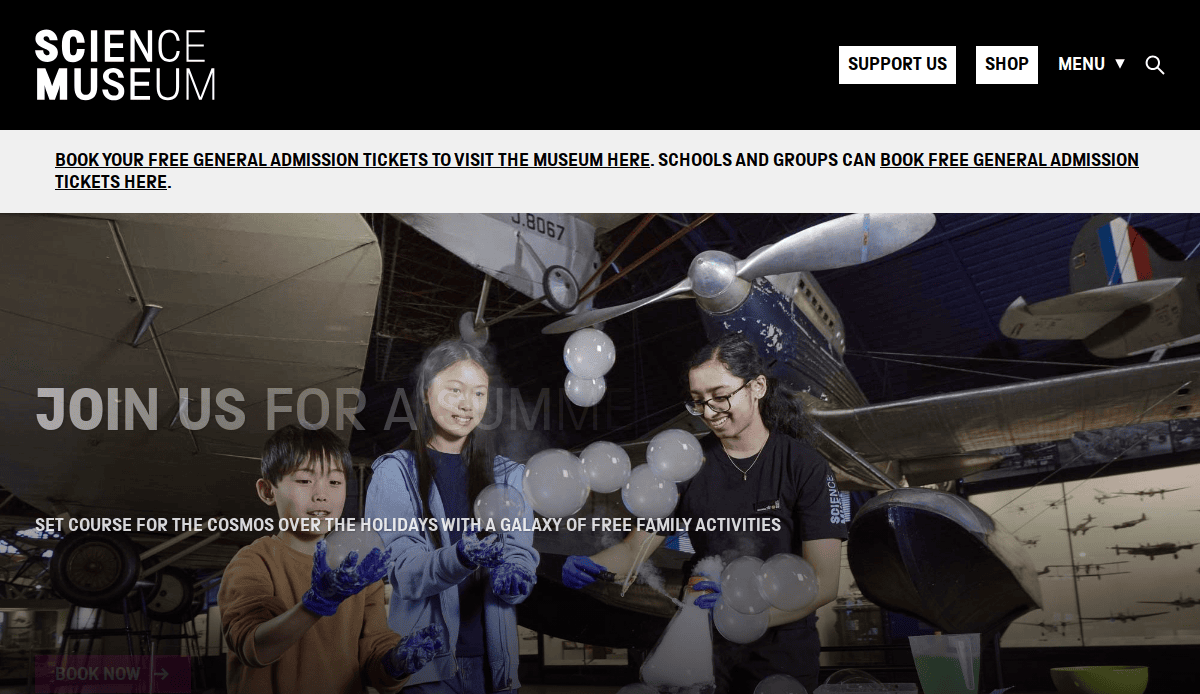
16. The Science Museum
Location: London, UK
- Interactive Educational Resources: Hands-on learning tools and interactive exhibitions are available online.
- Seamless Event Integration: Easy access to upcoming events, workshops, and educational programs.
- Engaging Visuals: High-resolution images and videos enhance the online exploration of exhibits.
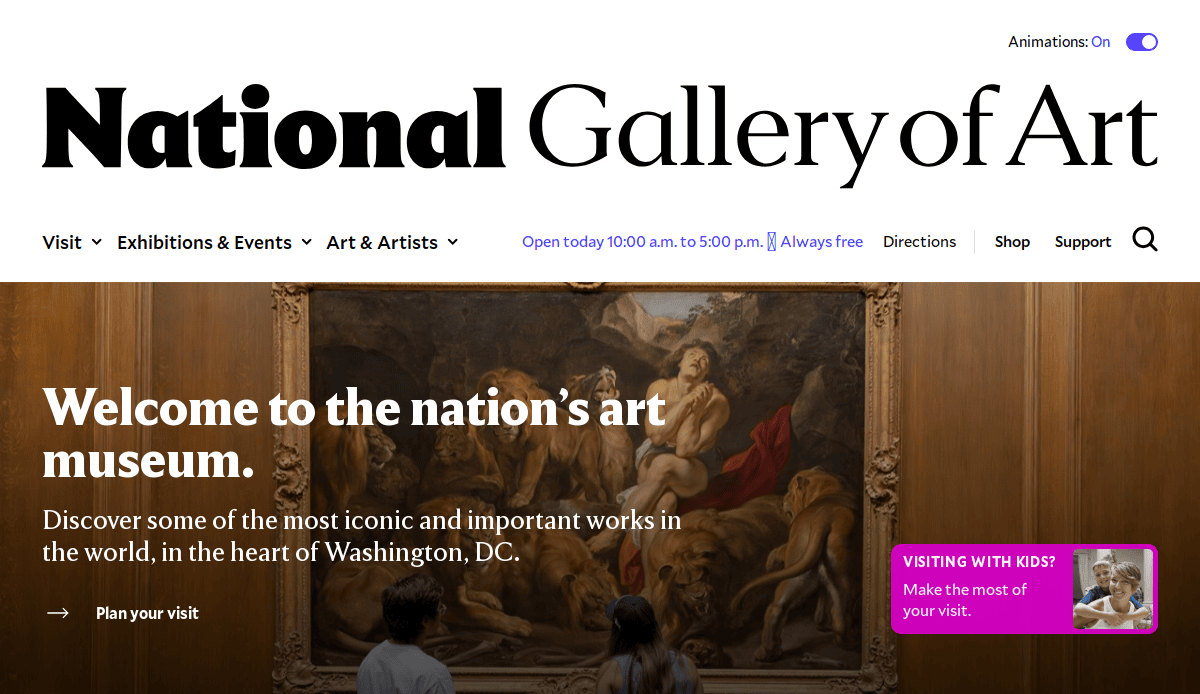
17. The National Gallery of Art
Location: Washington, D.C.
- Dynamic Exhibitions: Features rich multimedia content, including videos and behind-the-scenes footage.
- Detailed Art Descriptions: Offers detailed, scholarly content that enhances the visitor’s understanding of the artworks.
- Accessible Navigation: Clear, intuitive navigation for both casual visitors and art researchers.
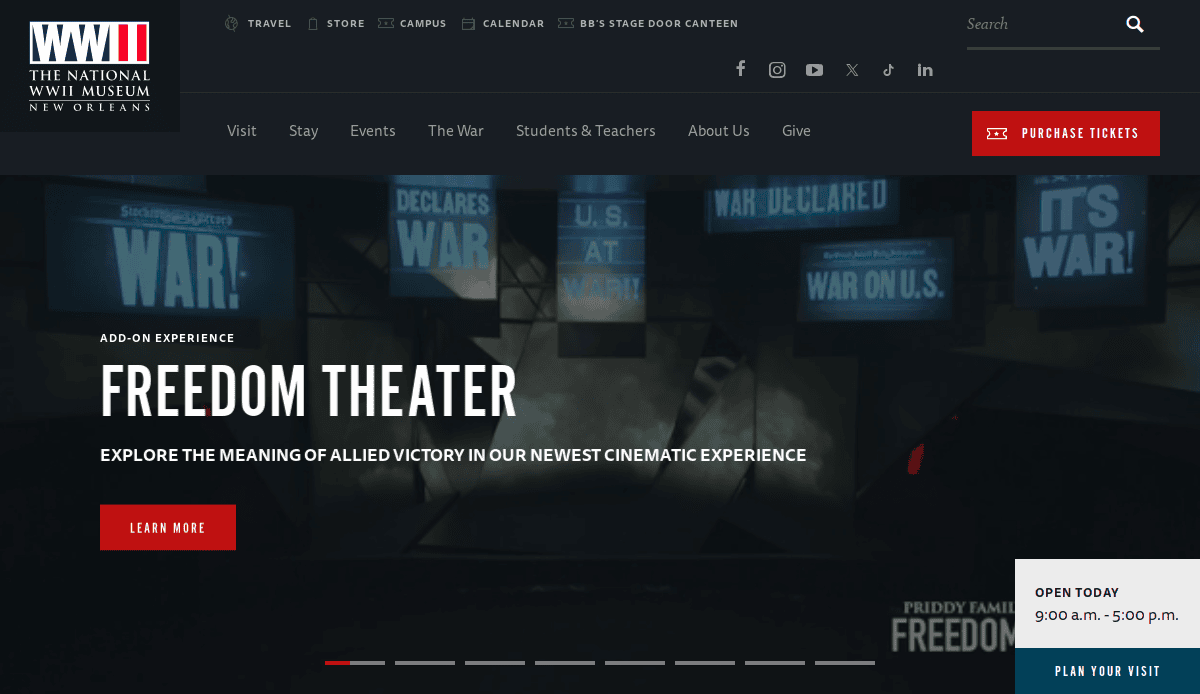
18. The National WWII Museum
Location: New Orleans, LA
- Comprehensive Content: Features an extensive collection of multimedia content, including oral histories, videos, and artifacts.
- Event Integration: Real-time updates about special events and new exhibitions.
- Educational Outreach: Extensive learning resources, providing materials for teachers and students.
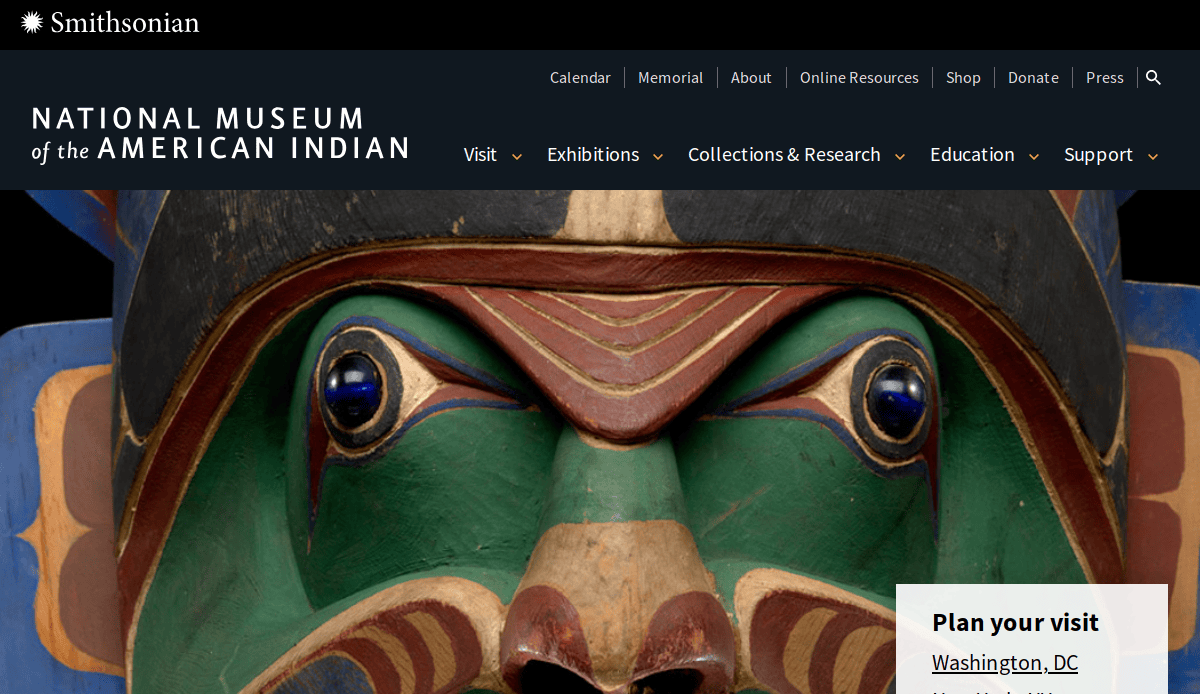
19. The National Museum of the American Indian
Location: Washington, D.C.
- Culturally Relevant Design: Incorporates design elements that reflect Native American culture.
- Educational and Interactive Resources: Interactive features that engage visitors in learning about Native American history and culture.
- Virtual Exhibits: Virtual access to current and past exhibitions, allowing global audiences to explore the museum’s content.
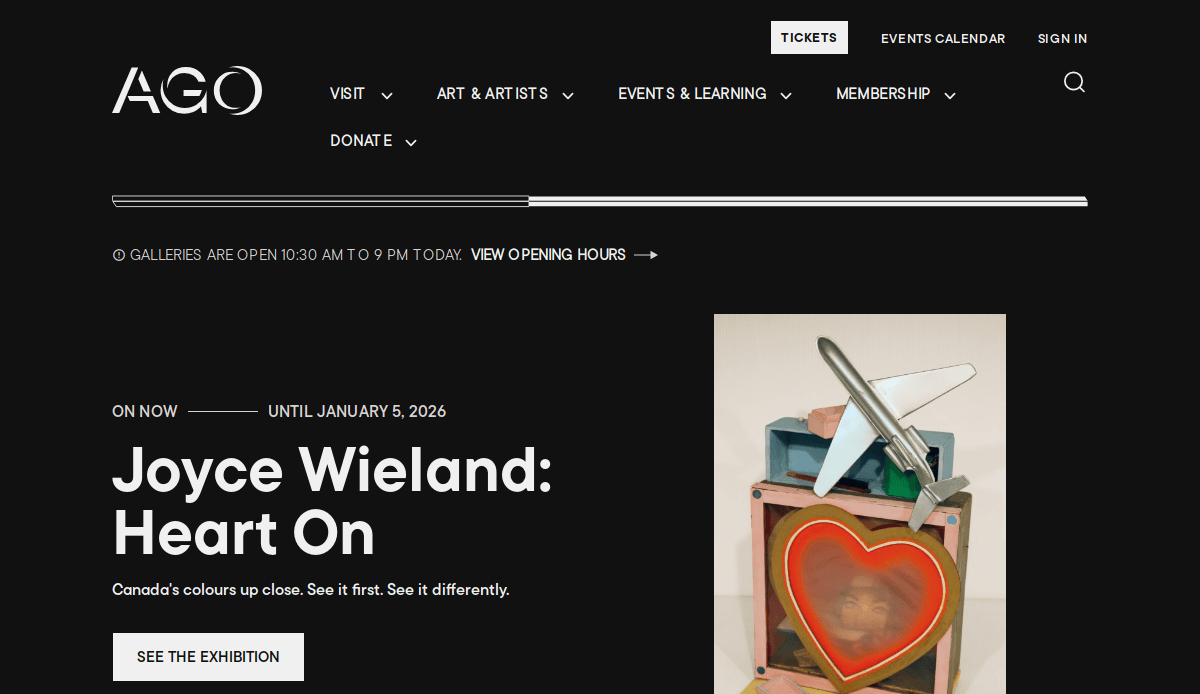
20. The Art Gallery of Ontario
Location: Toronto, Canada
- Seamless Integration: Combines modern design with easy access to online collections and exhibitions.
- User Engagement: Allows users to create personalized exhibition tours and collections.
- Responsive Website: Fully responsive design that provides an optimal experience on mobile devices.
Take Action: Elevate Your Museum Website Experience
Now that you understand the key elements of effective site design, it’s time to take the next step toward improving your museum’s online presence. Whether you’re planning a cleaner website redesign or creating a new website from scratch, the right design strategy is essential to engaging visitors, increasing web traffic, and delivering a smooth experience.
A well-planned website strategy can transform your museum’s digital experience. From implementing modern design principles to optimizing your site for responsive design and user-friendly pathways, there are countless ways to enhance your online content. By integrating the latest design trends and ensuring your website is built with a focus on visitor experience, you can create a compelling online presence that reflects the essence of your museum, whether it’s a science museum, an art gallery, or a national museum.
Don’t wait for outdated website features to hold you back. If you’re looking to elevate your site or need inspiration, it’s time to invest in a comprehensive website project. Update your website with design best practices, improve your information architecture, and create landing pages with clear calls to action. These changes will optimize your online experience, better serve your visitors, whether they are planning to visit the museum in person or exploring your digital exhibits.
Ready to take your museum’s website to the next level? Contact us today to get started and ensure your online presence aligns with the latest museum thinking and modern design trends. Our team of experts is here to help you create an inspiring museum website that maximizes engagement and enhances your museum experience for every visitor. Start your website project now and watch your web traffic and online presence grow.
Your Common Museum Web Design Questions, Answered
What are the key elements of modern website design for museums?
Modern website design focuses on creating an engaging and user-friendly experience. Key elements include responsive design, easy gateways, clear calls to action, and an intuitive layout. A museum site should be optimized for both desktop and mobile devices, ensuring a seamless experience for all website visitors. Incorporating contemporary design trends, such as high-quality imagery, interactive elements, and integrated social media, can enhance the online experience and drive more engagement with the museum’s collections.
For inspiration, consider exploring the website features like those seen in the Met Museum or the Museum of Applied Arts. These institutions have effectively utilized modern website design to elevate their digital presence.
How does a website serve its audience?
A website serves as the central hub for all online content and visitor engagement. It provides essential information such as event details, visiting hours, ticketing, and educational resources. Additionally, the website acts as a digital extension of the museum’s physical space, allowing visitors to explore exhibitions, interact with artifacts virtually, and engage with related content before visiting the museum in person. With a well-designed web presence, museums can reach a broader audience, promote upcoming events, and maintain a consistent connection with their community.
How important is the type of museum when designing a website?
The type of museum plays a critical role in shaping the design and content strategy of the website. For example, an art gallery website may prioritize showcasing high-quality images of artwork and interactive digital experiences, whereas a science museum might focus more on educational resources and hands-on learning tools. Understanding the specific needs of your type of museum and your audience helps guide the website’s design and development, ensuring that the website supports both your museum’s mission and the visitor experience.
What are the best practices for museum website features?
The best sites incorporate a variety of features to enhance UX and engagement. Most features often include a detailed events calendar, virtual tour capabilities, an easy-to-navigate exhibition section, and integration with social media platforms. In addition, the new website should focus on accessibility by ensuring that all visitors, including those with disabilities, can easily interact with the site. Using these features helps increase visitor retention, encourages donations, and provides additional value to those who can’t attend in person.
How does design help improve web traffic?
A well-designed website contributes to increased web traffic by providing engaging, up-to-date content that draws visitors in. Incorporating SEO strategies and optimizing for relevant keywords (e.g., American art, museum industry) helps the site rank higher in search engine results. Additionally, offering valuable resources such as related content, educational materials, and virtual tours can encourage visitors to explore more of the website, increasing time spent on the site and boosting engagement.
Why is responsive design crucial?
Responsive design is essential for ensuring that a website is accessible and functional on any device, whether it’s a desktop, tablet, or smartphone. All websites need to accommodate diverse audiences, and with more visitors accessing content on mobile devices, a responsive site is a must. By implementing responsive design, museums can ensure their web presence remains consistent across all platforms, improving accessibility and enhancing the UX. A site redesign with responsive design will ensure that visitors have a seamless browsing experience, whether they are exploring an art gallery website or visiting a museum of applied arts.
How can a web developer improve a museum’s website?
A web developer can improve a museum’s website by focusing on both the functionality and aesthetics of the site. From ensuring fast load times to implementing advanced features like interactive exhibits or virtual tours, a web developer plays a key role in bringing a website redesign to life. They can also assist with design and development, ensuring the site is scalable, secure, and optimized for SEO. By focusing on contemporary design, a web developer can make the museum’s website look great, provide visitors with a seamless and engaging digital experience.
How do calls to action improve engagement?
Calls to action (CTAs) are essential for guiding website visitors towards taking action, such as purchasing tickets, subscribing to a newsletter, or donating to the museum. Clear, compelling CTAs can increase engagement and conversions by providing visitors with a straightforward path to interact with the museum. A well-designed CTA should be placed in strategic locations throughout the site, such as on the landing page details. By making it easy for users to engage, museums can increase both their online and offline impact.