Just looking for our Best Aquarium Website examples list?
Why Stunning Aquarium Website Design Matters More Than Ever
Your website is the front door to your aquarium business, the moment where curiosity transforms into conversion. Whether you’re showcasing rare aquatic species, offering a virtual tank builder, or selling marine life accessories online, great website design isn’t optional—it’s your competitive edge.
The best aquarium websites don’t just display fish tanks and freshwater or saltwater species. They immerse users in stunning designs that mimic the tranquility and wonder of the underwater world. These sites combine visually appealing layouts, streamlined navigation, and high-performance functionality to engage visitors and increase traffic, time on page, and customer actions—from booking visits to buying products.
Today, an outdated, clunky website can drown your business online. By investing in modern site designs with responsive design and an intuitive user experience, you’re not just enhancing your online presence—you’re building trust, improving search engine rankings, and driving real revenue growth.
This guide explores everything you need to know to create a high-impact aquarium site, from visual inspiration and content strategy to technical SEO and aquascaping integration. Whether you’re a marine life enthusiast or a growing aquarium business, you’ll learn how to customize a website that’s as functional as it is beautiful.
Ready to turn your vision into an unforgettable online experience?
Website Planning & Purpose: Laying the Foundation for a High-Impact Site
Before you jump into themes, galleries, or animations, every successful website starts with strategic planning. For aquariums, aquatic retailers, and marine conservation groups, the planning phase determines not just how the site will look, but how it will work to grow your audience and drive business outcomes.
At its core, the purpose of your website is to immerse users in your brand story while making it effortless to take action. That could mean purchasing aquarium products, booking tickets to an exhibit, or learning about marine conservation. To do this effectively, you need to start with clarity around your site’s primary goals and user expectations.
Begin by asking: What is the main goal of your site—educational, commercial, experiential, or all three? Will your site feature exhibits like those at the Shedd or Georgia Aquarium? Will it support ecommerce? Should it offer a drag-and-drop tank builder for enthusiasts customizing freshwater setups? The answers to these questions guide your structure, content, and design.
Audience research is just as essential. Define whether your visitors are aquarium hobbyists, first-time aquarium owners, educators, or tourists planning visits. The more precisely you understand their needs and behaviors, the better you can plan for features like responsive design, real-time ticketing, and aquascaping tips that align with their journey.
Next, map the sitemap. This outlines the main pages of your site and how they connect. Prioritize high-traffic needs like home, about, exhibits or shop, FAQs, and contact. Use the planning phase to align every page to your overarching conversion goals.
Don’t overlook content strategy at this stage. Many websites underperform because they lack meaningful, search-optimized content. Blog content covering aquarium design tips, fish tank care, and seasonal exhibit updates can drive ongoing SEO value and visitor engagement.
If you’re new to this process, check out Core Principles of Web Design: A Guide for Beginners to better understand the critical planning steps every website needs.
By investing time upfront in clearly defining your website’s purpose and structure, you set the stage for a streamlined build and measurable business results. It’s not just about design—it’s about intention.
Design Principles That Make Websites Stand Out
Effective site design is more than just beautiful imagery—it’s about structure, flow, and intentional choices that guide your visitors from curiosity to conversion. For aquarium businesses and aquatic organizations, the challenge lies in combining immersive storytelling with functional design to meet both visitor expectations and operational goals.
One of the most important design principles is visual hierarchy. In the context of an aquarium site, this means using layout, typography, and color to guide visitors’ eyes to key information, like exhibit highlights, booking buttons, or educational resources. Larger headings, contrasting colors, and strategic whitespace all contribute to this clarity.
Next is consistency. Your brand colors, fonts, and design elements should remain uniform across all pages. This doesn’t just enhance visual appeal—it reinforces your brand identity and builds trust. Whether you’re showcasing freshwater aquascapes or saltwater species, the design should feel unified and intentional.
Mobile-first design is essential. More than half of your users are likely accessing your website from smartphones or tablets. That means the themes must be responsive, touch-friendly, and easy to navigate on smaller screens. Mobile optimization isn’t optional—it directly impacts user experience, bounce rates, and conversions.
Don’t underestimate load speed and performance. Professional websites often use high-resolution visuals and video content. These assets need to be optimized so they don’t slow down the site. Fast load times are critical for both user satisfaction and search engine rankings.
Another key principle is accessibility. Company websites should be inclusive to all users, including those with disabilities. This means using alt text for images, maintaining contrast ratios for readability, and ensuring keyboard navigability. These considerations are best practices, and they’re part of ADA compliance, which helps protect your organization and expand your reach.
Also critical is intentional navigation. Visitors should be able to find what they’re looking for in just a few clicks—whether that’s exhibit info, donation options, or an ecommerce checkout. Use clear menu structures, internal search, and breadcrumb trails to create a seamless experience.
If you’re unfamiliar with how all of these pieces come together, take a moment to read this Step-by-Step Guide to the Web Design Process to see how expert planning flows into expert execution.
When design principles are applied thoughtfully, your website doesn’t just look great—it works great. It delivers on business goals, educates and inspires visitors, and reflects the wonder of the underwater world in every interaction.
Content & Navigation: Structuring for Discovery, Engagement, and Action
The content and navigation of your website work hand in hand to guide visitors, deliver value, and convert curiosity into commitment. Whether you’re running a public aquarium, an online marine life shop, or a conservation organization, your website must balance educational content with user-friendly navigation that makes every interaction intuitive and purposeful.
Start by structuring content around your audience’s priorities. For an aquarium-focused site, this could include exhibit previews, visitor information, event schedules, ticket purchasing, or detailed product pages if ecommerce is involved. Organize content into logical sections that match user intent—like “Plan Your Visit,” “Explore Exhibits,” “Shop Aquatic Products,” or “Support Marine Conservation.” This ensures users find what they need quickly without frustration.
Every page should serve a clear purpose and contain relevant, keyword-optimized content. For instance, your “Exhibits” page might include immersive visuals, descriptions of each tank or ecosystem, and links to related blog posts about featured species or habitat care. Your “About” page can tell your organization’s story while emphasizing trust-building elements like staff bios, sustainability commitments, or partnerships.
Navigation should be simple, consistent, and visible. Stick to a top-level menu that includes no more than 5 to 7 key categories, with dropdowns for deeper pages. Avoid burying important content in hidden pages or vague labels—use plain language like “Visit,” “Shop,” or “Events” so users immediately understand where to go.
Add a persistent call to action across navigation and major content areas. Whether that’s a “Buy Tickets” button, “Donate Now,” or “Explore Our Tanks,” you want to prompt action without overwhelming the visitor. Make use of internal linking throughout content to guide users deeper into your site and encourage more engagement.
Also, consider how your navigation adapts to mobile devices. Hamburger menus should be clear and easy to tap, and all navigation elements must remain accessible across devices. Mobile users should be able to reach every part of your site in just a few taps, ensuring their experience is just as seamless as desktop visitors.
Lastly, consider building out a blog or knowledge center that dives into aquarium design ideas, aquatic landscapes, or frequently asked questions about freshwater versus saltwater care. This supports SEO and positions your site as a resource for enthusiasts, educators, and first-time visitors alike.
When your content is structured for clarity and your navigation is built around user intent, your website becomes more than just a destination—it becomes a journey that visitors want to return to again and again.
Visual Elements: Bringing the Aquatic Experience to Life Online
Visual design is the bridge between storytelling and functionality. It’s also the first impression—and it needs to be unforgettable. A well-crafted visual experience doesn’t just highlight marine life; it immerses users in it, guiding them through your content while reinforcing your brand’s identity at every scroll.
Start by using visual hierarchy to direct attention. Your homepage hero section is a prime opportunity to feature full-width imagery or video footage of signature exhibits, like coral reef tanks or interactive displays. These elements should immediately establish mood and convey value, whether it’s education, entertainment, conservation, or commerce.
Photography should be high-resolution, authentic, and purposeful. Feature real exhibits, sea landscapes, behind-the-scenes moments, and close-ups of sea life. Avoid stock images where possible—they don’t resonate the same way and dilute brand authenticity. Consider showcasing custom images that reflect your facility’s unique spaces or product offerings. These visuals do more than fill space—they build trust and emotional connection.
Color palette and typography must complement an ocean theme while remaining functional. Blues, greens, and neutrals mimic the ocean while evoking calm and clarity. Use these tones for backgrounds, buttons, and section dividers, but contrast them enough to maintain readability and accessibility. Fonts should be modern, easy to read, and consistent across the site, supporting both branding and navigation.
Animations and microinteractions can elevate the user experience when used sparingly. Hover effects, scrolling transitions, and subtle movement can enhance storytelling without overwhelming the content. These visual cues help users engage more deeply while navigating your site.
Responsive visual design is non-negotiable. All imagery and video elements must scale properly across devices, maintaining quality and design integrity on everything from smartphones to widescreen monitors. Failure here can reduce credibility and hurt engagement, especially for mobile-first audiences.
Infographics, interactive exhibits, and embedded videos are additional tools to convey complex information—like aquascaping tips or habitat breakdowns—in ways that are digestible and compelling. For ecommerce or donation pages, use visual cues such as product galleries, trust badges, and progress indicators to keep users focused and confident.
To see how strong visual storytelling supports business outcomes, browse the 22 Best Professional Services Websites and notice how each design is tailored to reflect brand personality, streamline the user journey, and boost trust.
Ultimately, the visual elements of your website should do more than look good—they should feel right. When visuals align with your brand story, support user goals, and reinforce your message, they transform your site from a static platform into a dynamic, interactive experience.
Ongoing WordPress Maintenance: Keeping Your Site Fast, Secure, and Functional
Launching your website is only the beginning. Maintaining it is where the real work begins—and for WordPress websites, regular maintenance isn’t optional. It’s essential for performance, security, SEO, and the overall user experience.
Professional websites often feature dynamic content like video tours, interactive exhibit maps, and ecommerce platforms. These features are resource-intensive and require constant optimization to run smoothly. Without ongoing updates, even the most beautifully designed WordPress site can fall behind in functionality, leaving users frustrated and search engines unimpressed.
Start with core updates. WordPress regularly releases updates to its core platform, which improve security, performance, and compatibility with the latest technologies. Skipping these can expose your website to vulnerabilities, especially if you process payments, collect user data, or manage bookings online.
Plugins and themes also need routine updating. Company websites often rely on plugins for image galleries, calendar events, donation forms, and ecommerce. When these aren’t updated, they become potential failure points—or worse, entryways for hackers. Always ensure your plugins are compatible with your version of WordPress and that you’re using only trusted, well-supported tools.
Backups are another critical component of maintenance. Automated daily or weekly backups ensure that if something goes wrong—whether it’s a plugin conflict, accidental deletion, or malware attack—you can quickly restore your site without losing data or disrupting service. This is especially important for aquariums that rely on their site for revenue generation, donor management, or educational resources.
Security monitoring should be continuous. WordPress is a secure platform, but it’s also a frequent target for attacks due to its popularity. Use security plugins and firewalls to monitor traffic, block suspicious IPs, and scan for vulnerabilities. SSL certificates should always be active, particularly on pages involving transactions or forms.
Site speed and performance checks are another priority. High-resolution visuals of marine life can slow down a site if not optimized. Regular performance audits help identify bottlenecks in image loading, script handling, and hosting environments. Optimizing these ensures your visitors enjoy a fast, seamless browsing experience, especially important for mobile users and search engine rankings.
Lastly, content updates play a key role in maintenance. Fresh blog posts, exhibit updates, new testimonials, and seasonal promotions improve SEO and keep the site feeling alive. A stale website signals neglect, which can erode user trust.
A website is a living digital environment, just like the underwater habitats you exhibit. Ongoing WordPress maintenance ensures it remains clean, safe, and high-performing, making it easier to attract, engage, and convert your audience day after day.
Best Aquarium Web Design Examples
Here are 20 standout aquarium websites from across the U.S., with key insights on what makes each one effective:
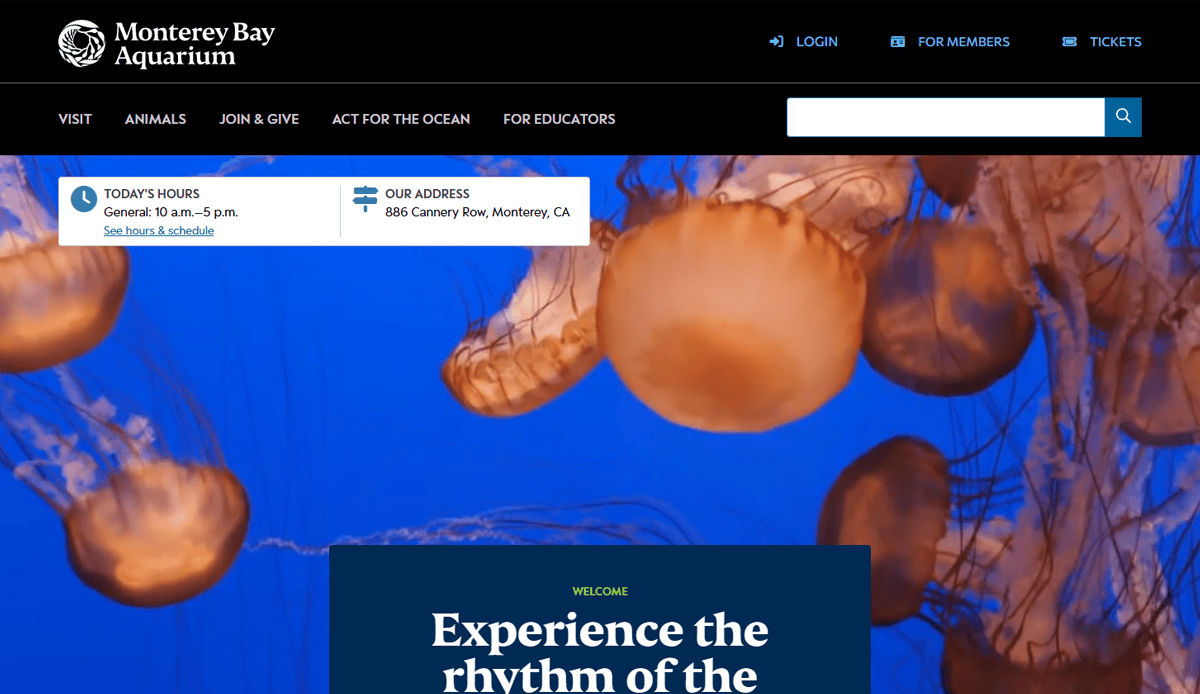
1. Monterey Bay Aquarium
Location: Monterey, CA
- Iconic live webcam galleries to engage remote audiences
- Bold visual storytelling with full-screen videos
- Clear ticketing and membership CTAs above the fold
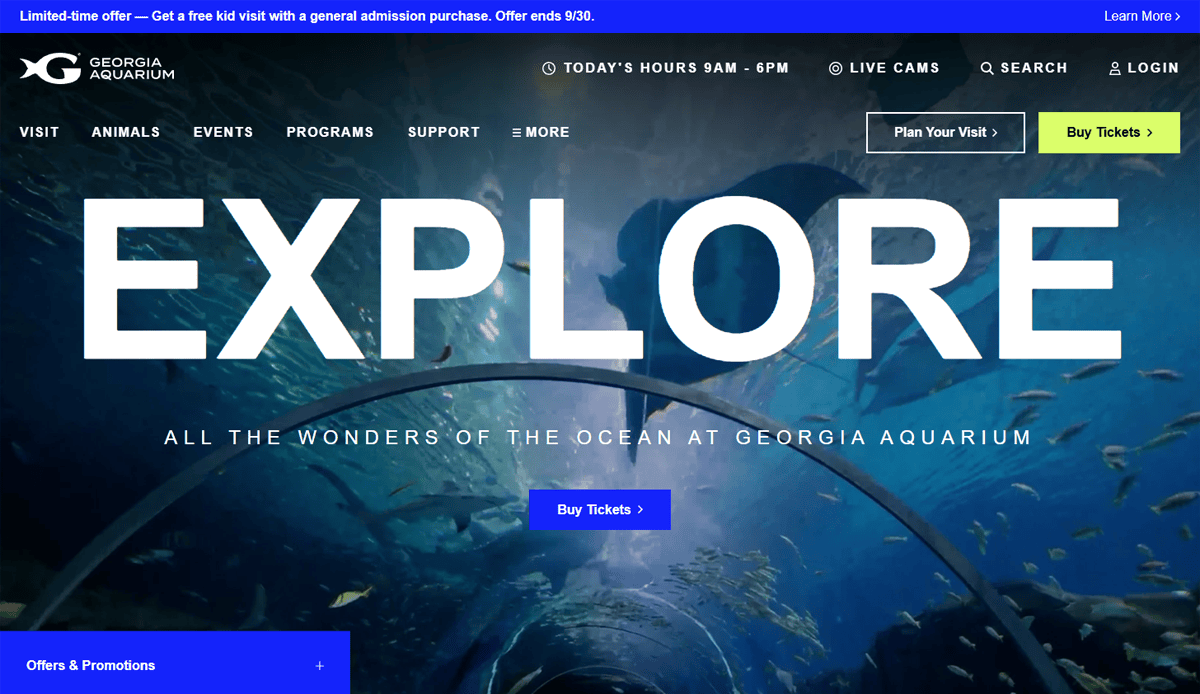
2. Georgia Aquarium
Location: Atlanta, GA
- Underwater tunnel visuals replicate the real visit experience
- Easy scheduling for visits and live-webcam viewing
- Combines conservation messaging with immersive design
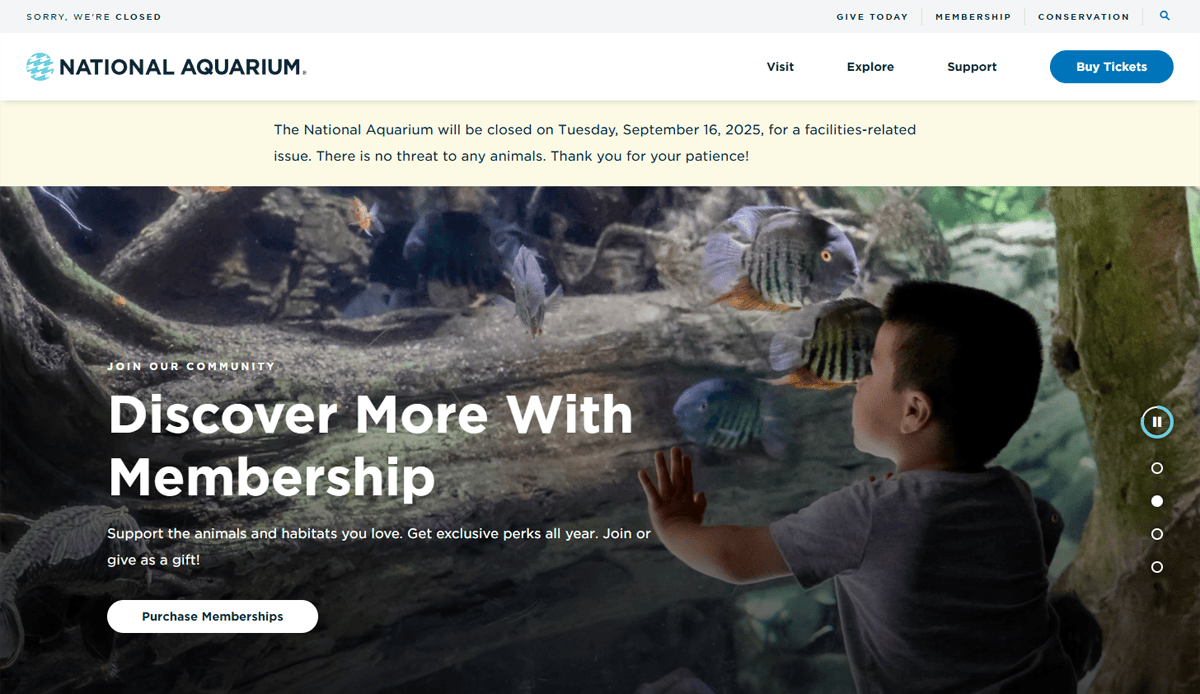
3. National Aquarium
Location: Baltimore, MD
- Multiple habitat galleries drive deeper engagement
- Prominent conservation and climate-action content
- Structured navigation for exhibit and experience discovery
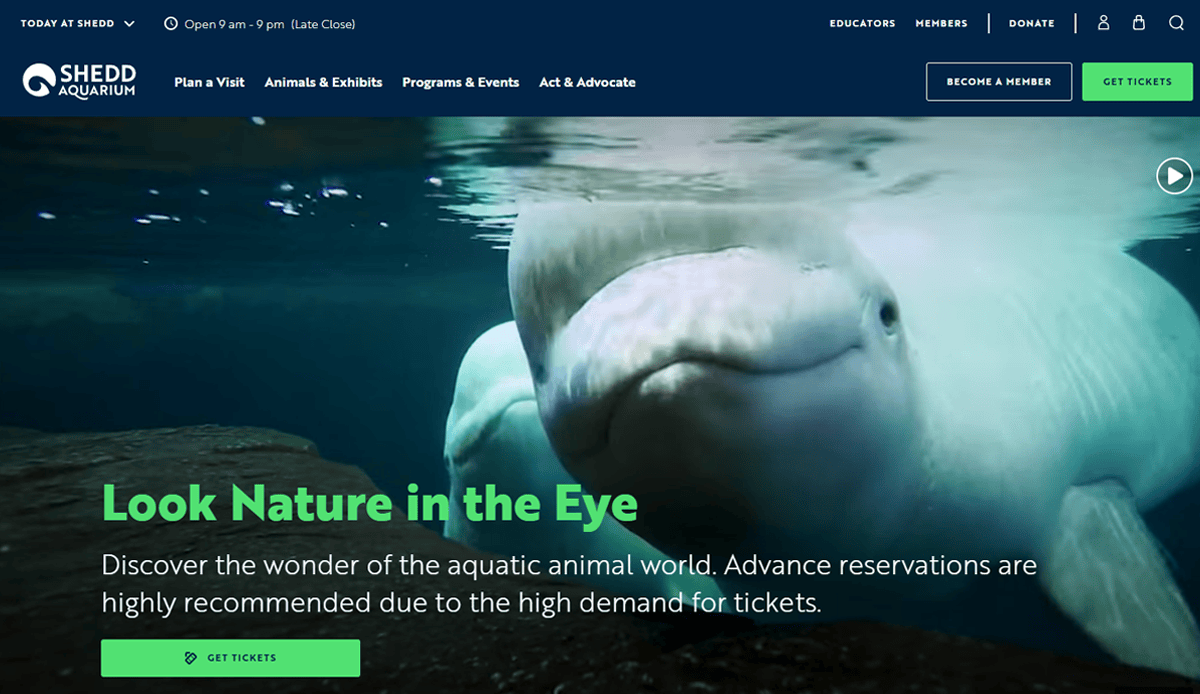
4. Shedd Aquarium
Location: Chicago, IL
- High-impact visual hierarchy and immersive display of wildlife
- Kid-friendly experiences are featured clearly in the layout
- Blends educational content with interactive calls to action
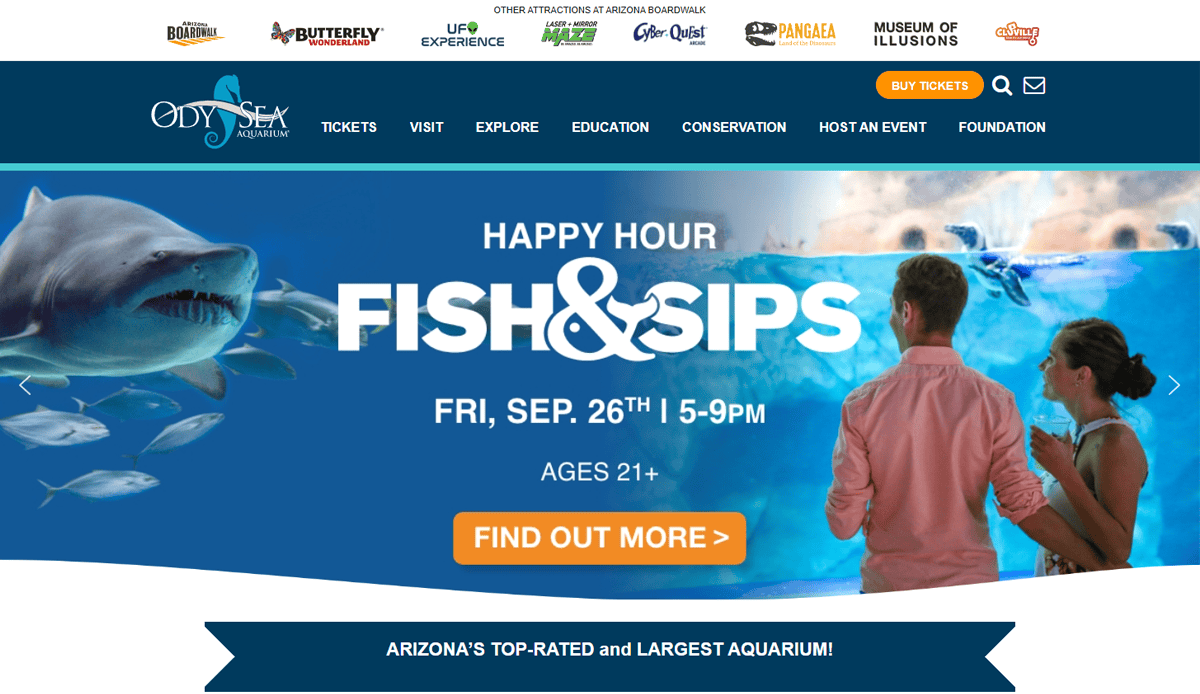
5. OdySea Aquarium
Location: Scottsdale, AZ
- Interactive elements like a rotating shark-viewing theater
- Rich multimedia highlights for engagement
- Intuitive layout revealing exhibits and visitor info
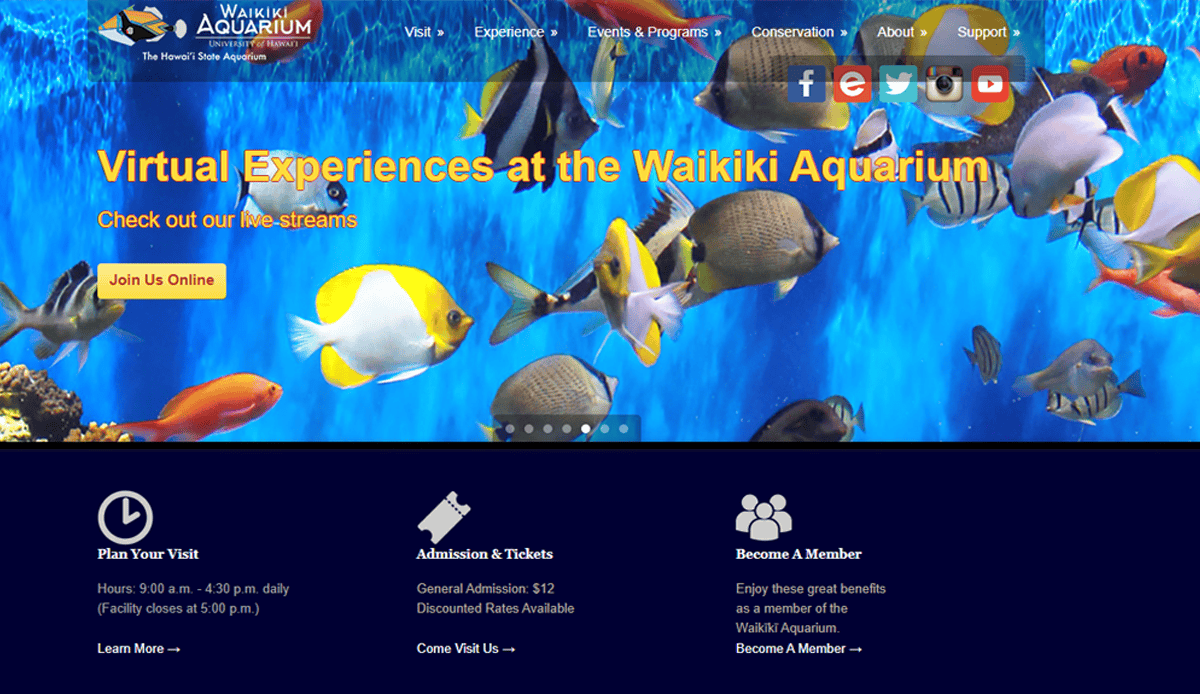
6. Waikīkī Aquarium
Location: Honolulu, HI
- Local reef visuals tie into educational content
- History and cultural details are integrated via imagery
- Clean site structure is ideal for school and tourist audiences
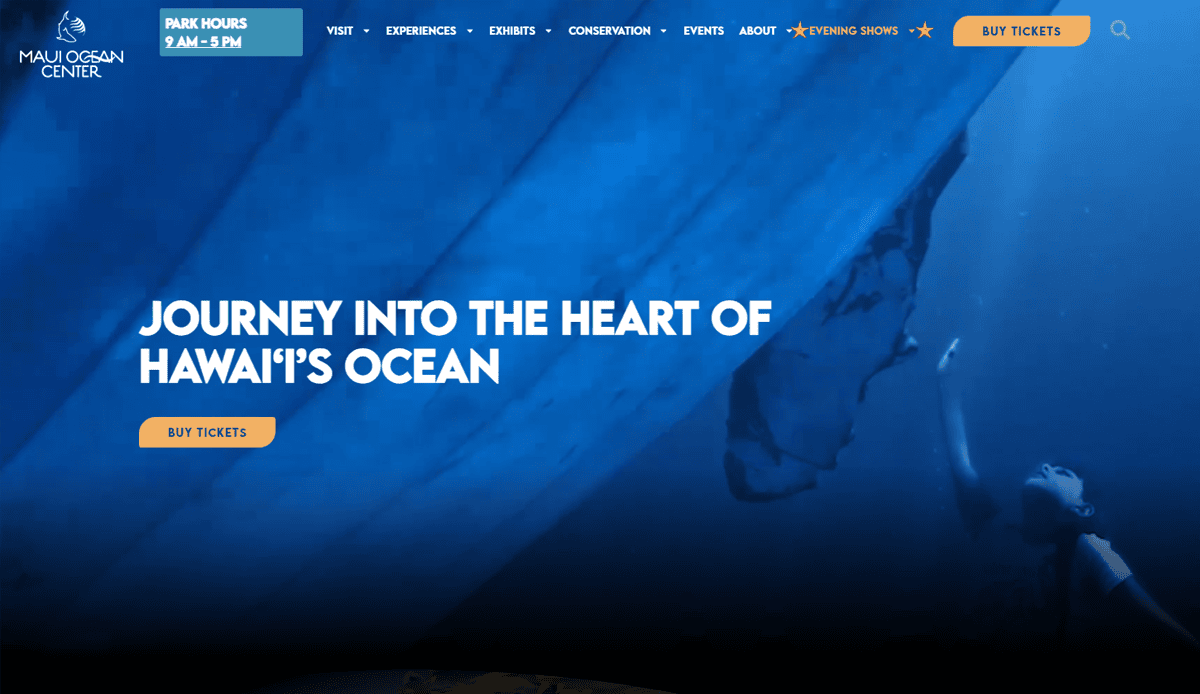
7. Maui Ocean Center
Location: Maalaea, HI
- Strong resort-style visual storytelling
- Exhibit pages spotlight marine life with cinematic design
- Well-integrated ticketing and sustainability info
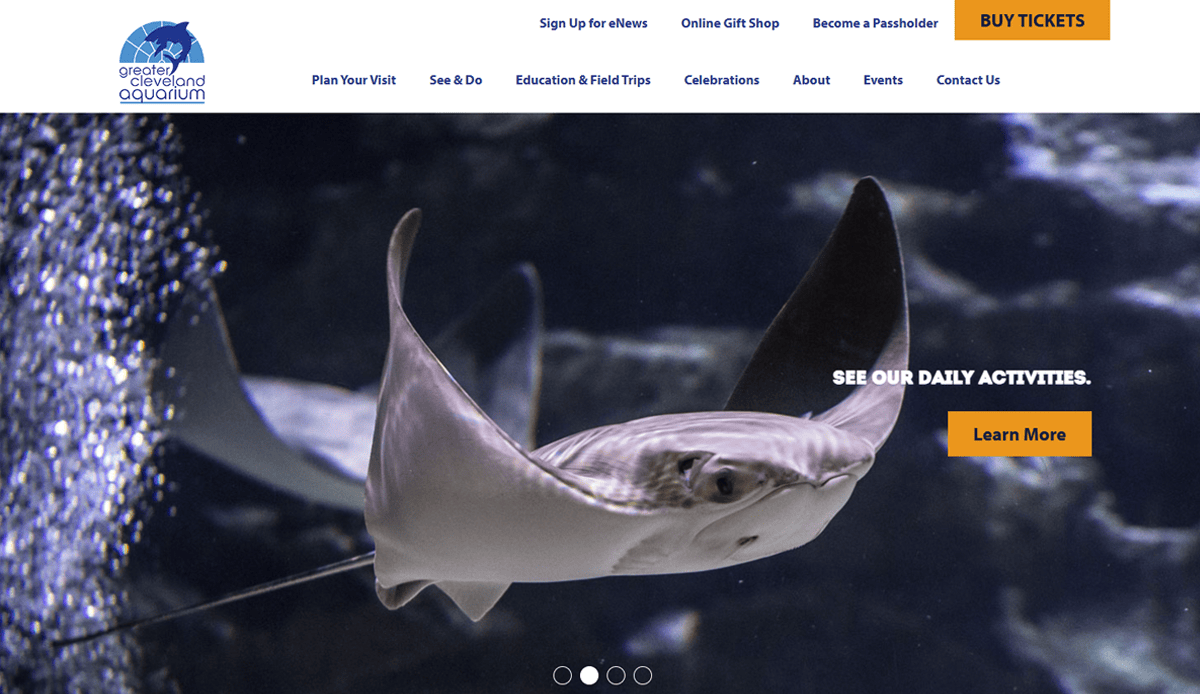
8. Greater Cleveland Aquarium
Location: Cleveland, OH
- Themed exhibit navigation encourages exploration
- Calls to action for special events are front and center
- Clear messaging for conservation and education
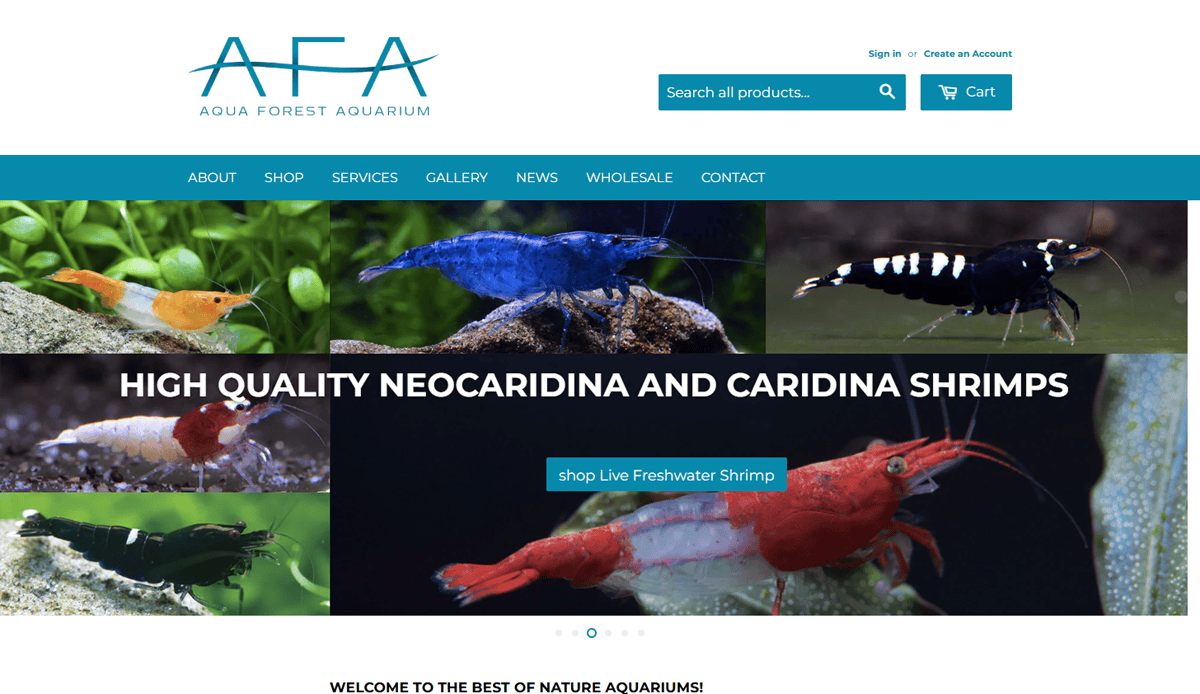
9. Aqua Forest Aquarium
Location: USA-wide (eCommerce)
- Specialty visuals for planted aquarium supplies
- Clear product categorization and tutorial content
- Blog integration enhances SEO and visitor retention
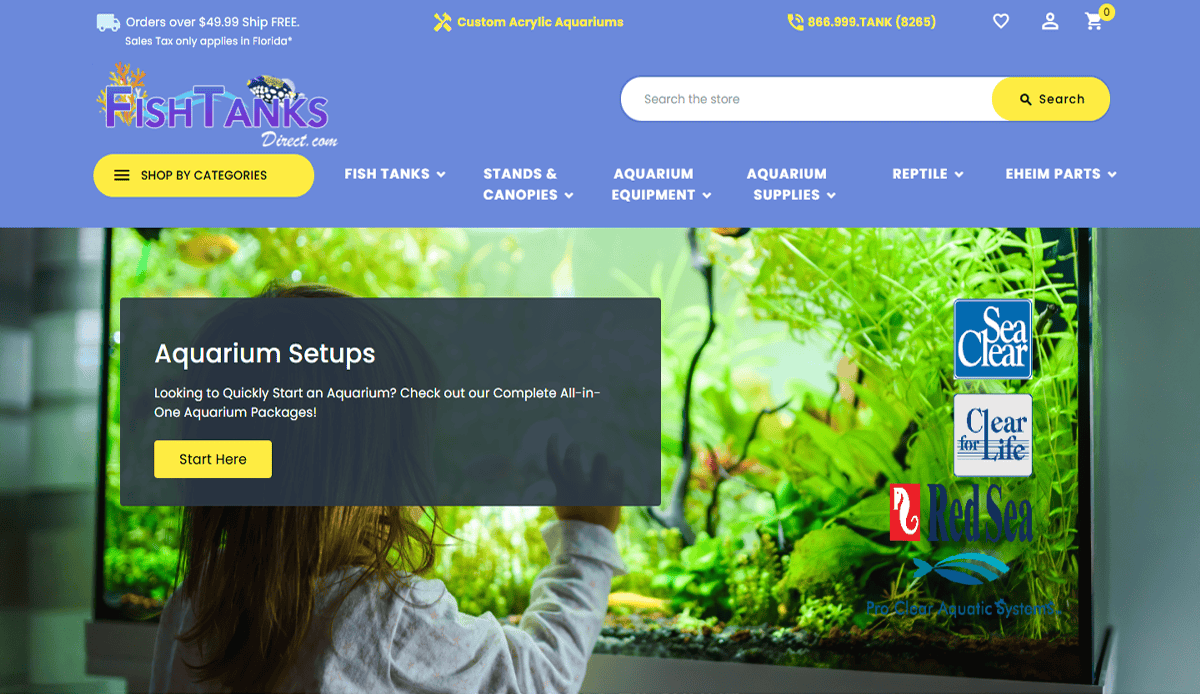
10. Fish Tanks Direct
Location: Nationwide
- Straightforward product-focused layout
- Strong filtering interface for freshwater vs. saltwater
- Clean design and easy product exploration
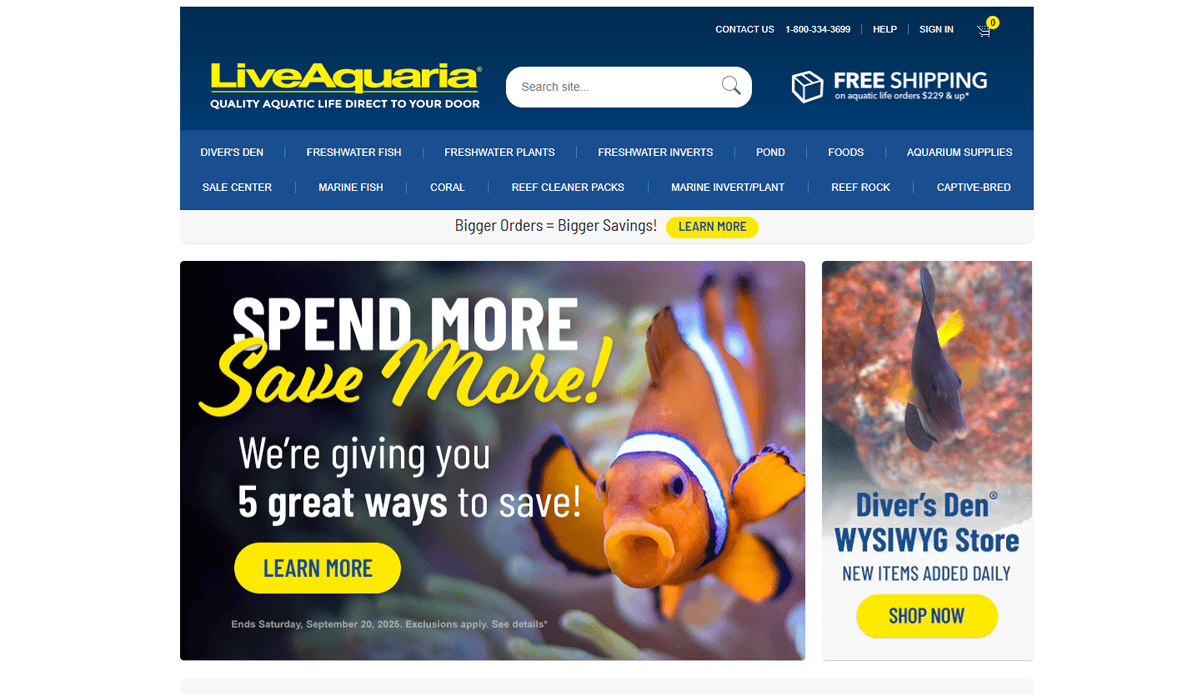
11. LiveAquaria
Location: Nationwide (Online Retail)
- Clean e-commerce layout separated by freshwater and saltwater categories
- Detailed product pages with care guides and high-res imagery
- Efficient search/filter tools for tank equipment and livestock selection
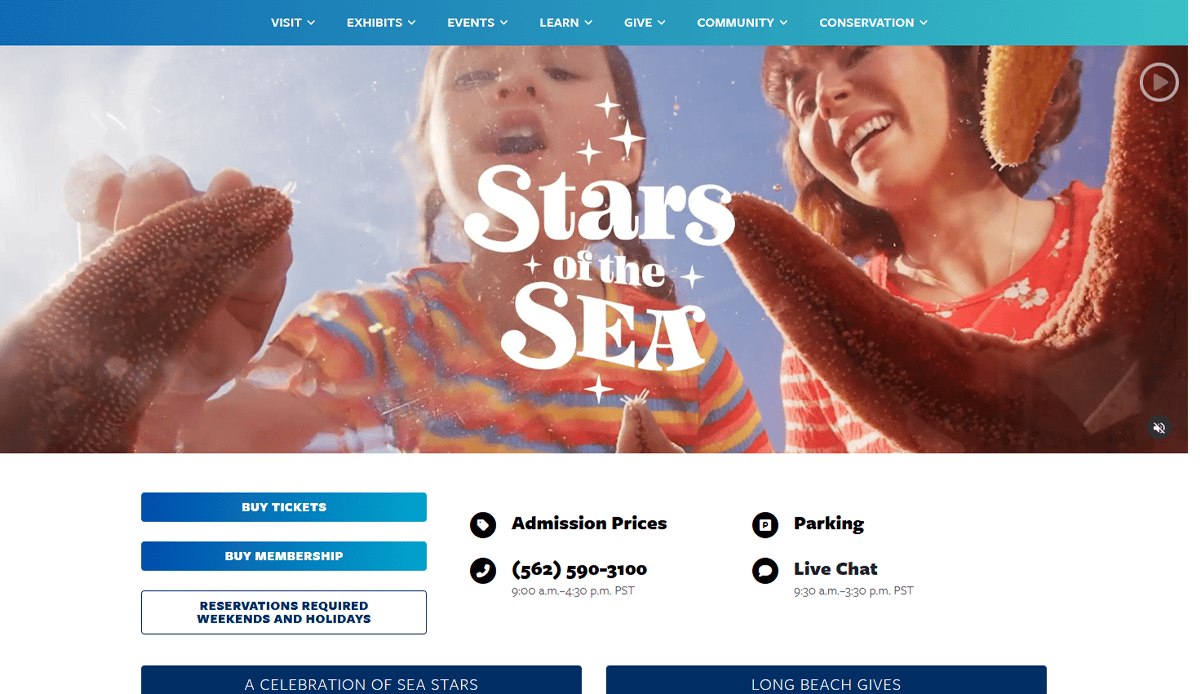
12. Aquarium of the Pacific
Location: Long Beach, CA
- Homepage features live cams and event highlights for engagement
- Interactive “Plan Your Visit” widget with clear scheduling tools
- Rich educational content woven into exhibit previews and blog posts
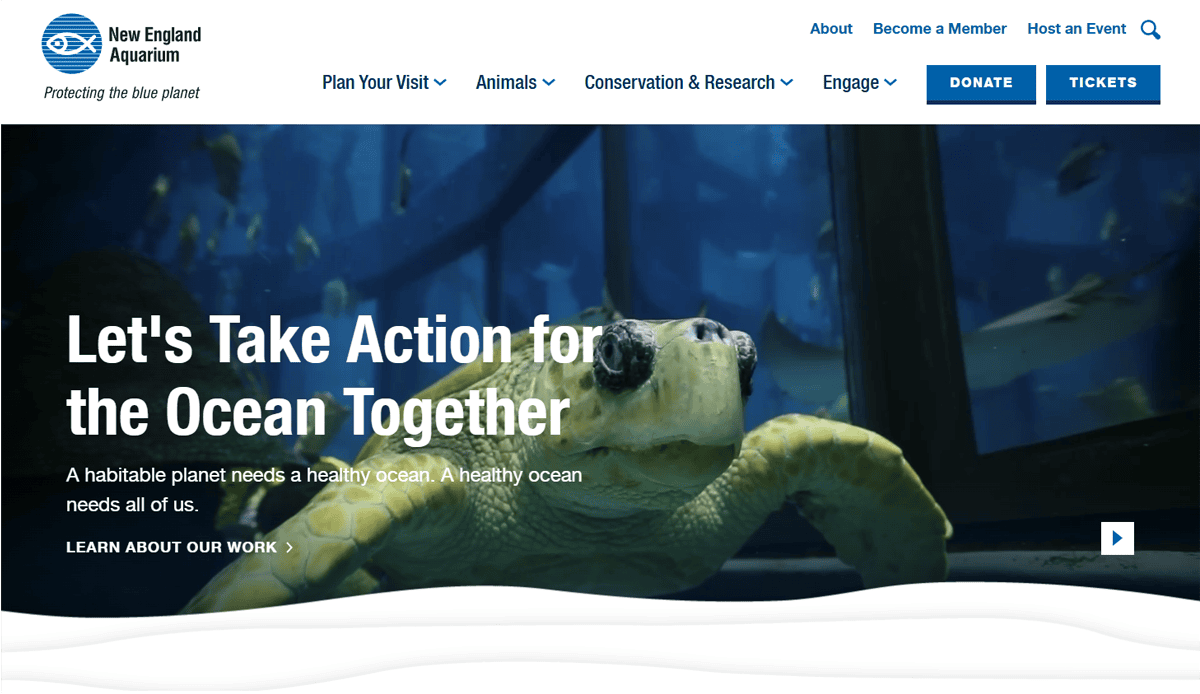
13. New England Aquarium
Location: Boston, MA
- Prominent hero carousel showcasing marine life and admission CTAs
- Event calendar and special exhibits are easily accessible from the main menu
- Membership and donation highlighted via trust-inducing design
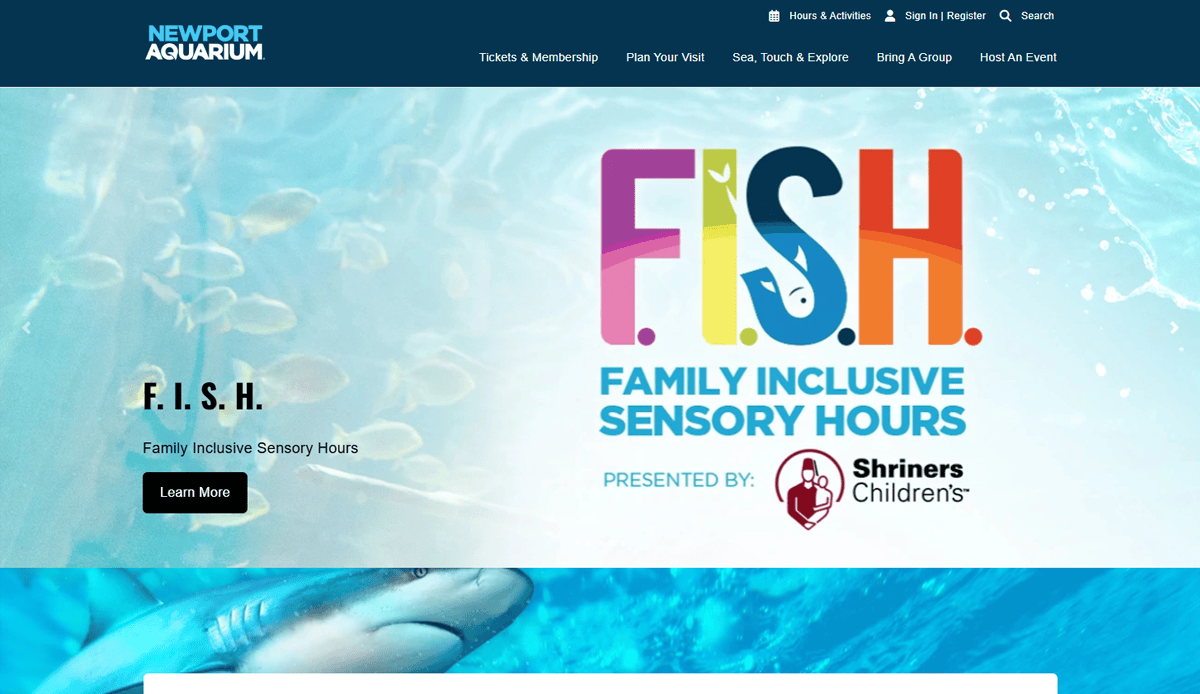
14. Newport Aquarium
Location: Newport, KY (Cincinnati Metro)
- Family-focused design featuring interactive maps and wayfinding
- Bold exhibit pages with animal facts and conservation messaging
- Seamless online ticket purchasing with a dynamic date picker
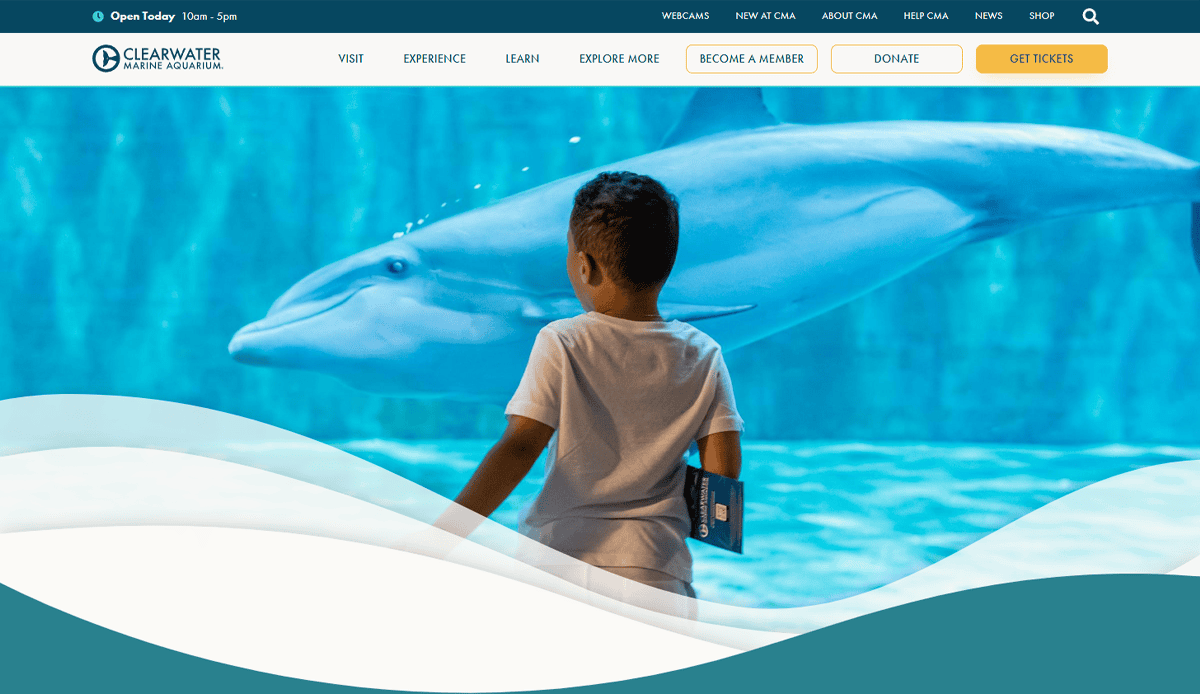
15. Clearwater Marine Aquarium
Location: Clearwater, FL
- Extensive multimedia integration (photos, videos, rescue stories)
- Educational focus through the rescue and rehabilitation narrative
- Clear navigation to donation and visit-planning tools
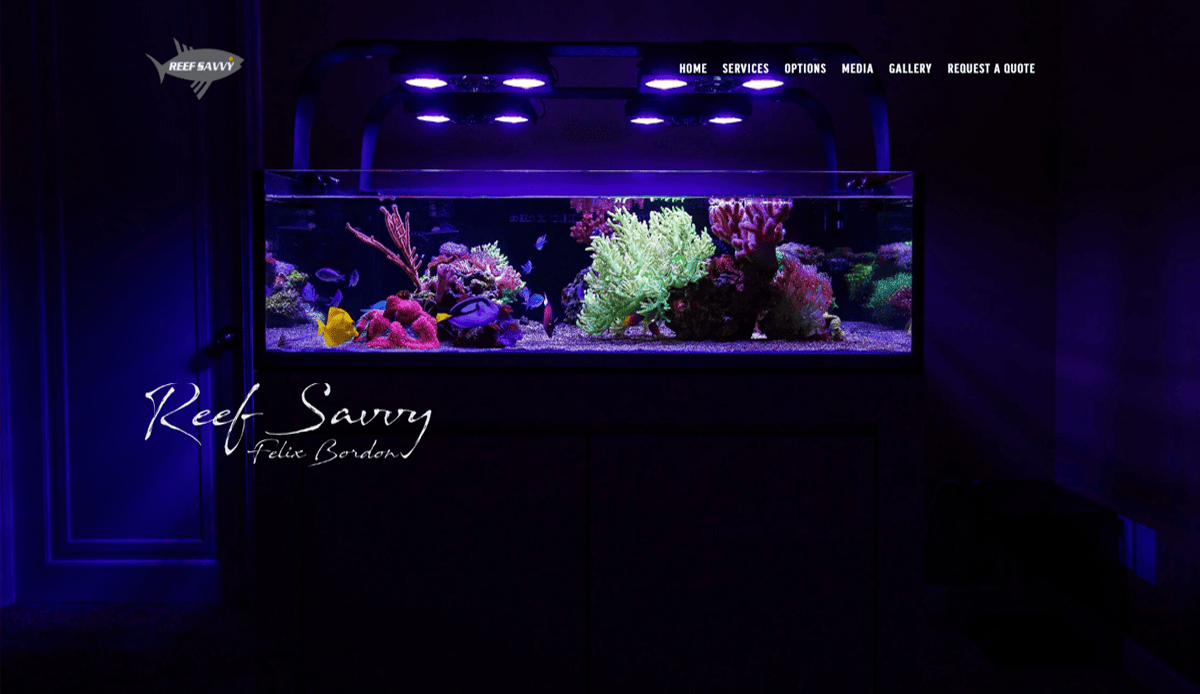
16. Reef Savvy
Location: Golden Valley, MN
- Premium design reflects high-end fabrication services
- Customer testimonials front and center for credibility
- Visual focus on custom aquarium installations
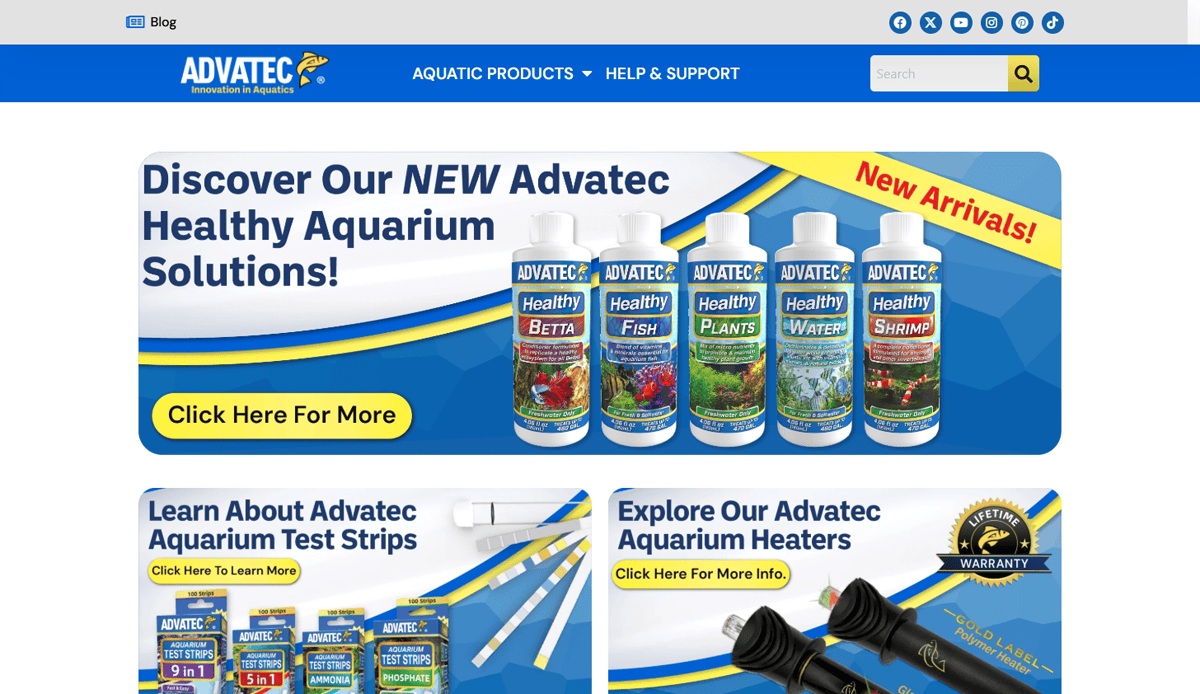
17. Advatec Aquatics
Location: Nationwide
- Informational hub with care guides and product roundups
- Clear categorization between freshwater and saltwater
- Strong internal linking structure for SEO-friendly content
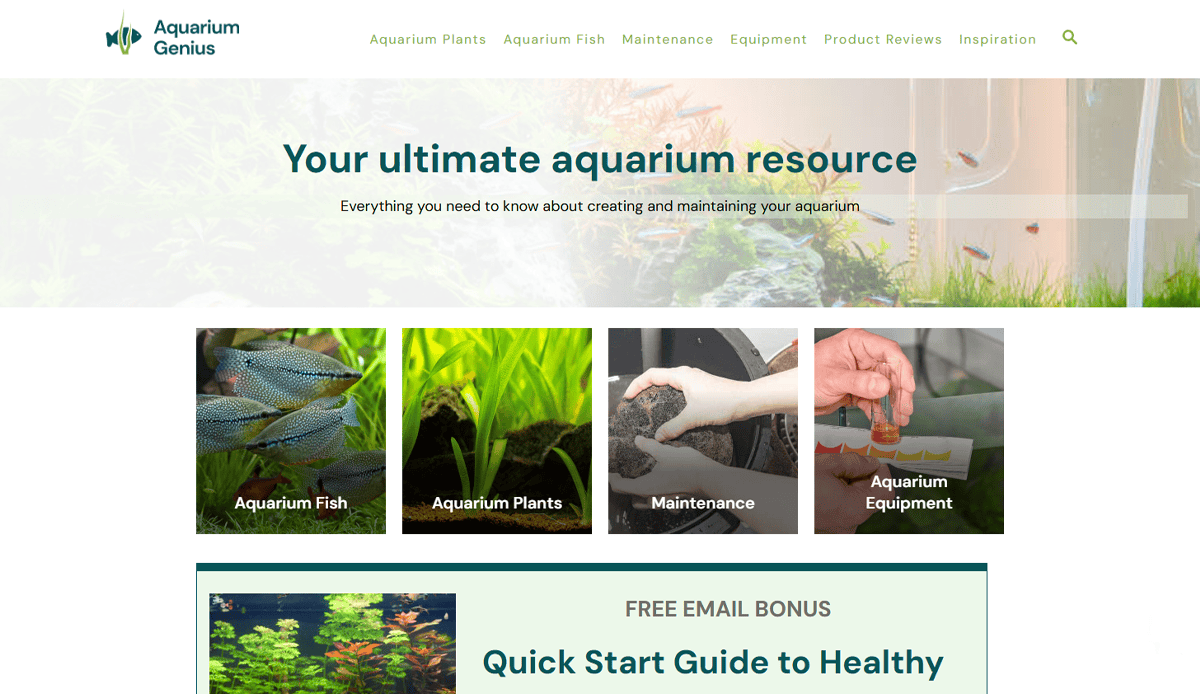
18. Aquarium Genius
Location: Listing site
- Highlights top aquarium sites with visitor metrics
- Organized by traffic, giving competitive insight
- Useful for benchmarking industry standards
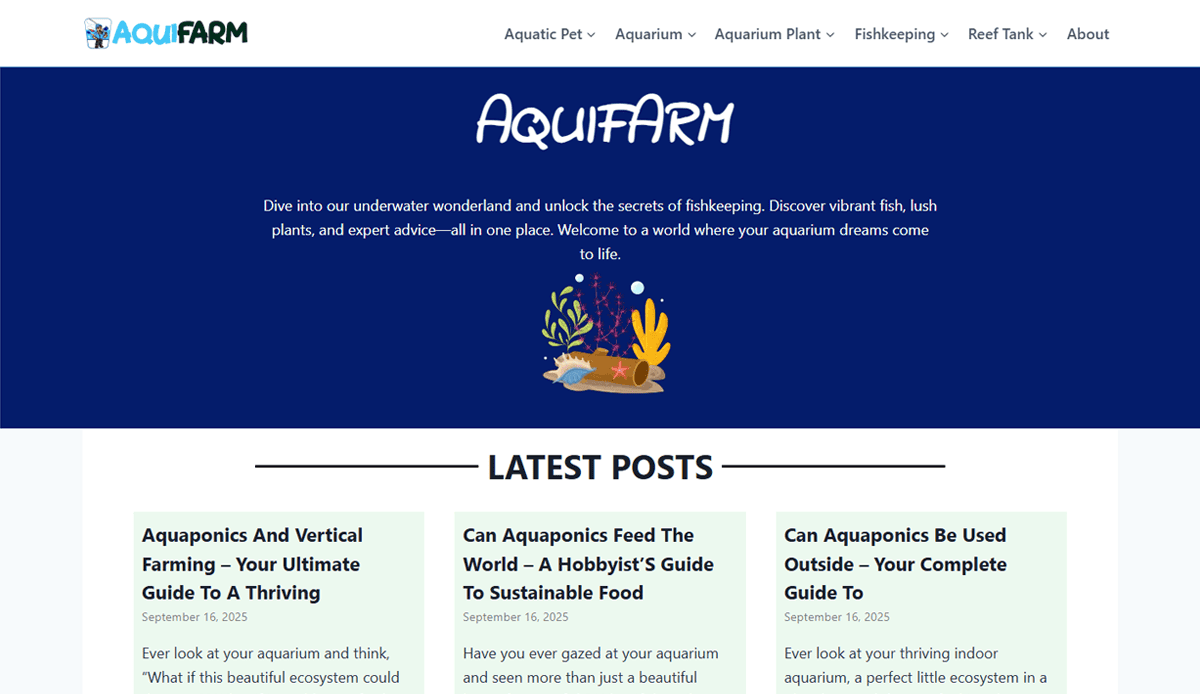
19. Aquifarm
Location: Online
- Practical aquascaping setup ideas with visuals
- Step-by-step layout guidance included
- Balanced aesthetic presentation and instructional content
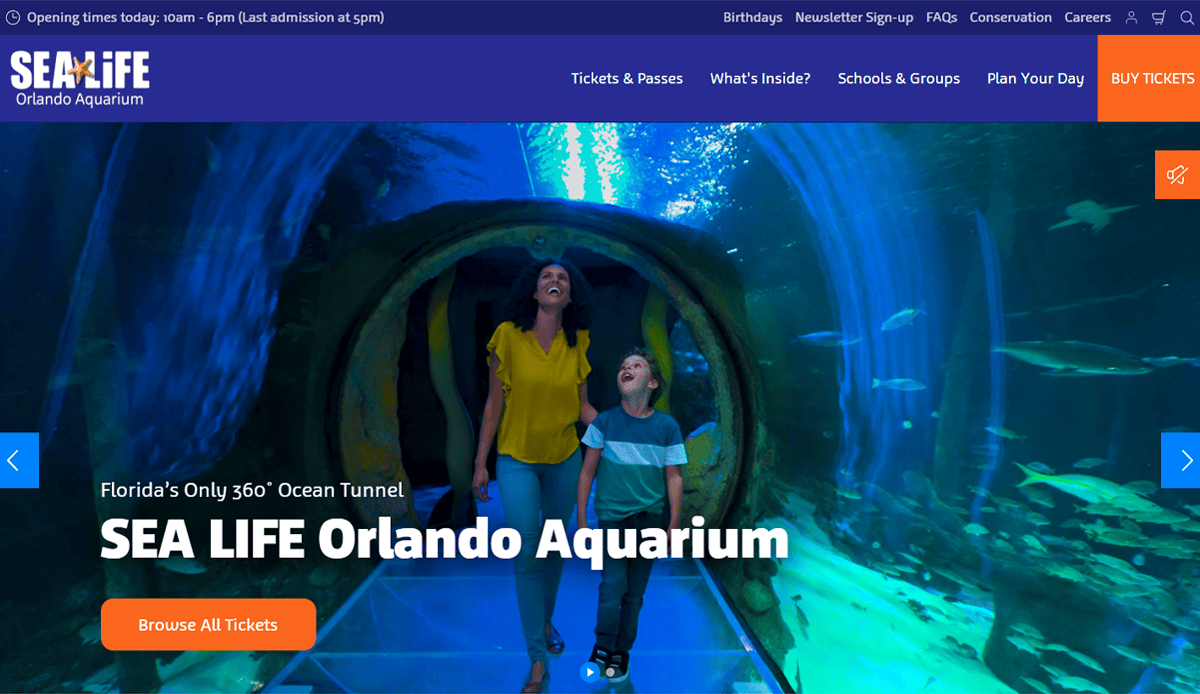
20. SEA LIFE Orlando Aquarium
Location: Orlando, FL
- Mobile-first layout with large CTAs for tickets and experiences
- Engaging behind-the-scenes videos embedded in page content
- Visual storytelling through themed exhibit sections (e.g., shark tanks)
Ready to Build an Aquarium Website That Stands Out?
Designing a website isn’t just about looking good—it’s about capturing attention, communicating value, and converting visitors. Whether you’re promoting a public exhibit, selling aquatic supplies, or building an online aquarium education platform, your site must reflect a unique brand identity while offering a user-friendly experience that draws visitors in and keeps them engaged.
Today’s best websites balance aesthetics with performance. They use clean, modern design, streamlined navigation, and optimized content that works seamlessly across devices. From showcasing your best aquascape visuals to exploring creative design options and design strategies, the opportunities are limitless, especially when using AI or no-code tools to simplify the website creation process.
If you’re ready to elevate your online presence and craft a visually rich, high-performing website that drives real business results, our team is here to help. At our top-tier digital marketing agency, we specialize in building aquarium websites that are beautiful and built for growth.
Contact our professionals today to start building your high-quality aquarium website—and create an experience that’s as immersive as your exhibits.
Common Questions About Aquarium Site Design, Answered
How much does it cost to build a website?
The cost can range from $2,500 to $15,000+, depending on the scope. Factors include whether the site needs ecommerce, ticketing systems, or custom exhibit features. Costs also vary based on design complexity, number of pages, and whether you’re working with a template or a custom WordPress solution. For a detailed overview, see our Step-by-Step Guide to the Web Design Process.
What pages should a website include?
A strong website should include a homepage, exhibits or product pages, about, ticketing or shop, events, blog, and contact. Educational content, FAQs, and donation pages are also valuable. Each page should serve a purpose and contribute to the visitor journey or SEO performance.
Is WordPress a good platform for aquarium websites?
Yes, it offers flexibility, scalability, and supports features like online ticketing, ecommerce, and blogs. It’s also compatible with SEO tools and responsive design principles. Paired with the right theme and plugins, it’s a great platform for both small exhibits and national aquariums.
How do I showcase aquascaping and exhibits visually?
Use high-resolution images, galleries, and full-width videos to feature your aquascapes and exhibits. Embed interactive maps, virtual tank builders, and scrolling galleries to replicate the in-person experience online. For ideas on strong visual design, view our roundup of the 22 Best Professional Services Websites.
What are the best practices for designing a mobile-friendly website?
Mobile-first design is essential. Use responsive designs, touch-friendly menus, compressed media for faster load times, and scalable fonts. Navigation should remain intuitive on all devices, and essential content—like ticket buttons or exhibit highlights—should appear above the fold.
How can I optimize my website for search engines?
Start with keyword research tailored to your aquarium’s location and audience. Use keywords in headings, image alt-text, meta descriptions, and internal links. Include schema markup, improve site speed, and keep content fresh. Our blog post on the Core Principles of Web Design offers SEO-aligned design insights.
Should I use an AI website builder for my website?
AI website builders can offer speed and simplicity, but they often fall short on customization and SEO. If your goal is a highly branded, SEO-optimized site that supports aquascaping visuals, ecommerce, or ticketing, working with a professional developer or agency is a better option.
How often should I update my website?
Your website should be updated regularly—at least monthly—for content like events, blog posts, or seasonal exhibits. Technical updates, such as WordPress core, plugins, and security patches, should be managed weekly or bi-weekly. Keeping your site current improves performance and user trust.
Can I integrate donation or membership systems into my site design?
Yes, many websites successfully integrate donation forms, recurring memberships, and sponsor highlights. WordPress supports plugins like GiveWP or WooCommerce for secure payment and member management features.
What makes a website visually appealing?
A combination of strong visual hierarchy, ocean-inspired color palettes, clean typography, and interactive features like virtual tanks or behind-the-scenes videos can make your site visually stunning. These elements work best when paired with consistent branding and responsive design. For real-world examples, check out our insights on designing eye-catching websites for professional services.