
Just looking for our Best Nonprofit Website examples list?
Why Great Nonprofit Website Design Drives Real Impact
For nonprofits, a website is far more than a digital brochure—it’s the hub of your fundraising, outreach, and mission delivery. A well-designed site can elevate your brand, establish trust with site visitors, and drive the online donation activity your organization relies on.
Today’s donors expect streamlined experiences. If your site is difficult to navigate, lacks accessibility standards, or fails to communicate your impact, potential supporters will bounce, often to better-optimized competitors. The best nonprofit websites combine strategic web design with clear messaging, ensuring visitors can easily find what they need and feel compelled to engage.
From a clear homepage to an intuitive donation page, every page of your site must align with best practice principles. Whether you use a content management system or a website builder, design elements like navigation, mobile responsiveness, and integration with fundraising tools matter more than ever.
In this guide, we’ll break down the key components of exceptional nonprofit website design and provide the tools and insights needed to make your site a powerful asset for your nonprofit organization
Website Planning and Purpose
Before writing a single line of code or selecting a theme, a successful website begins with strategic planning. This foundational phase determines how your website will support your organization’s mission, communicate with stakeholders, and deliver measurable results.
Start by clarifying your website’s primary purpose. Is it to drive donations, attract volunteers, promote programs, or educate the public? For many nonprofits, it’s a mix of all four. Knowing your top goals allows you to build a content structure that directly supports them and ensures your team aligns around the same objectives.
Next, identify your audiences. Are you speaking to individual donors, grantmakers, volunteers, or the communities you serve? Each audience has distinct needs and expectations. A potential donor wants transparency and a clear call to action. Volunteers want quick access to sign-up forms and event information. Tailoring your layout, messaging, and functionality around these expectations creates a more effective experience.
Equally important is defining how success will be measured. Will you track the number of completed donation forms, new email newsletter signups, or time spent on your impact pages? Establishing metrics helps you evaluate performance over time and optimize accordingly.
During planning, outline key content and features your site must include, such as a compelling homepage, an easy-to-use donation page, and storytelling elements that build trust. For more guidance on this critical step, review these 3 essential elements every nonprofit website should include: read more here.
A thoughtful planning phase lays the foundation for a website that looks professional and performs as a strategic asset to drive growth and impact.
Design Principles for Effective Websites
The visual design of a website must do more than look appealing—it must support the mission, inspire action, and ensure ease of use. Strong design principles are essential for creating trust, improving usability, and maximizing engagement from every visitor.
Clarity is key. Your layout should prioritize simplicity and avoid visual clutter. Clear visual hierarchy helps guide visitors to the most important areas, such as donation forms, volunteer sign-ups, or program details. Use whitespace strategically to draw attention to calls to action and key messages.
Consistency matters. From color schemes to typography, your branding should be cohesive across every page. This helps reinforce trust and ensures that your organization feels reliable and professional. Use your logo, fonts, and color palette consistently to establish identity and credibility.
Accessibility cannot be an afterthought. Design with Web Content Accessibility Guidelines (WCAG) in mind so that people with disabilities can engage with your content. This includes using proper contrast ratios, keyboard-friendly navigation, descriptive alt text for images, and readable font sizes.
Mobile-first design is no longer optional. The majority of users will interact with your site on mobile devices, so your site must be fully responsive. Buttons should be easy to tap, text must be readable without zooming, and all interactive elements need to function flawlessly across screen sizes.
Balance visuals with function. While high-quality imagery and video can humanize your story and increase emotional engagement, they must not hinder performance. Optimize images to maintain fast load times and avoid overusing large files that slow down the user experience.
Lastly, make calls to action stand out. Whether you’re prompting a donation, volunteer registration, or newsletter signup, ensure these elements are visually distinct and placed strategically throughout the site.
These design principles work together to create a website that is attractive and effective in driving the outcomes your organization depends on.
Content and Navigation Strategy
Your website’s content and navigation structure directly impact how effectively visitors engage with your nonprofit’s mission. For an organization that depends on clarity, trust, and action, poor navigation or disorganized content can hinder support.
Start by developing a content hierarchy that aligns with your primary goals. Your homepage should provide a concise overview of who you are, what you do, and why it matters. Follow this with clear paths to your most important pages—donation, programs, about, events, and contact. Each page should serve a specific purpose and guide users to take action.
Navigation should be intuitive and predictable. Use a top-level menu with logical categories and limit dropdown items to avoid overwhelming visitors. Sticky navigation bars or mobile-optimized hamburger menus ensure accessibility across all devices. Include clear links to key calls to action—such as “Donate Now,” “Get Involved,” or “Subscribe.”
On-page content should follow best practices for digital reading: concise headlines, scannable subheadings, short paragraphs, and bullet points where appropriate. Use internal links to guide readers deeper into your site and support SEO performance. Most importantly, content should be crafted with your audience in mind—speak to their values, address their questions, and make your message emotionally resonant.
For organizations like yours, storytelling is one of the most powerful content strategies available. Incorporate real stories of impact to build trust and motivate action. Testimonials, case studies, and success stories demonstrate the outcomes of your work in a way that stats alone cannot. To learn how to write powerful nonprofit content that inspires action, explore this guide to mastering copywriting for nonprofits.
When designing your content and navigation structure, remember the goal is not just to inform—it’s to guide users smoothly through your site and toward meaningful actions that support your mission.
Visual Elements that Strengthen User Experience and Brand
Visual elements play a critical role in enhancing both the user experience and the perception of your nonprofit brand. They serve as a bridge between content and action, helping to convey your mission clearly while engaging and inspiring visitors.
Consistent use of imagery helps establish authenticity and connect with audiences on an emotional level. Include photos that show your impact in action—volunteers at work, community members served, or events in progress. These real-life visuals provide credibility and make your organization relatable.
Videos can be especially powerful. A short, well-produced video on your homepage or about page can immediately communicate your purpose and outcomes. Use testimonials or narratives to highlight the human impact of your work, and embed them near calls to action to support conversions.
Icons and graphics can enhance readability by breaking up dense content and illustrating key points. Use them to guide visitors to important actions or sections without overwhelming them with text. Infographics are especially useful for summarizing complex statistics or showing progress over time.
Color and typography should reflect your brand personality while maintaining readability. Choose a limited color palette and use it consistently for calls to action, headings, and backgrounds. Select fonts that are clean and accessible across all devices and screen sizes.
Whitespace is equally important. Rather than filling every corner of the screen, embrace spacing that allows your content to breathe and helps users focus. A visually balanced layout improves scannability and makes your website feel modern and trustworthy.
Every visual choice should reinforce your nonprofit’s message and values. Whether it’s a powerful hero image, a consistent icon set, or a subtle animation, visuals must enhance—not distract from—the story you are telling.
When thoughtfully implemented, visual elements elevate your website from functional to transformational, fostering stronger connections and encouraging deeper engagement from every visitor.
Ongoing WordPress Maintenance for Nonprofit Websites
Launching a website is just the beginning. Keeping it secure, up-to-date, and high-performing requires consistent maintenance, especially when built on WordPress. Without ongoing attention, even the best-designed site can become slow, vulnerable to security issues, or outdated in functionality.
Start with regular software updates. WordPress core, themes, and plugins must be kept current to prevent security vulnerabilities and ensure compatibility. Outdated components are one of the most common causes of site issues, and skipping updates can introduce serious risks.
Backups are essential. Schedule automated daily or weekly backups of your full website, including the database and media files. In the event of a crash, hack, or accidental deletion, having a recent backup allows you to restore quickly and minimize downtime.
Security monitoring is another critical element. Use tools to scan for malware, monitor login attempts, and block suspicious activity. Nonprofit websites are often targeted due to limited technical oversight, making proactive protection vital.
Performance optimization should be part of your monthly checklist. Monitor site speed, fix broken links, compress large images, and remove unused plugins. A fast, responsive site improves user experience and helps maintain search engine rankings.
Content updates are equally important. Fresh blog posts, event announcements, and program changes signal to both users and search engines that your organization is active and engaged. Regularly review your pages to ensure all information is accurate and aligned with your goals.
Ongoing maintenance helps protect your investment, reduce costs in the long term, and preserve the credibility of your nonprofit organization. With the right strategy in place, your WordPress website can remain a stable, secure, and powerful tool for outreach and fundraising.
20 Examples of Nonprofit Web Design
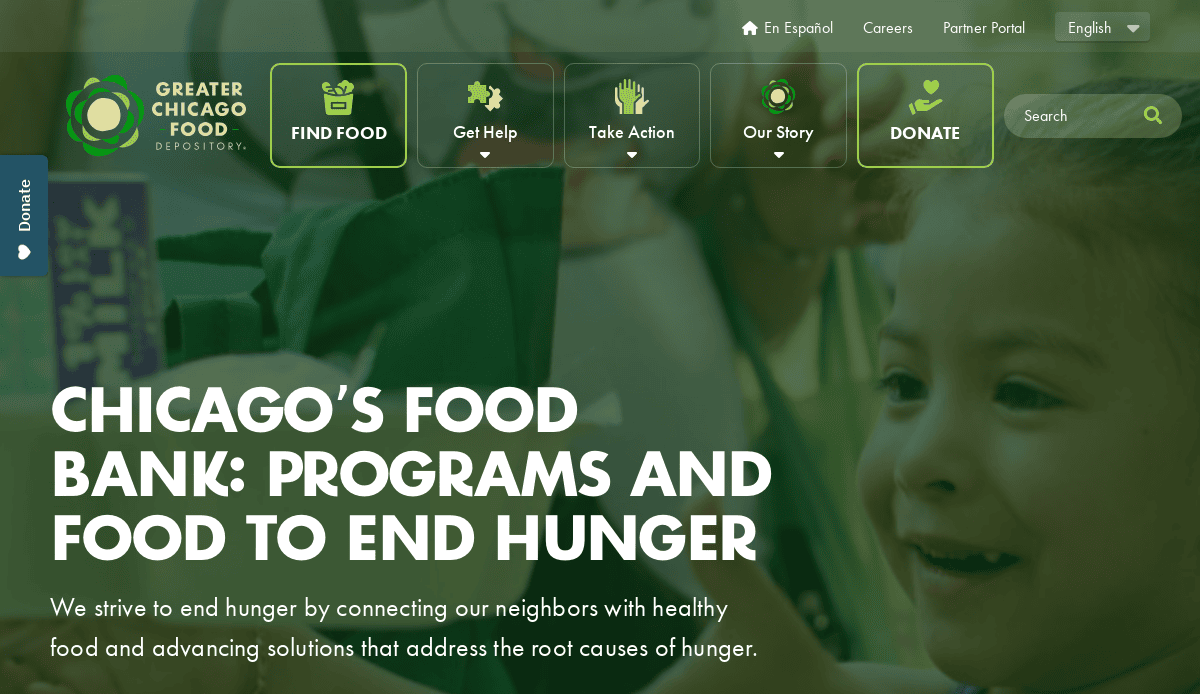
1. Greater Chicago Food Depository
Location: Chicago, IL
- Clean layout with powerful photography that emphasizes food security.
- Prominent donation CTA that remains visible on scroll.
- Interactive map showing service areas and local partnerships.
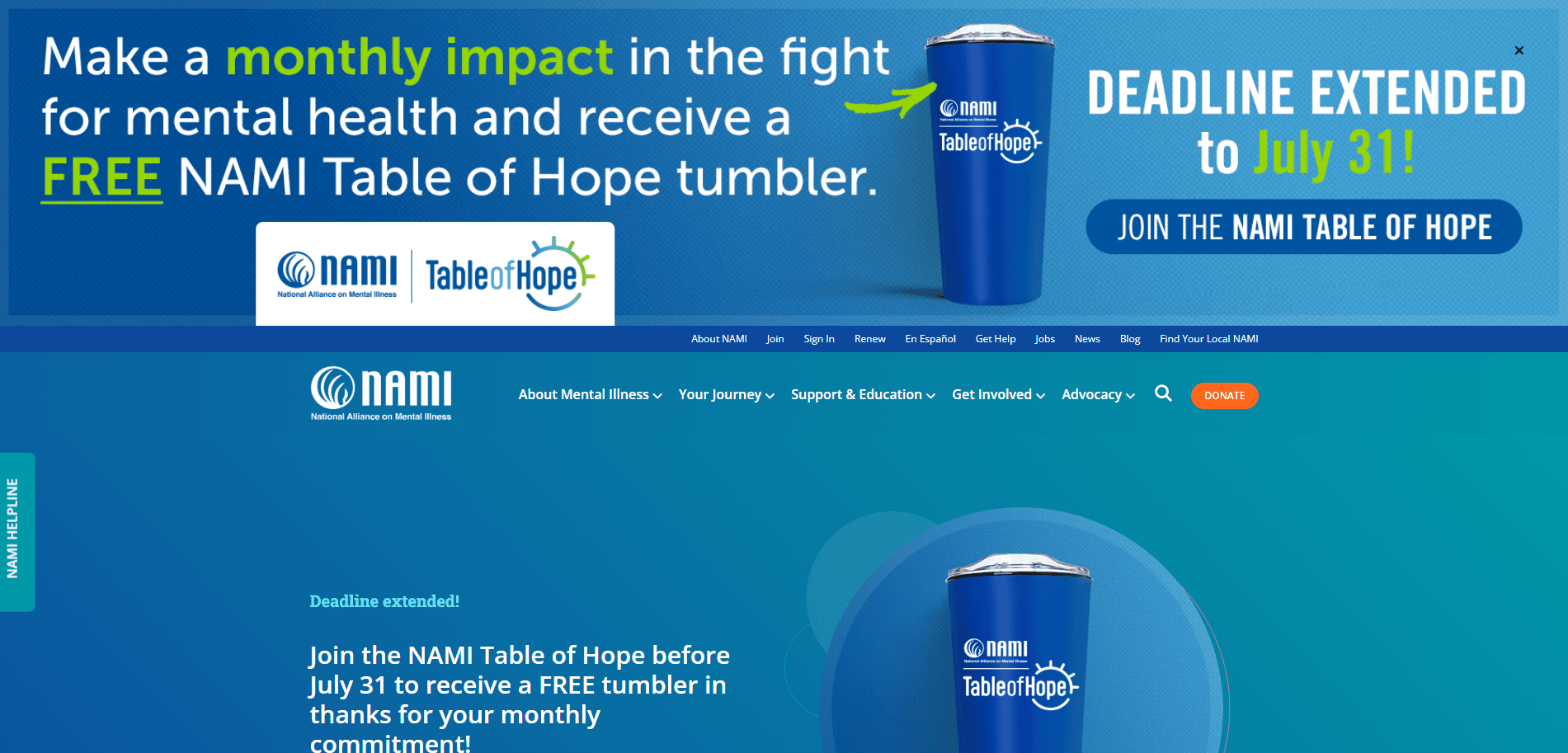
2. National Alliance on Mental Illness (NAMI)
Location: Arlington, VA
- Well-organized navigation for multiple user paths (advocates, individuals, professionals).
- Uses branded colors and human-centered visuals.
- Dynamic resource search by topic or audience.
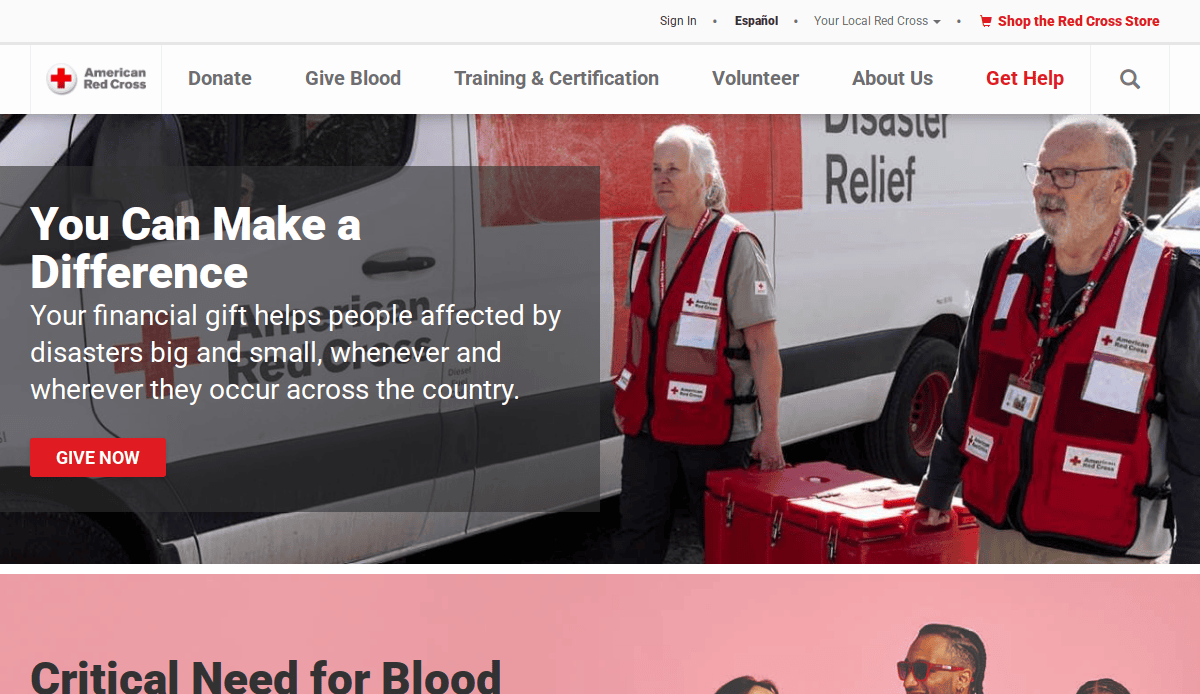
3. American Red Cross
Location: Washington, DC
- Custom homepage carousel for active disaster relief campaigns.
- Intuitive quick-donate widget at top of every page.
- Consistent use of CTAs and iconography throughout.
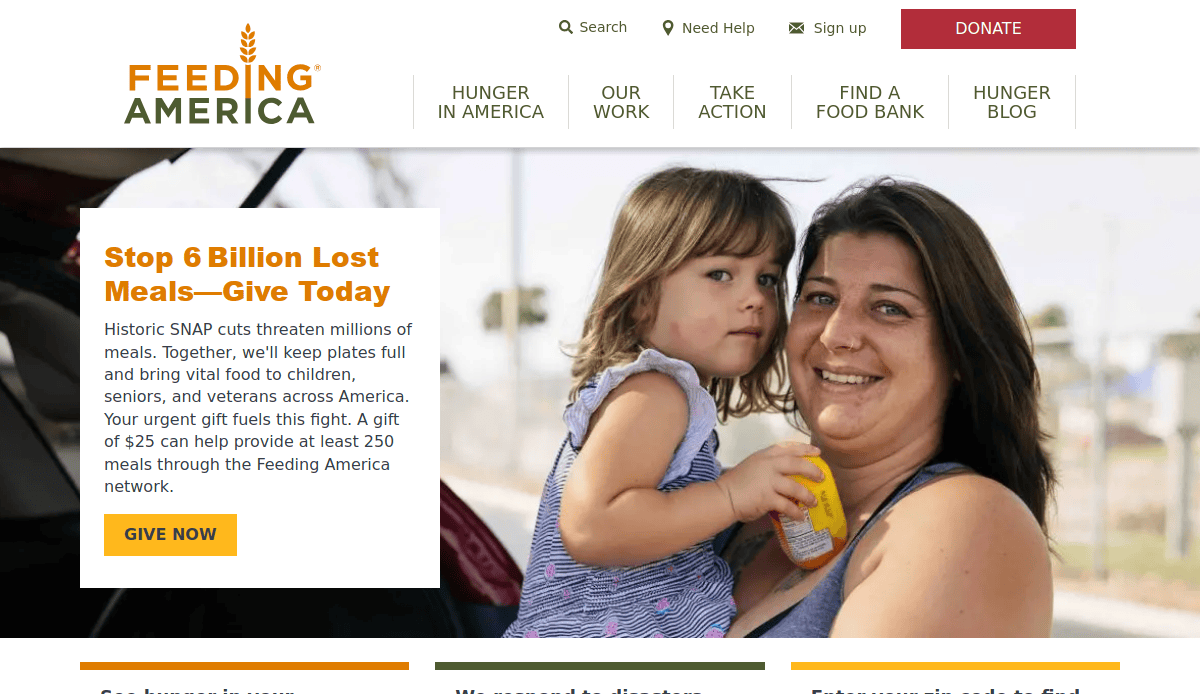
4. Feeding America
Location: Chicago, IL
- Strong storytelling framework with embedded video spotlights.
- Integrated donation form and food bank locator.
- Clear impact metrics updated regularly.
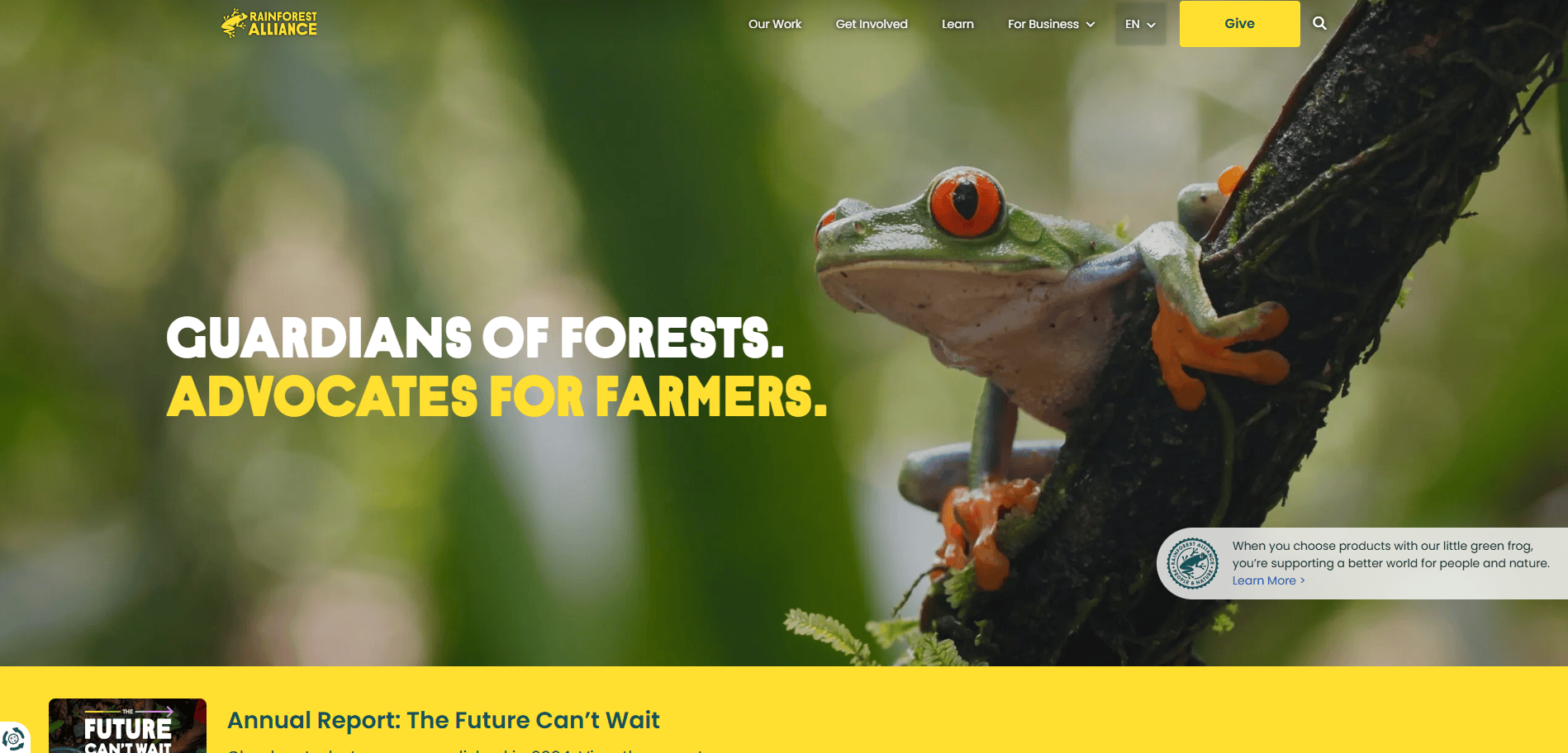
5. Rainforest Alliance
Location: New York, NY
- Earth-toned branding with high-quality nature photography.
- Simplified navigation structure by campaign focus.
- Highlights certification programs and sustainability results.

6. Blessons for Women
Location: Chicago, IL
- Minimalist design paired with bold headlines and calls to action.
- Event registration and scholarship application forms built-in.
- Mobile-optimized for quick updates on upcoming events.
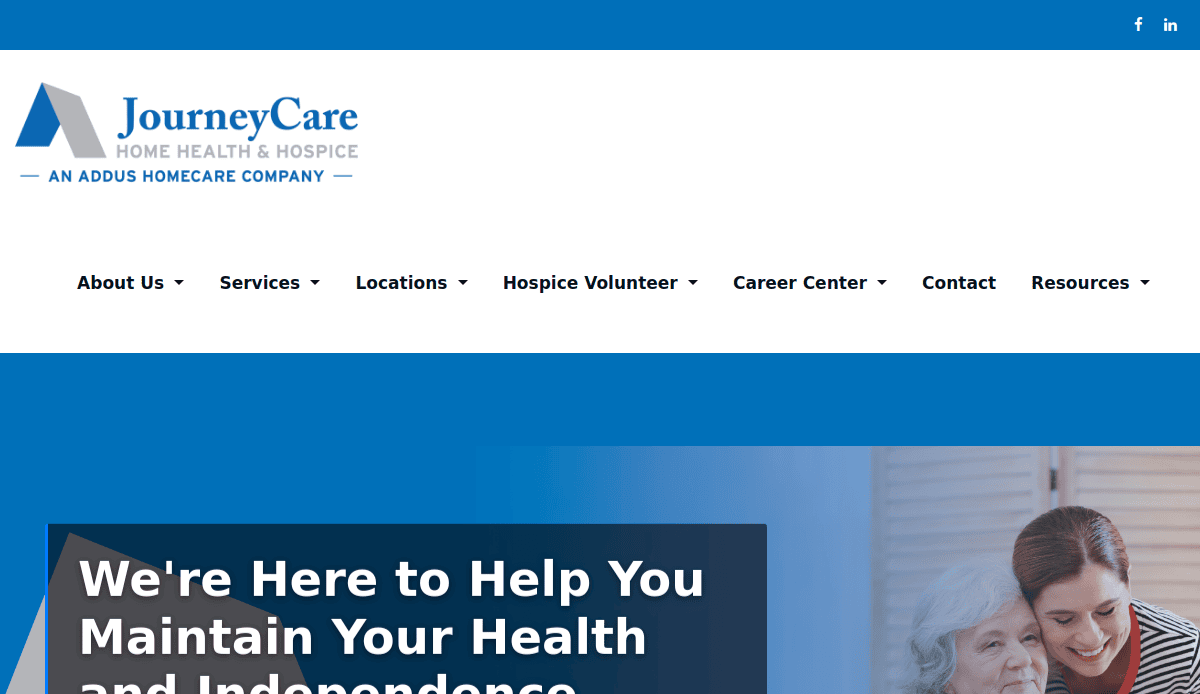
7. JourneyCare Foundation
Location: Glenview, IL
- Use of soft imagery and emotional headlines to convey compassion.
- Organized donation options including tribute gifts.
- Educational blog focused on hospice awareness.
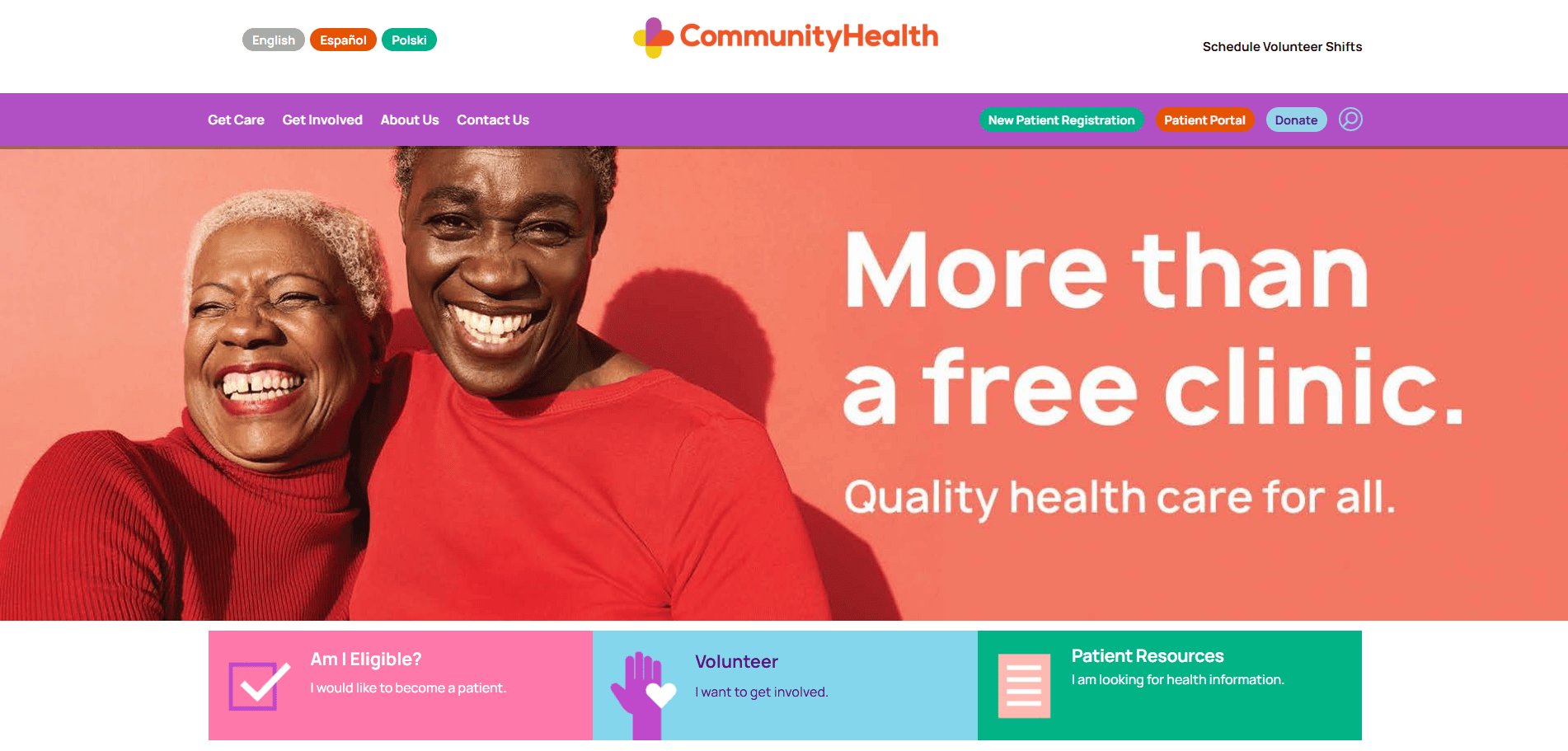
8. Community Health
Location: Chicago, IL
- Clear service overview for uninsured patients.
- Interactive patient eligibility tool.
- Multilingual navigation and downloadable forms.
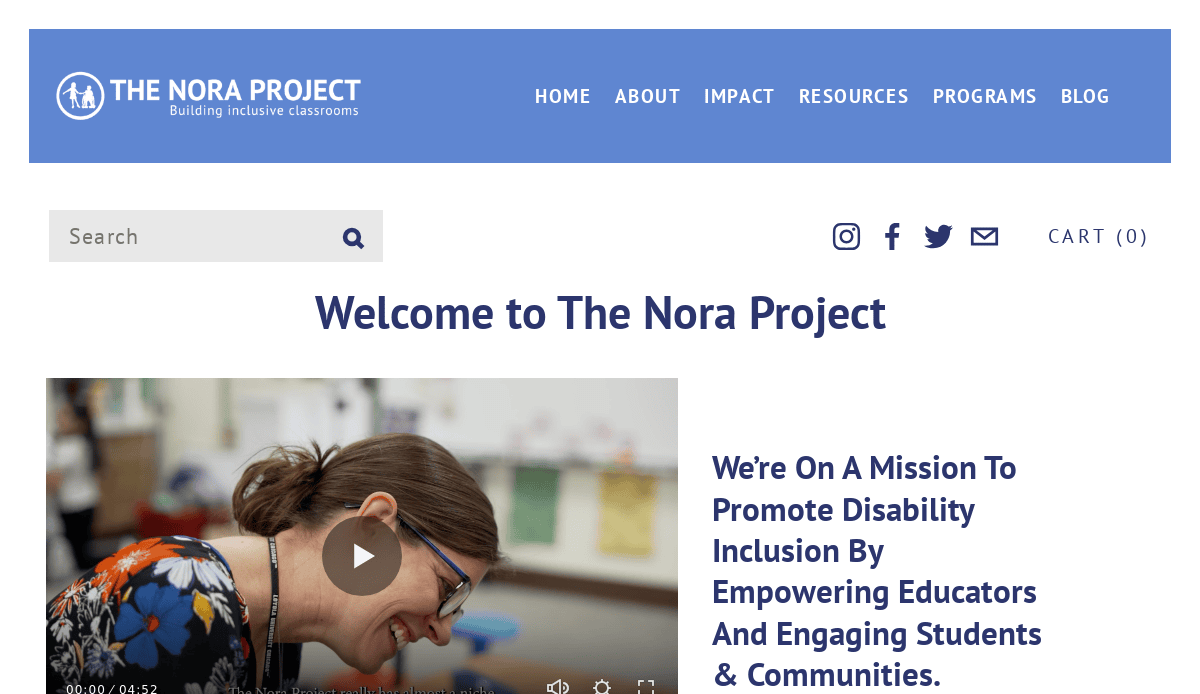
9. The Nora Project
Location: Evanston, IL
- Engaging storytelling design using vibrant images and quotes.
- CTA buttons customized per user group: educators, parents, donors.
- Easy-to-navigate education resource hub.

10. Global Business Partners Alliance
Location: Chicago, IL
- Content-first layout that clearly outlines nonprofit’s mission.
- Resources and partnerships searchable by region.
- Responsive design that prioritizes accessibility.
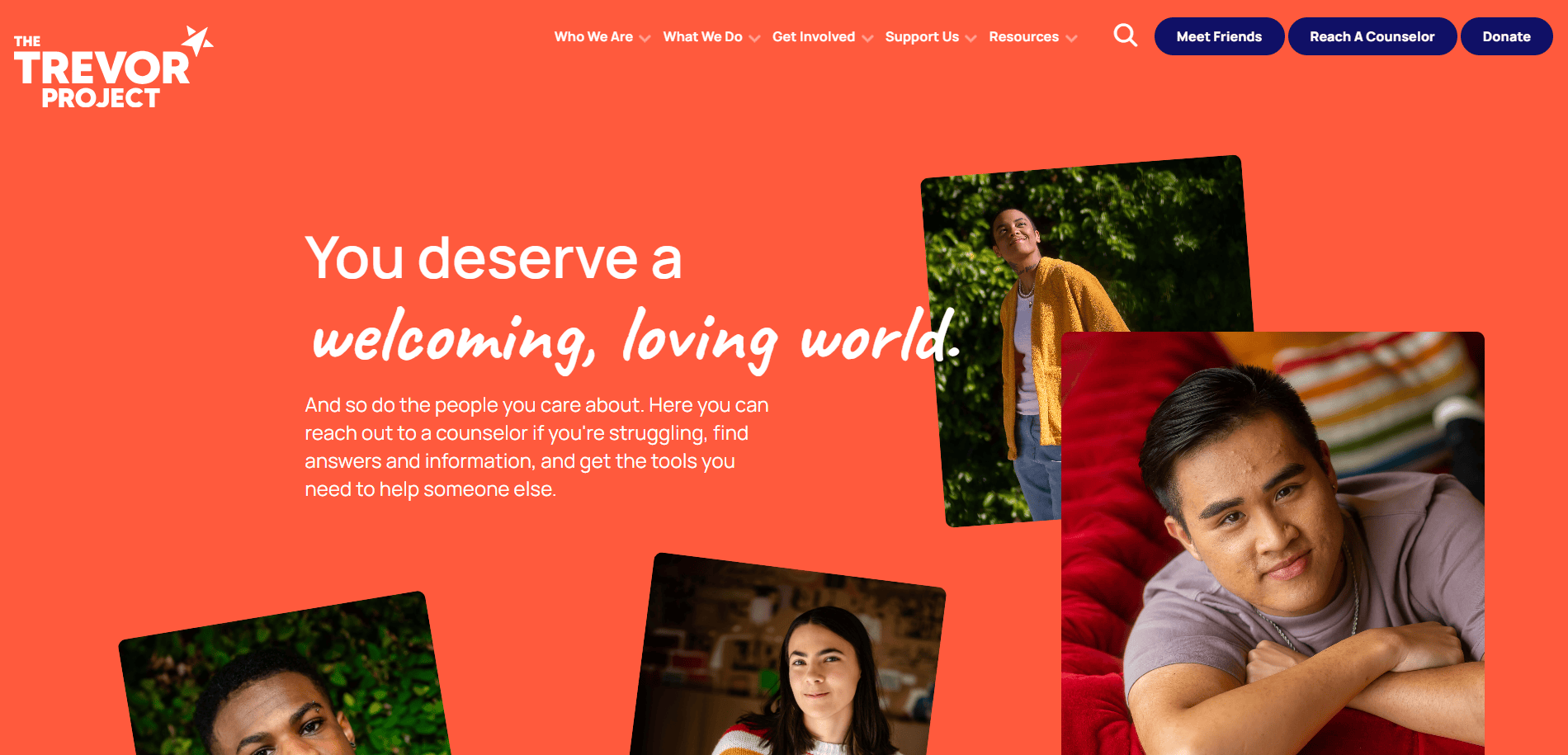
11. The Trevor Project
Location: West Hollywood, CA
- 24/7 helpline visibility for crisis support.
- Engaging visuals paired with advocacy-driven content.
- Real-time chat and volunteer registration.
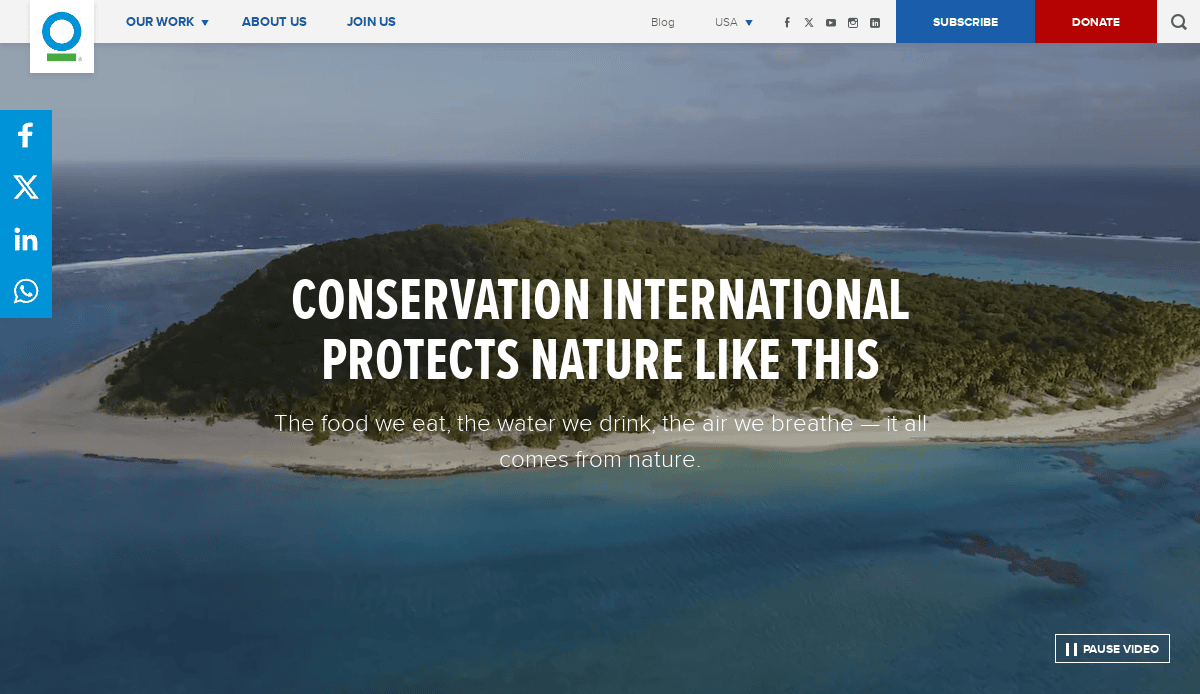
12. Conservation International
Location: Arlington, VA
- Immersive visuals and interactive maps of conservation efforts.
- Smart use of video storytelling.
- Integrated membership and donation portal.
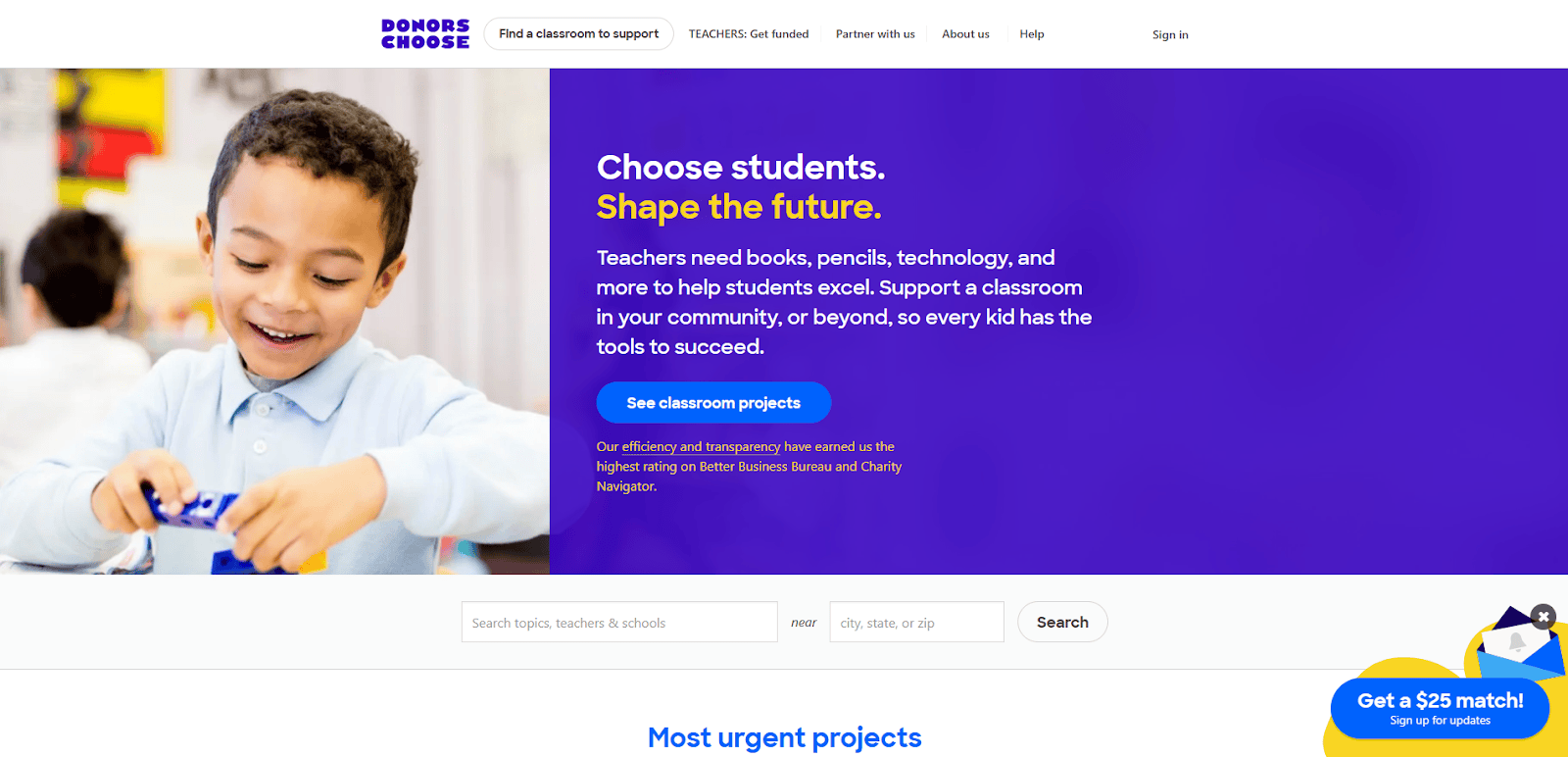
13. DonorsChoose
Location: New York, NY
- Teachers can post projects with real-time donation progress.
- Highly searchable and filterable system.
- Testimonials from educators and donors embedded.
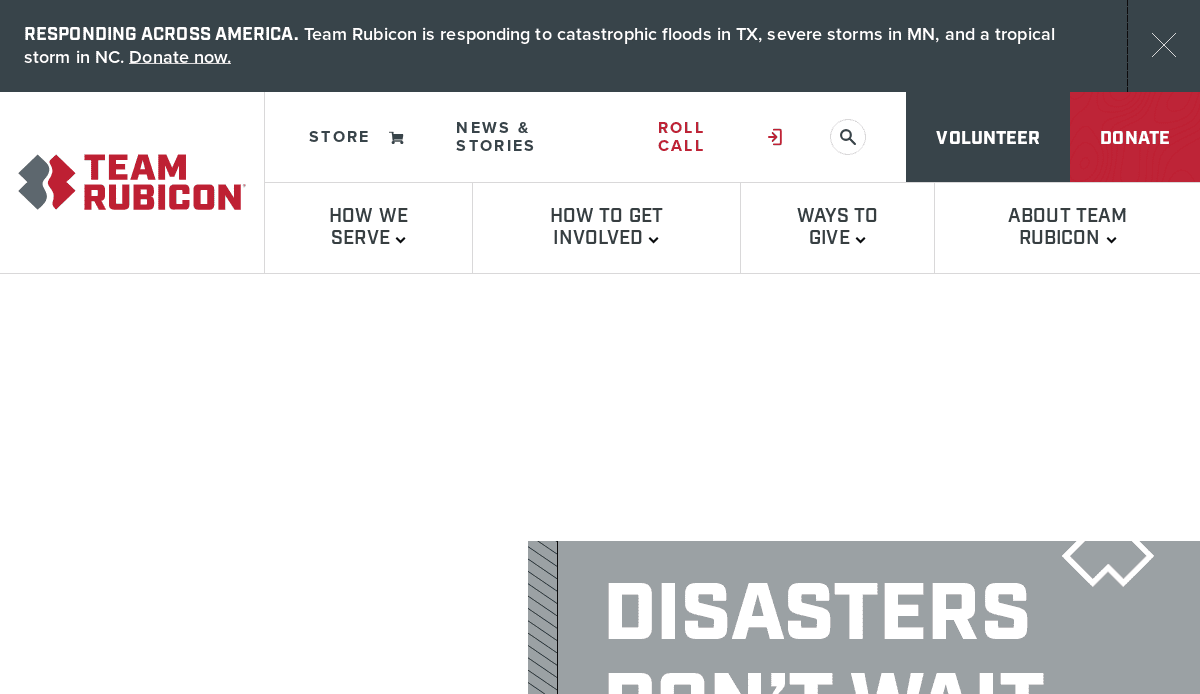
14. Team Rubicon
Location: Los Angeles, CA
- Military-inspired branding and mission-focused messaging.
- Volunteer pathways clearly defined by skill set.
- News section updated weekly to engage repeat web visitors.
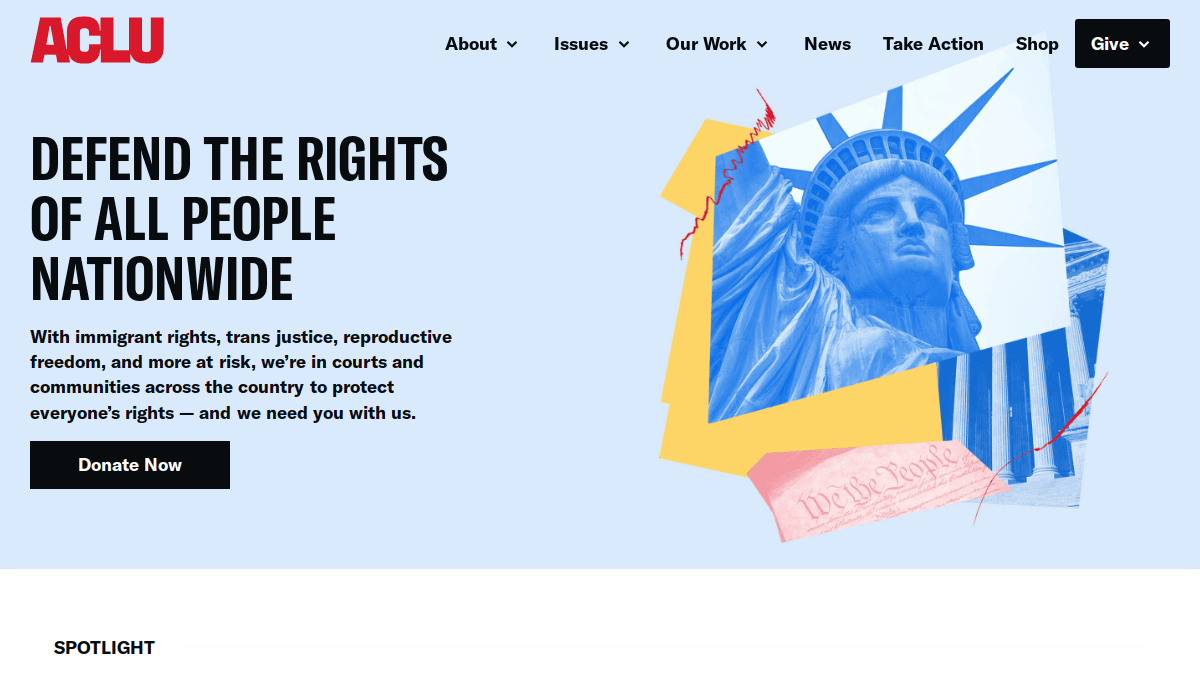
15. ACLU
Location: New York, NY
- Strong focus on advocacy with a mix of real-time alerts and research.
- Donation bar highlights impact of user’s support.
- Includes local affiliate navigation.
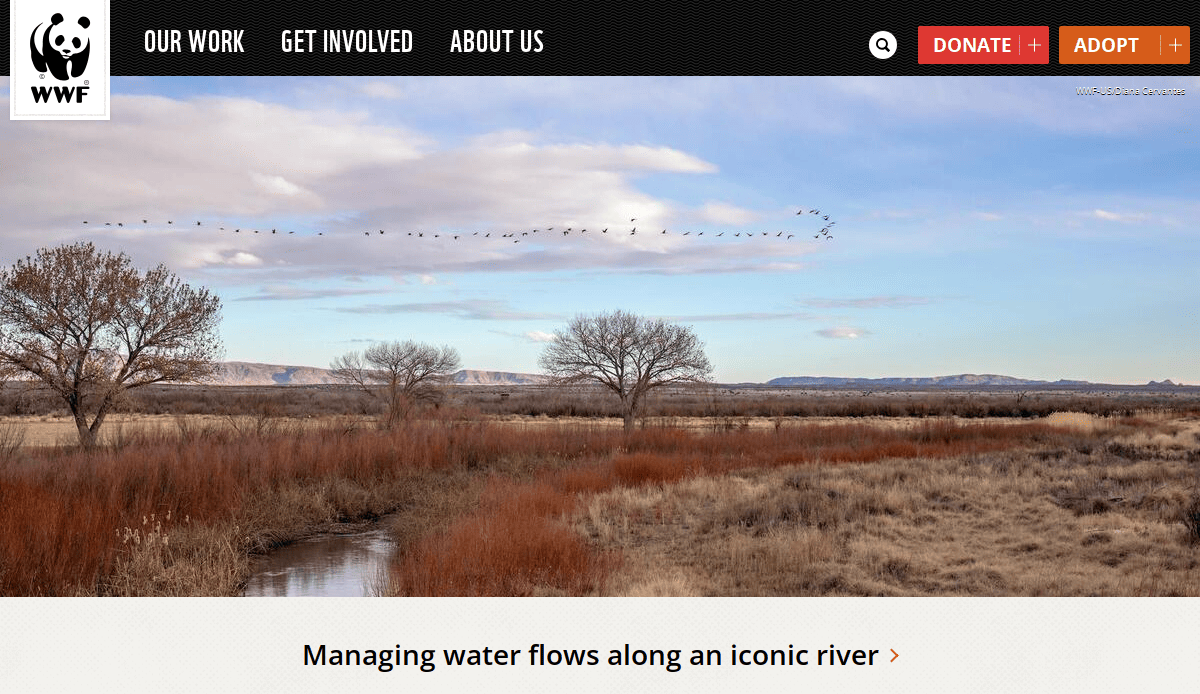
16. World Wildlife Fund (WWF)
Location: Washington, DC
- Visual-driven campaign sections.
- Scroll-triggered storytelling animations.
- Matching gift reminders on donation pages.
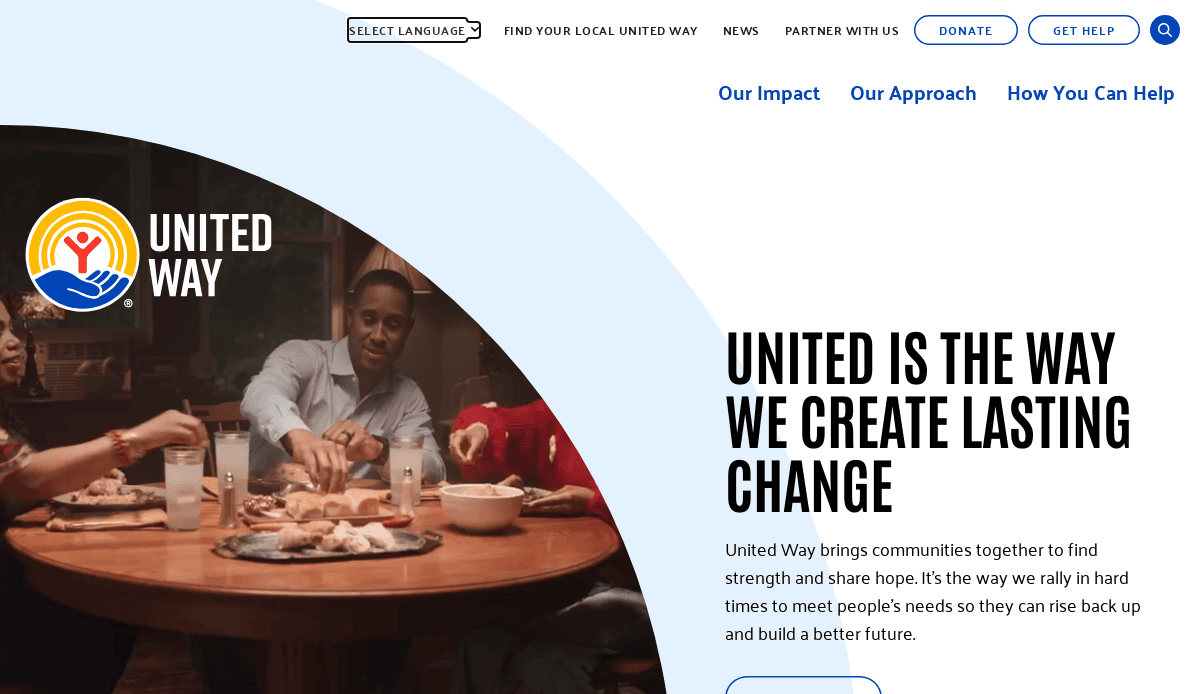
17. United Way Worldwide
Location: Alexandria, VA
- Clear segmentation by geography and cause.
- Corporate sponsor recognition tied into donation flows.
- Unified branding across global branches.

18. Habitat for Humanity
Location: Atlanta, GA
- Integration of local chapters and global initiatives.
- Homeownership success stories on homepage.
- Clean user interface with simple donation options.
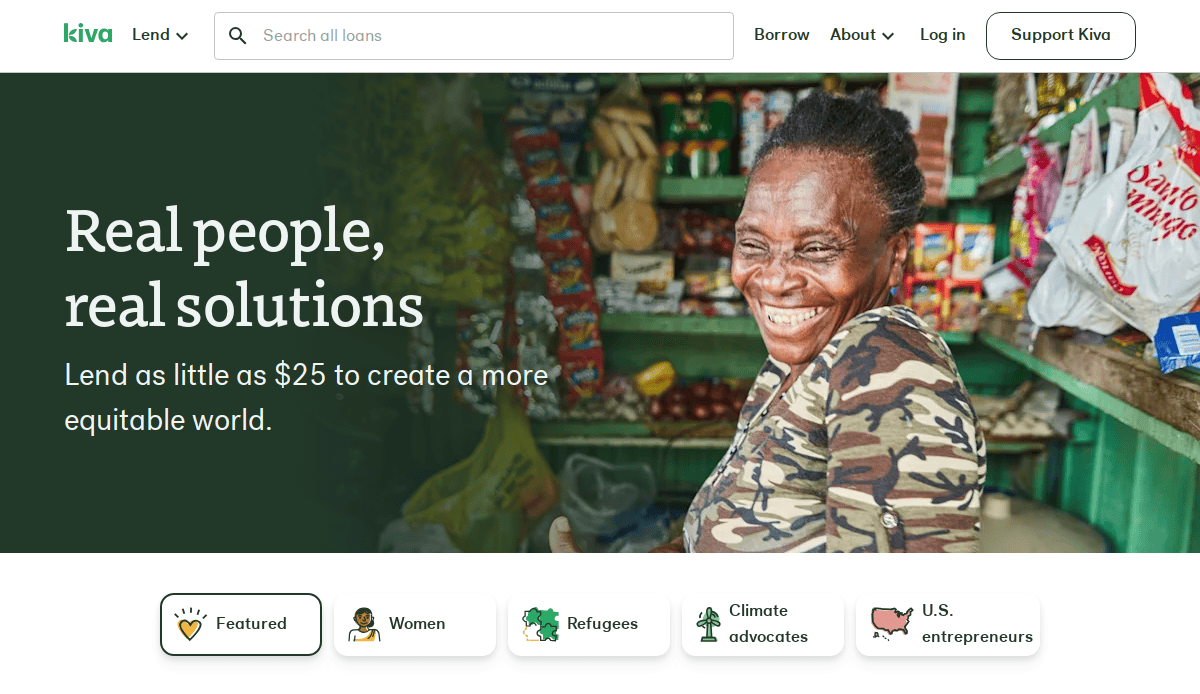
19. Kiva
Location: San Francisco, CA
- Microloan catalog with lending filters.
- Strong integration of individual storytelling.
- Gamified impact tracking for repeat donors.
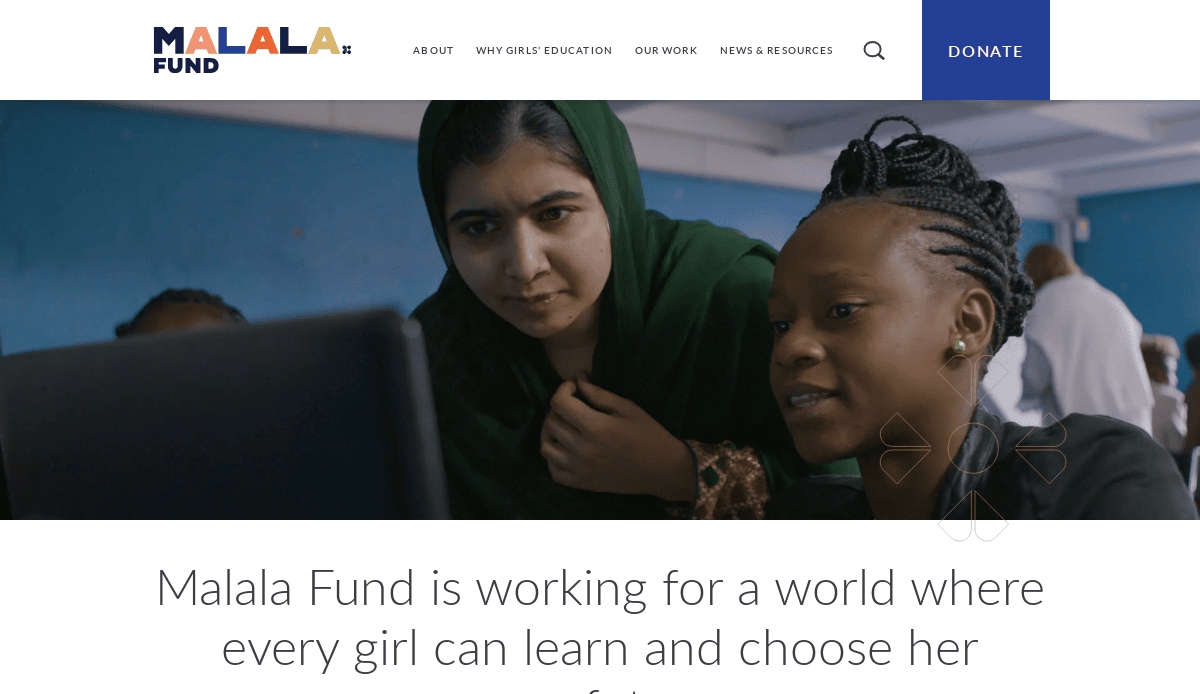
20. Malala Fund
Location: Washington, DC
- Bold typography and youth-centered imagery.
- Global impact storytelling by geography.
- Blog content aligned with advocacy campaigns.
Build a Website That Drives Your Mission Forward
Your nonprofit’s website is a vital piece of your outreach and fundraising strategy. It supports every part of your organization, from spreading awareness to making your fundraising efforts more effective. Whether you’re planning a redesign or starting from scratch, every page of your website should reflect your purpose, be easy to read, and encourage visitors to take action.
A professional website grounded in nonprofit website best practices allows you to communicate your impact, showcase your programs, and engage the audience to get involved. From the website design process to long-term maintenance, aligning your digital presence with your mission gives you the clarity and confidence to drive your work forward.
If you’re ready to bring your ideas to life and build a website that supports your goals, partner with a web design agency that understands the design process and the unique needs of nonprofits. Contact us to get started on your nonprofit website project.
The Best Approach to Nonprofit Website Design FAQs
What are nonprofit website best practices?
They include having a clear mission statement, easy navigation, responsive design, accessible layout, and strategic calls to action throughout your website. It’s also critical to follow the Web Content Accessibility Guidelines (WCAG) to ensure inclusivity and to update your website content regularly to reflect current programs and impact.
How often should an organization update its website content?
Your organization’s website should be updated at least monthly with new content such as blog posts, event announcements, or program news. This shows visitors and search engines that your site is active and relevant, and supports your search engine optimization efforts.
What role does responsive design play in a nonprofit’s website?
Responsive design ensures that your site functions and looks great on all devices, including smartphones and tablets. Many web visitors use mobile devices, so optimizing the site’s design for various screen sizes is key to maximizing engagement and conversions.
How can I use this website to increase donations?
By integrating donation pages that are easy to use, clearly communicating impact, and offering options like matching gift prompts, your website can effectively support your fundraising efforts. Place calls to action on every page of your website to give users multiple paths to contribute.
What should be included on the homepage of a website?
The homepage should highlight your mission, showcase recent success stories or news, offer ways to get involved, and include visible navigation links to key pages on your website, like programs, events, and donations. Visual storytelling elements help connect emotionally with web visitors.
How does a web design agency support nonprofit website design projects?
A professional web design agency guides your organization through every stage of the website project—from strategy and web development to design best practices and launch. Their approach to website design ensures alignment with your mission and long-term goals.
What content strategies help drive people to take action?
Story-driven website content that is easy to read, supported by clear CTAs, and supplemented with visuals creates a strong emotional appeal. Many nonprofit organizations need to communicate complex topics in simple ways that encourage people to take action.
How do search engine optimization and accessibility affect websites?
Search engine optimization improves your site’s visibility in search results, attracting more visitors. Following accessibility standards ensures that all users, including those with disabilities, can engage with your site. These strategies work hand in hand to make your site impactful and inclusive.
What makes the design for social good different from traditional design?
Design for social good focuses on empathy, clarity, and empowerment. The goal is to use the aesthetics to communicate information about your cause effectively and ethically. It’s rooted in creating positive change through intentional design decisions.
Can I learn from top nonprofit websites?
Yes. Reviewing a list of top-performing websites in your field—such as 15 nonprofit website examples—can offer inspiration and highlight what works across the sector. These sites often exemplify strong storytelling, clean layouts, and calls to action that encourage engagement.


